

All stakeholders. One platform.
The EventHub connects customers, partners and your team – with approvals, comments and real-time updates on all event details.
7-day free trial · no credit card · live in minutes
 AI generated
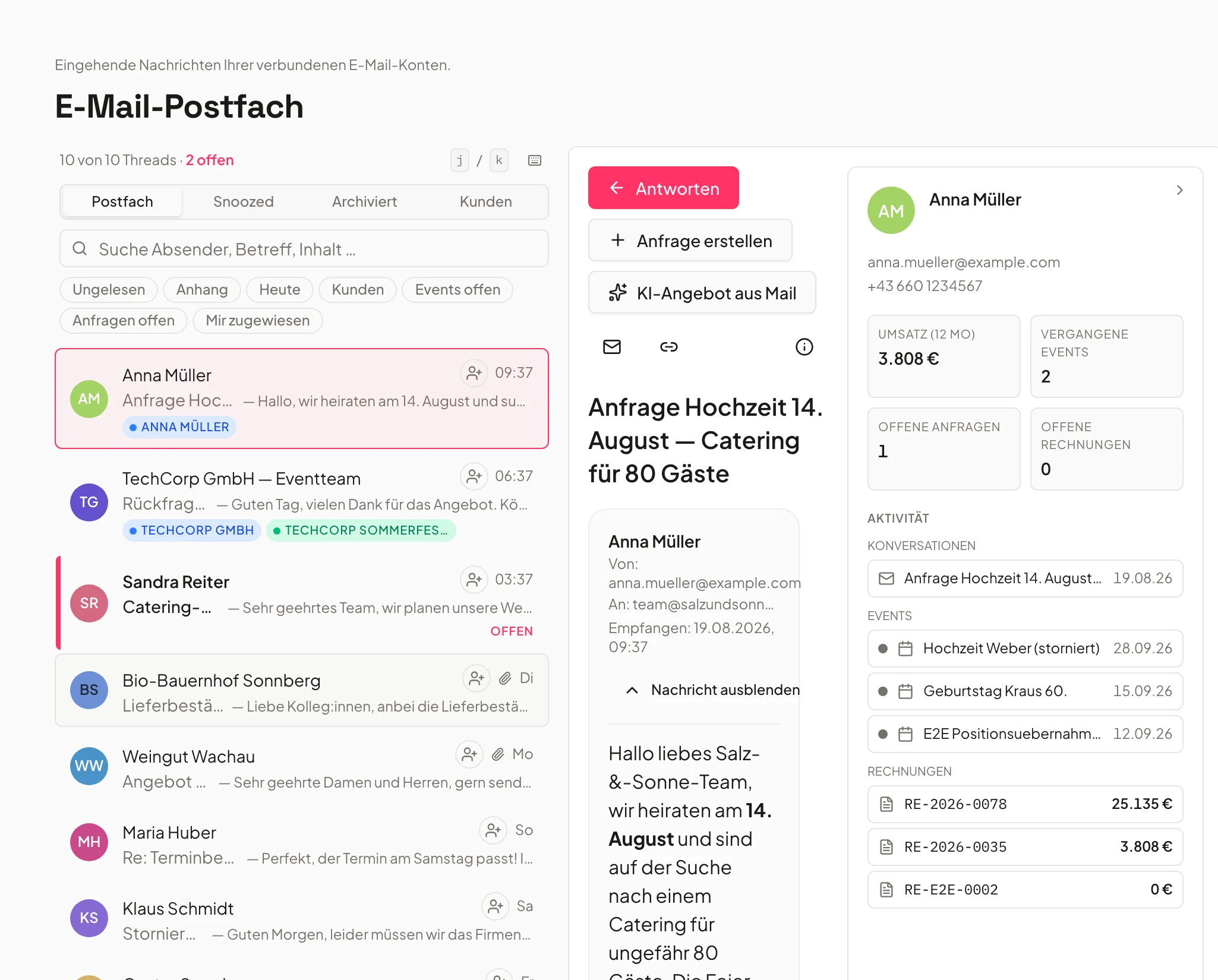
- Inquiry Mayrnew
- Follow-up Huberreplied
Just say it. Univents does the rest.
Speak it, connect your inbox or type in the chat – the AI does the rest. A few examples for exactly this area:
Note on Müller GmbH: they confirmed they need the venue mid-September, budget open.
Note saved
- Customer: Müller GmbH
- Note linked to event
- Follow-up in 7 days
Illustrative. You stay in control and approve before anything goes out.
How your team collaborates with Univents
One place for customers, partners and crew – with granular permissions and transparent communication.
Invite customers
Customers get access to their event – they see quotes, schedules and can submit change requests.
Self-service instead of endless email chains.
Onboard partners
Service providers, freelancers and external teams get their own access with matching permissions.
Everyone sees only what they need – nothing more, nothing less.
Communicate in context
Comments, @mentions and notifications ensure everyone gets exactly what concerns them.
No information loss through external tools.
Creating a function sheet and sharing it with your team
The function sheet is the one document that the kitchen, service and event management all read together on the day of the event. You see how it is created, how you tailor it with filters and display options, scale it for printing, and hand it to external partners via a read-only link.
Chapters
Show transcript
Our quote is finalized. We have checked the booking, entered contributors, the run of show and shifts, and everything else — now we naturally want to share that with the team. That is exactly what our function sheet is for. You can either create it directly from the button here, or under Documents, New document, the function sheet is available there too. Click it, and a new function sheet is created. You can adjust the configuration and set exactly what it should be called and what information should appear in it: which contributors, which shifts, run-of-show plans and which product categories. You can also decide whether to include the venue’s floor plan, whether product descriptions and prices are shown, whether target-versus-actual quantities are shown for the packing, and whether the booking times should be included. And then there is the print scaling for the later PDF, so everything fits compactly onto one page, for example. You can save the whole configuration as a template and reuse it. Click Save, and the function sheet is rebuilt with the corresponding information. So Univents generates the function sheet with the date, guest count, the relevant event information and contacts, plus the details for each contributor with contact data, the run of show, the shifts and the bookings along with your notes and everything else that belongs there. You can edit every one of these sections afterward — go into any section and rework it, adjust your tables, restyle the whole thing with color, or add images. Once the function sheet is ready, you can share it for viewing or editing with your team, but also with customers and any external partner — either as a viewer or an editor, meaning whether they are allowed to edit it or not, which you can set here as well. And you also have the option to download the whole thing as a PDF, to pass it on or take it with you.
EventHub – everything in one place
One dashboard for clients, team, and partners — with granular permissions.
Keep customers, partners and team in one central workspace. All see only content approved for them.
Every participant automatically sees only what's been shared with them. No tool-switching, no confusion.
- External dashboard for customers & partners
- Individual approvals by role
- Always up-to-date info without tool switching
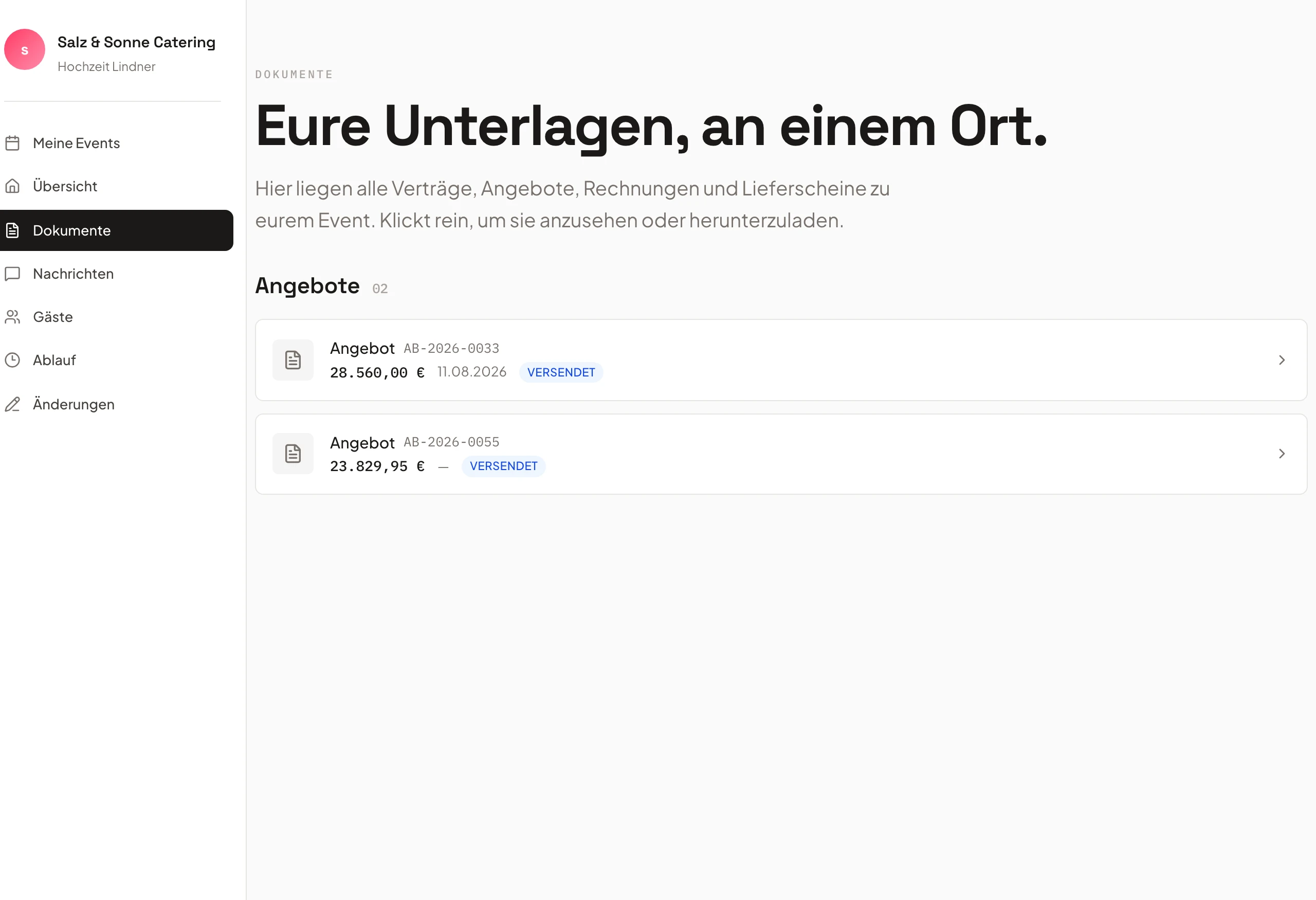
Share documents easily
Share contracts, plans, and files with one click — always up to date.
Upload contracts, plans and files and share them with one click. Approvals keep everyone up to date.
Version-safe storage with access history. Preview and download directly in the browser, with controlled visibility for external partners.
- Shared use of documents
- Version-safe storage with access history
- Preview and download in browser
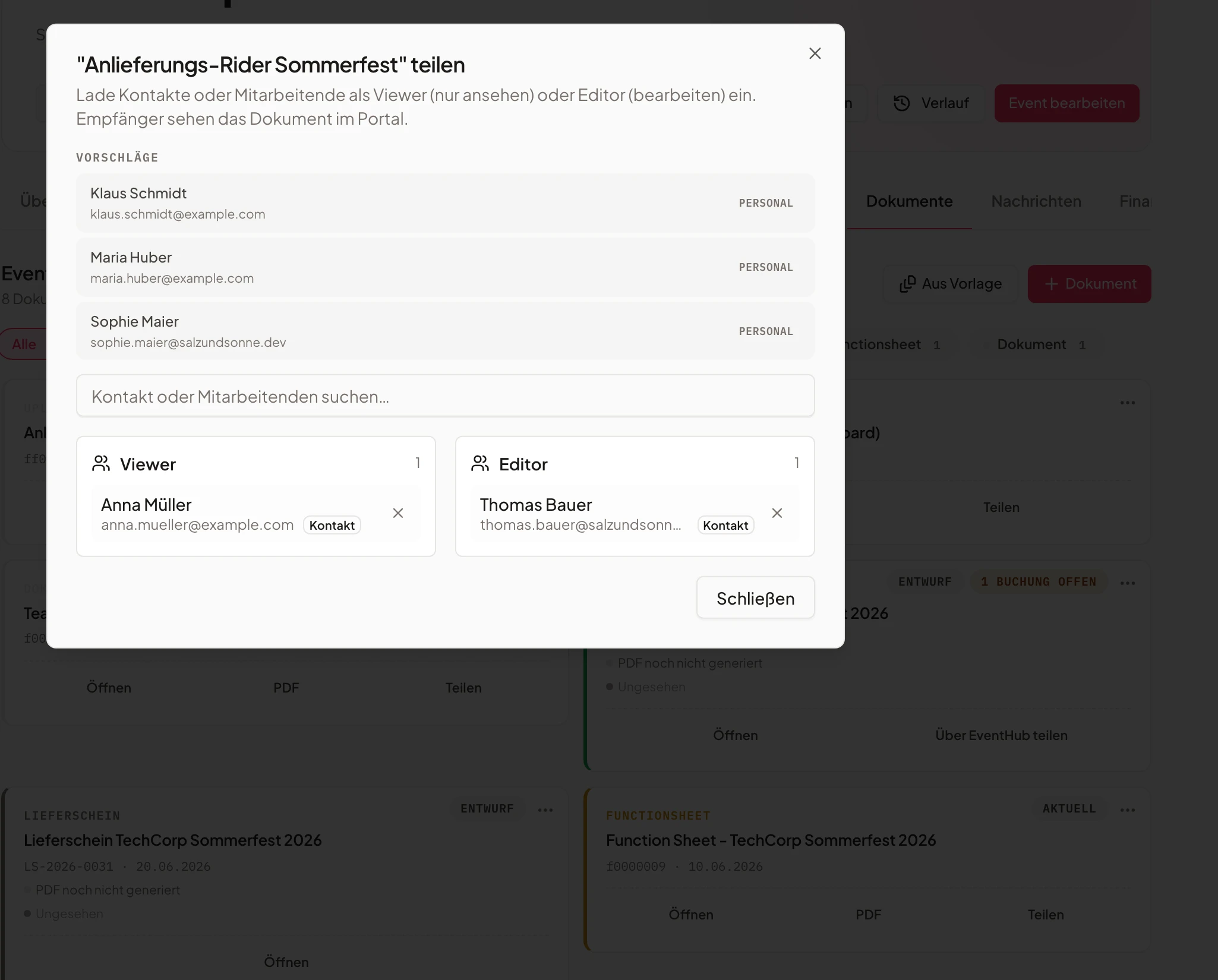
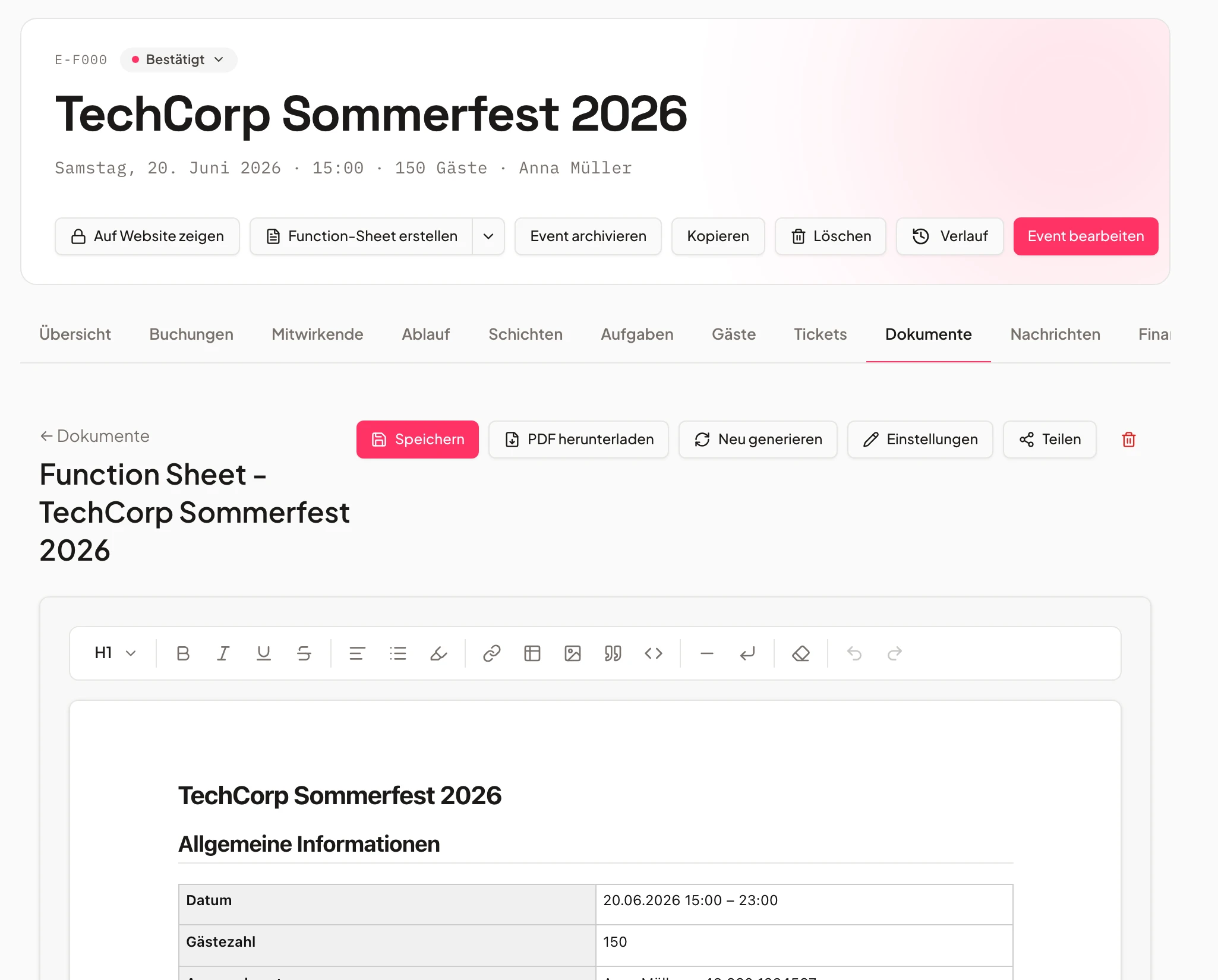
Function sheets with the team
Automatically created function sheets — instantly shared with the crew.
Automatically create function sheets and schedules – and share them with crew, providers or customers.
Event changes flow directly into the function sheet. No manual updates, no outdated PDF by email.
- Automatic creation from event data
- Approvals for individual teams or roles
- Parallel plans (kitchen, tech, overall)
- 1Shared with crew
- 2Updates live
- 3Checked off
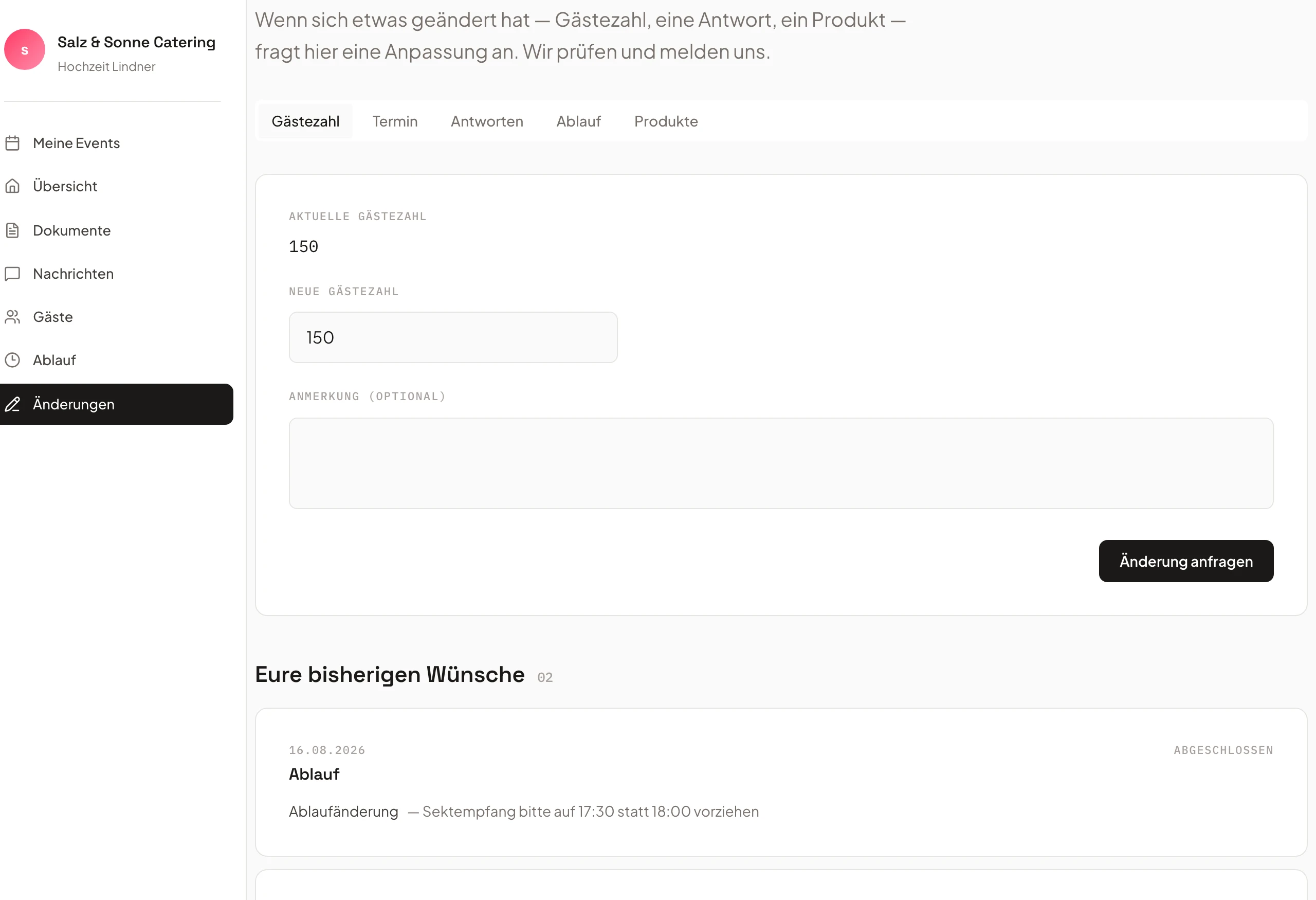
Customer portal & change requests
Clients submit change requests themselves — you accept with one click.
Customers can make adjustments themselves or add new products – all in event context.
Menu adjustments, guest counts, or add-ons land in the portal in a structured way. The change log stays transparent and traceable.
- Self-service for customers
- Automatic inclusion in quotes
- Change history stays transparent
- Menu changerequested
- Guest count +10accepted
- Add-on productnew
Communication in context
Comments and notifications directly on the event — not buried in email.
Comments, @mentions and notifications ensure everyone gets exactly what concerns them.
@mentions, task updates, and approvals all run on one platform. No information gets lost between inboxes.
- @mentions in tasks and documents
- Automatic notification on updates
- Central comment function with history
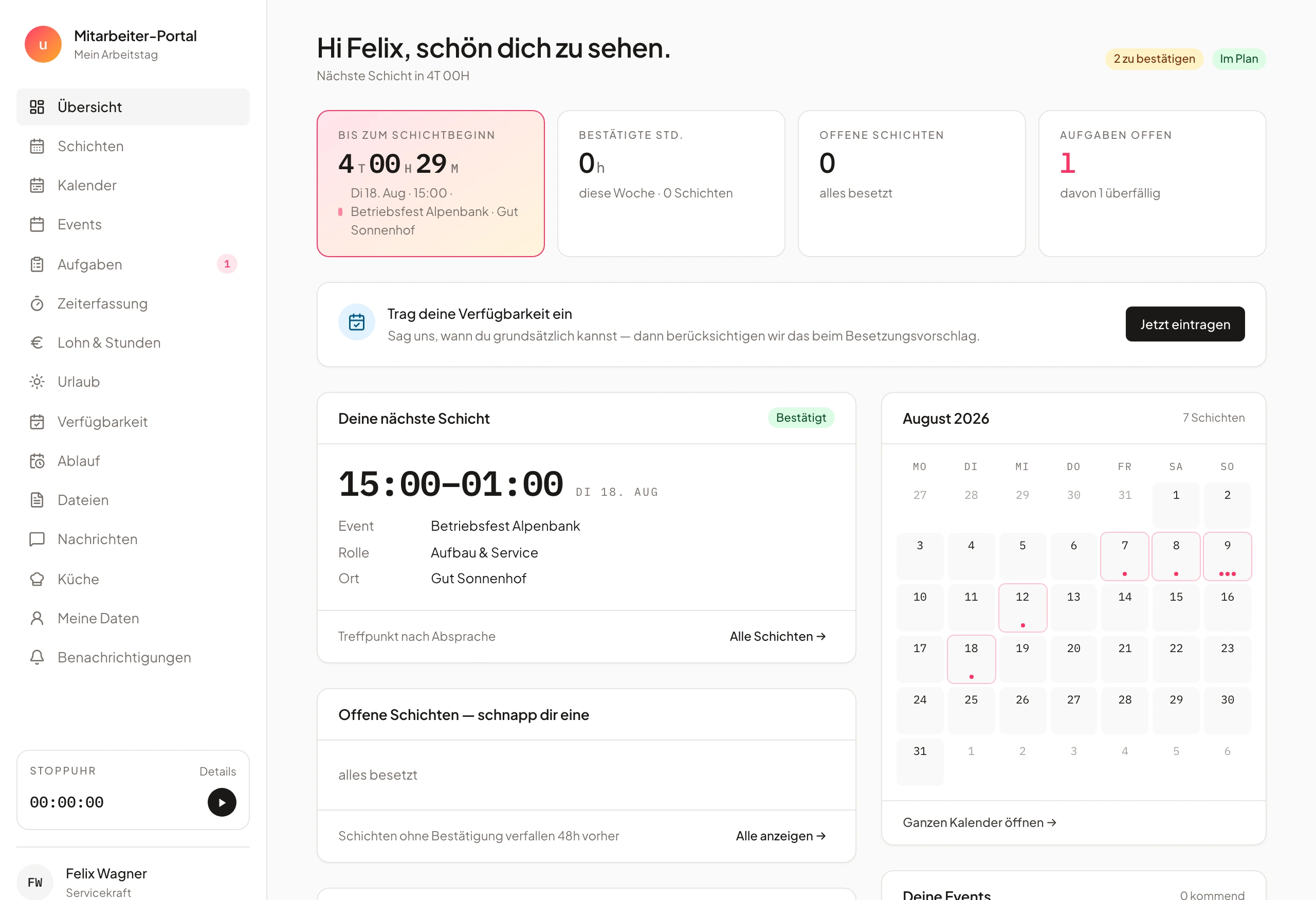
Partner & team access
External partners get their own logins — with only the permissions they need.
Offer your partners their own access to the EventHub. They can manage tasks and schedules directly.
Freelancers, suppliers, and crew members work directly in the system. Granular rights (view, edit, comment) — no data leaks.
- Own logins for freelancers
- Granular permissions (view, edit, comment)
- Clear responsibilities
- Florist partneractive
- DJ crewinvited
- Techactive
Move enquiries through the pipeline
Drag a card to another column and watch enquiries flow from New to Won — right in your browser.
Drag an enquiry into another column
Frequently asked questions
What is the EventHub?
A portal for customers and partners: book, change requests, ask questions and communicate in real time — with individual access.
Can customers trigger changes themselves?
Yes. Changes, add-on bookings and questions run in the portal, with real-time updates on events, products and documents.
Is there a built-in CRM?
Yes. Contacts, companies, histories and notes centrally, with automatic customer creation from inquiries.
Can I link emails to events?
Yes. With mail-inbox integration, emails attach directly to events and content.
Can multiple people collaborate at once?
Yes, in real time — with @mentions, comments and approvals for times and vacation.
Why does creating a quote take so long in most invoicing software for caterers?
Because standard invoicing software knows neither the enquiry nor the event: contact details, menu requests and event data get typed once from the email, then typed again for the quote. In Univents, the enquiry, contact data, event data and product catalogue flow straight into the quote — no re-entry.
How does a CRM speed up quote creation in catering?
Every enquiry in the pipeline automatically creates a contact with full history. The quote pulls name, address, event data and products straight from it — and passes them on unchanged to the order and invoice, instead of retyping them at every step.
Can I turn an email enquiry directly into a quote?
Yes. The AI reads incoming enquiries and drafts a quote with pricing and a menu suggestion. You review the draft, adjust it if needed and send it — the AI handles the typing, you keep the decision.
Ready to get started?
Try Univents for free and see how simple event management can be.
Univents newsletter
Product news and practical tips for event and catering businesses. Roughly once a month, no more.