

From inquiry to quote in minutes
With your own booking pages for event venues, every inquiry automatically becomes a complete event – with pricing, quote, schedule and team. Online event booking for caterers in the DACH region, no Excel, no chaos.
7-day free trial · no credit card · live in minutes
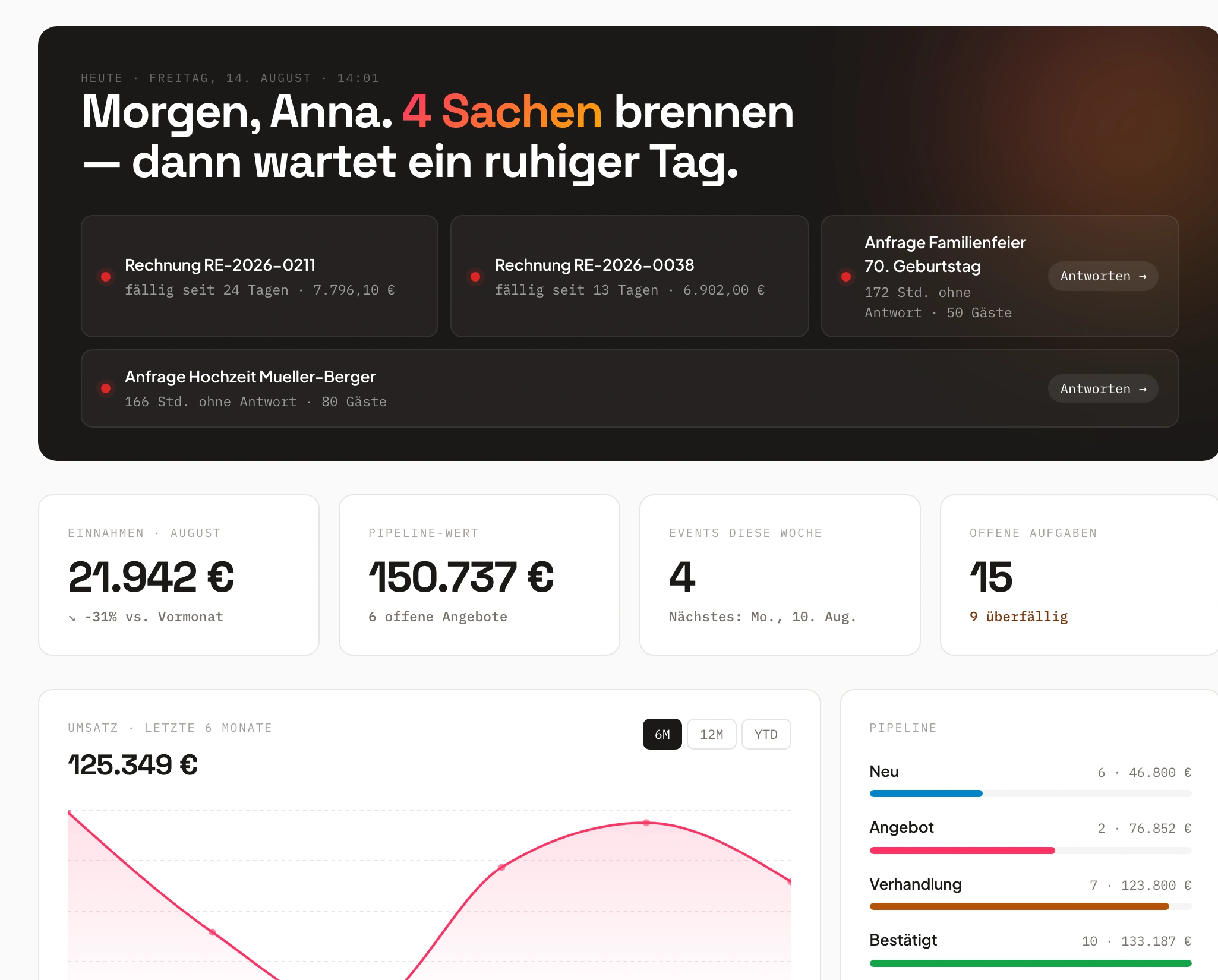
- Wedding Schmidt€9,996confirmed
- Corporate gala€14,994new
Try it the way your customers see it
Four example shops to click through – no sign-up, and nothing is sent.
Just say it. Univents does the rest.
Speak it, connect your inbox or type in the chat – the AI does the rest. A few examples for exactly this area:
"New enquiry from Müller GmbH – company party, 80 people, September 14th, buffet and drinks"
Enquiry created
- Müller GmbH – 80 guests
- Date: September 14th
- Buffet + drinks noted
Illustrative. You stay in control and approve before anything goes out.
How booking works with Univents
A clear process – from the first click to a ready event plan. All automated, without duplicate entries.
Receive inquiry
Customers fill out your custom inquiry form or booking page – with dynamic questions, prices and product availabilities. Every inquiry automatically lands in the right event.
No email chaos, no manual data entry.
Create quote
Univents creates a complete quote in seconds – with images, text blocks, CI layout and pricing logic. Customers can sign digitally and pay immediately.
Quotes that impress – automatically, accurately, in your style.
Start event
After quote acceptance, Univents automatically creates the event including function sheets, tasks, production lists and staffing.
From booking to production, everything flows automatically.
Setting Up a Booking Page: Configuring Design, Pricing and Languages
A booking page isn’t a contact form — it’s its own sales channel: you can set up as many as you like, one for each audience, venue or season, each with its own design, products and required questions, and every inquiry still lands in the same inbox. This clip walks through the complete configuration of a page: design and URL, capacity and inquiry limits, released products including a per-day cart, delivery radius and travel costs, pricing and payment settings, custom questions for the customer, and enabling a multilingual customer portal in English.
Chapters
Show transcript
Let’s take a look at how to configure and use booking pages correctly in Univents. On the left, under Booking Pages, you can set up as many booking pages as you like. You can create one for specific customer groups, segments, venues, occasions, or similar — each with its own questions or products available for booking. Here we also see our global blackout periods: these let you block bookings across all booking pages at once, for example during company holidays or similar closures. Then we have our different pages — let’s go through them one by one. First, there’s the booking link, which you can copy and send out, for example, in emails. There’s also an embed snippet you can use to add the booking page directly to your own website, along with instructions on how to embed and configure it correctly. And here you can simply open the live preview of the booking page. Now let’s configure one of these booking pages from start to finish. Here we first edit the basic details of the booking page: its name and its design — Stepper, Webshop, Inquiry, Location, or Event form. We’ll take a closer look at what each design means and looks like in a moment. Then there’s the URL slug, meaning how the address looks in the browser at the end. You can also add a description and, of course, insert the relevant legal links, plus define who gets notified when someone books through this page. Under Inquiries, you can set how many inquiries you allow at the same time. Inquiries coming in for the same booking page: if there are already three options or inquiries for the same period, the page gets locked. Inquiries aren’t confirmed events yet — this is simply about how many interested parties you let inquire for the same period before locking the date. Maximum parallel events, on the other hand, are the actually confirmed events: how many do you want to allow at the same time? For venues, that’s naturally always just one at a time; for other booking options, such as catering, it really depends on how many resources you actually have. The buffer time between events defines how much time needs to sit between two events before you take on a new one. And the minimum lead time simply means how many days in advance customers can book, so they can’t, say, request an event for tomorrow. Here you can also set how the inquiry is displayed on your end, so you get a good overview in your inquiries list. Tags are another very relevant factor for automatically picking the right automations or email templates for this event. You can define which tags an event should get when it’s booked through this page, and then trigger mail templates or automations based on them. Under Bookings, we add the relevant products. Default products always land in the cart automatically and can’t be removed by the customer, while selectable products are ones the customer can choose freely. You can also split the cart by day — you can book multi-day events through the booking page too, and customers then fill their own cart for each day: different products for day 1, day 2 and day 3 of the same event. Especially handy for multi-day events. Then there are the locations: here you link different venues that customers can choose from, selecting one or several rooms. And you can set certain products to be mandatory for a given venue, or allow new choices specifically for that venue’s product bookings. You can also restrict orders to a specific delivery radius — especially relevant for catering, if, say, you don’t want inquiries coming in from 300 kilometers away. At the same time, you can have travel costs calculated automatically, which is very handy since that line item then gets sorted straight into the quote. Under Price, Order and Quote, you control various automations for quote creation: you can have quote drafts created automatically and quotes sent automatically. You also have the option to create and send invoices directly, or even let customers pay right in the shop, and you can select specific quote templates here too. Then come the pricing settings: for one, you can have price conditions applied — for example a five-euro surcharge per hour after 10 p.m., or a small discount from 100 guests upward. You can also decide whether prices are shown on the page at all, or leave that out for now, and choose between net and gross display. And you have the option to set a minimum order value, so you only get genuinely qualified inquiries. Under Questions, you can decide which standard fields — like company name or name — should be captured, and add completely custom questions for the customer on top, so you have every piece of information relevant to the event ready the moment a customer books. Under Analytics, you can also add your own tracking pixels — though of course those only work if the customer has accepted the corresponding cookies; otherwise they simply can’t track. In the customer portal, we can see once more what all of this looks like for the customer. After the inquiry, once you’ve sent a quote, the customer gets their own portal link, where they can view all the event information, quotes, invoices, the schedule and more. They can also exchange messages with you there, book additional products, and request changes to the event, for example to the guest count. And you can also unlock further portal access for the customer afterwards. Then there are the language settings: you can have our AI translate the page fully into English, and you can select several translations at once. The system also shows you which products are affected, so that everything really can be displayed fully in English. As for the layout of booking pages: “Location first” shows customers only the venues first, in a stepper format. “Webshop” is a more shop-like layout, particularly well suited when people are ordering things like catering. The plain inquiry form is, as the name suggests, ideal when you only want to receive inquiries that you then respond to with custom quotes. And the stepper simply guides the customer step by step through the respective booking process. We’ll take a closer look at that in a separate video.
Booking page with online payment
More inquiries, less effort.
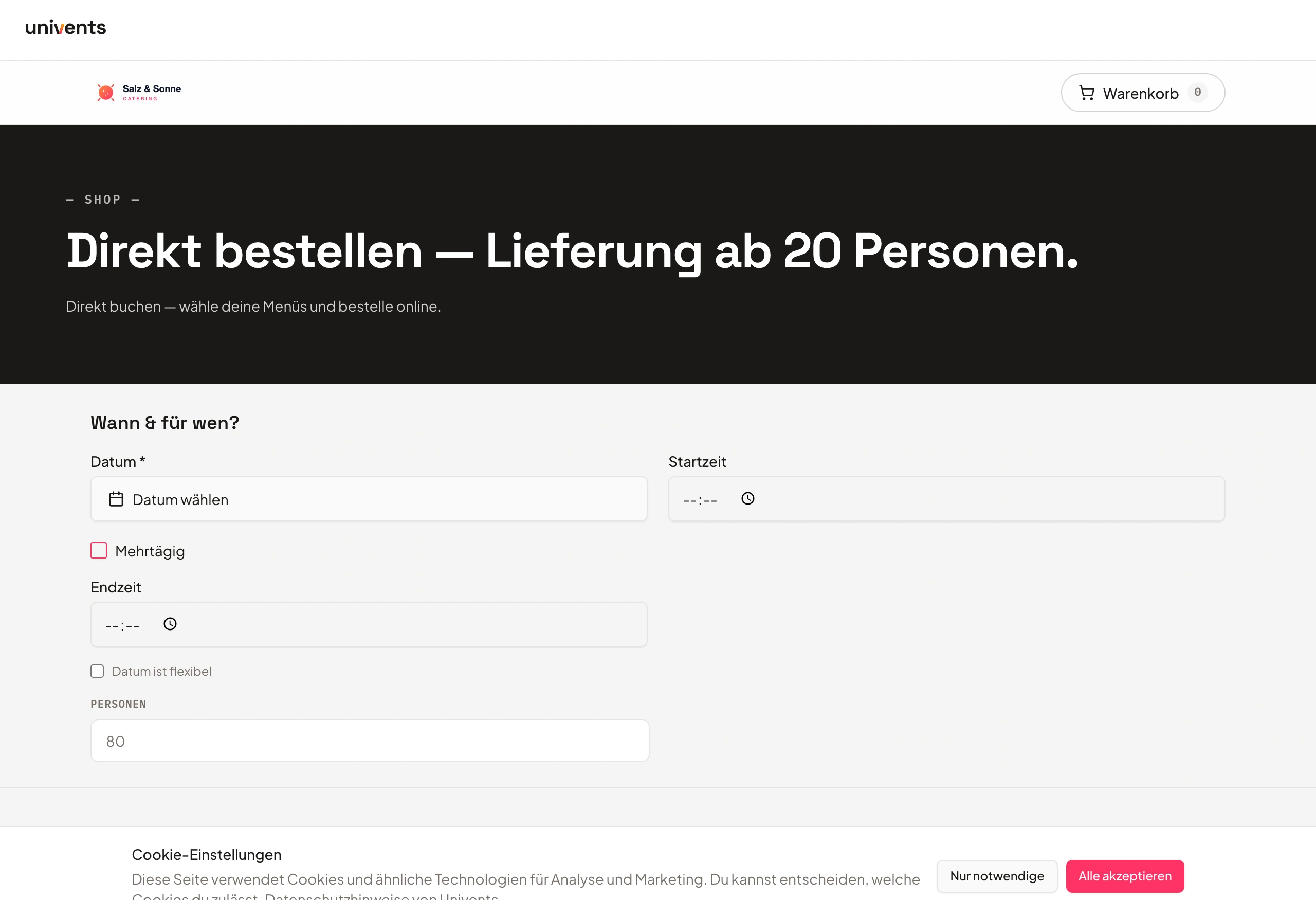
Customers book directly online through your custom booking page – with calendar, products and payment.
All in your own branding — no form tinkering, no third-party tools.
- Direct online payment via Stripe
- Calendar view with availability
- Custom branding & layout
- Wedding Schmidt€9,996confirmed
- Tasting Shop€1,726Quote
- Corporate gala€14,994new
Smart pricing logic
Prices that calculate themselves.
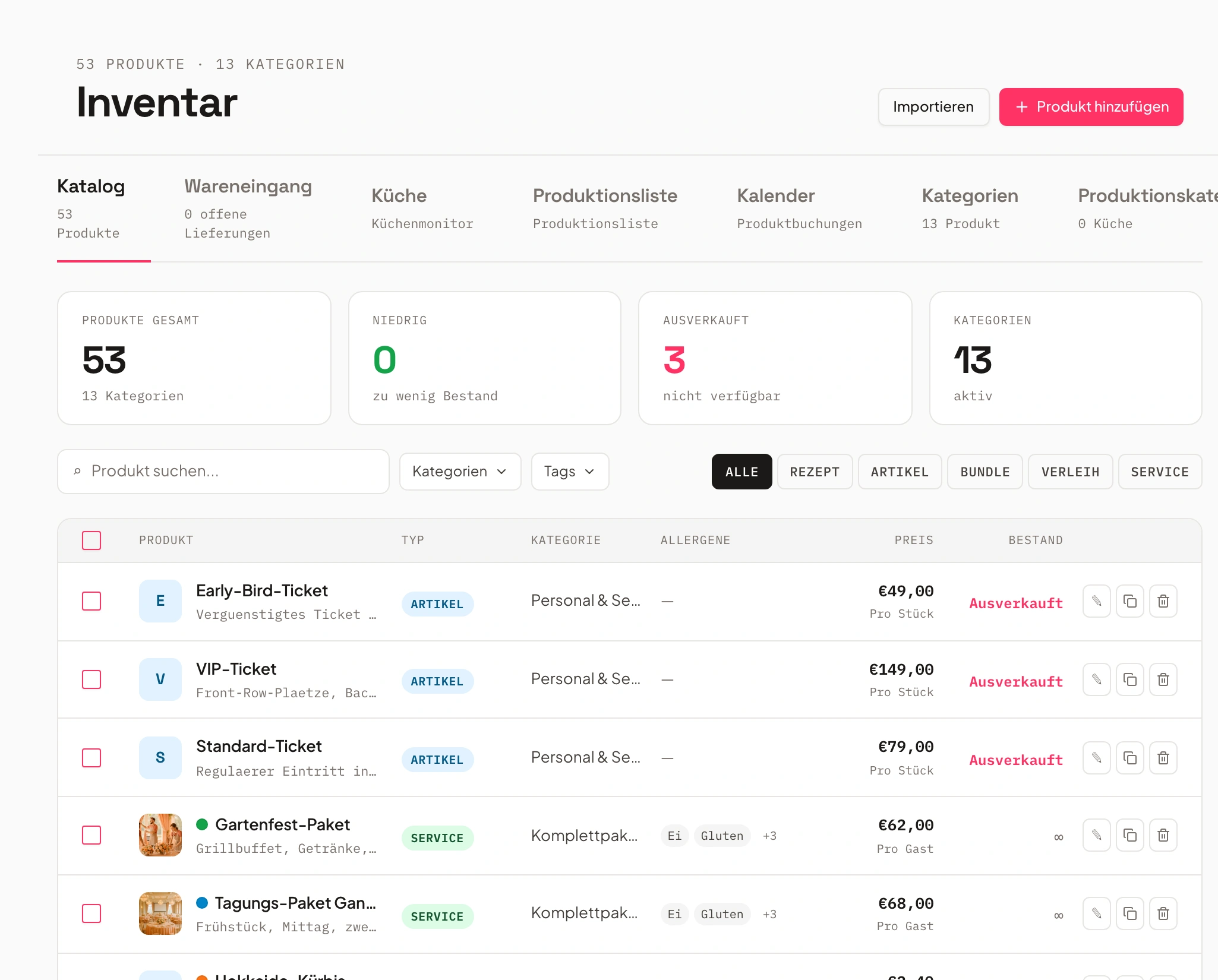
Minimum values, mileage, seasonal surcharges, guest count – Univents calculates the correct price automatically.
So every quote stays correct, transparent and profitable.
- Dynamic pricing rules
- Surcharges & discounts automatic
- Always accurate quotes
- Buffet · 120 guests€1,980
- Travel · 45 km€135
Inquiry & pipeline management
No more email chaos.
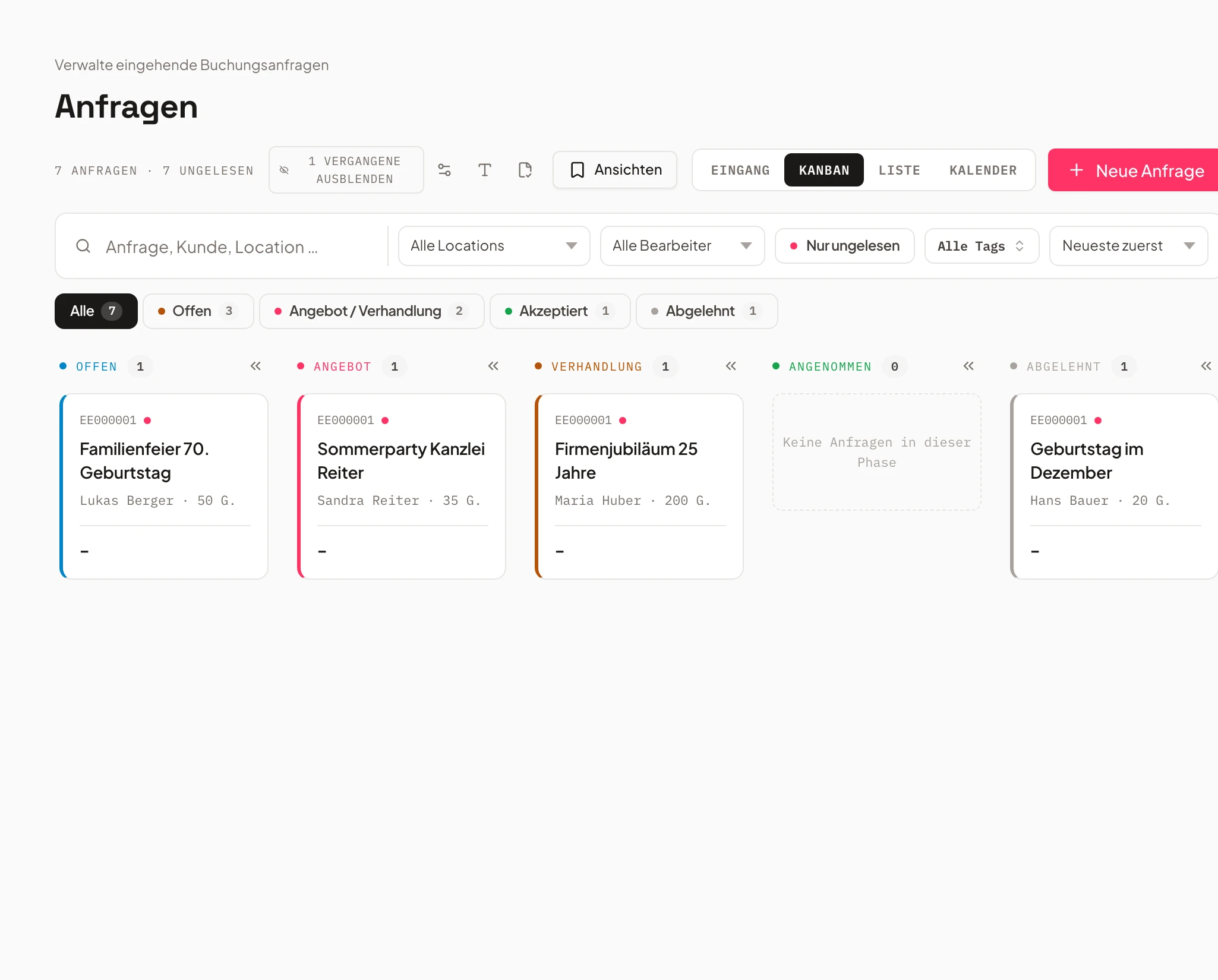
Every inquiry lands in the pipeline system with status, notes and automatic follow-ups.
You see status, customer and date and can reply or release the quote right away.
- Status & pipeline management
- Automatic reminders
- CRM history per customer
- Wedding Schmidt€9,996confirmed
- Tasting Shop€1,726Quote
- Corporate gala€14,994new
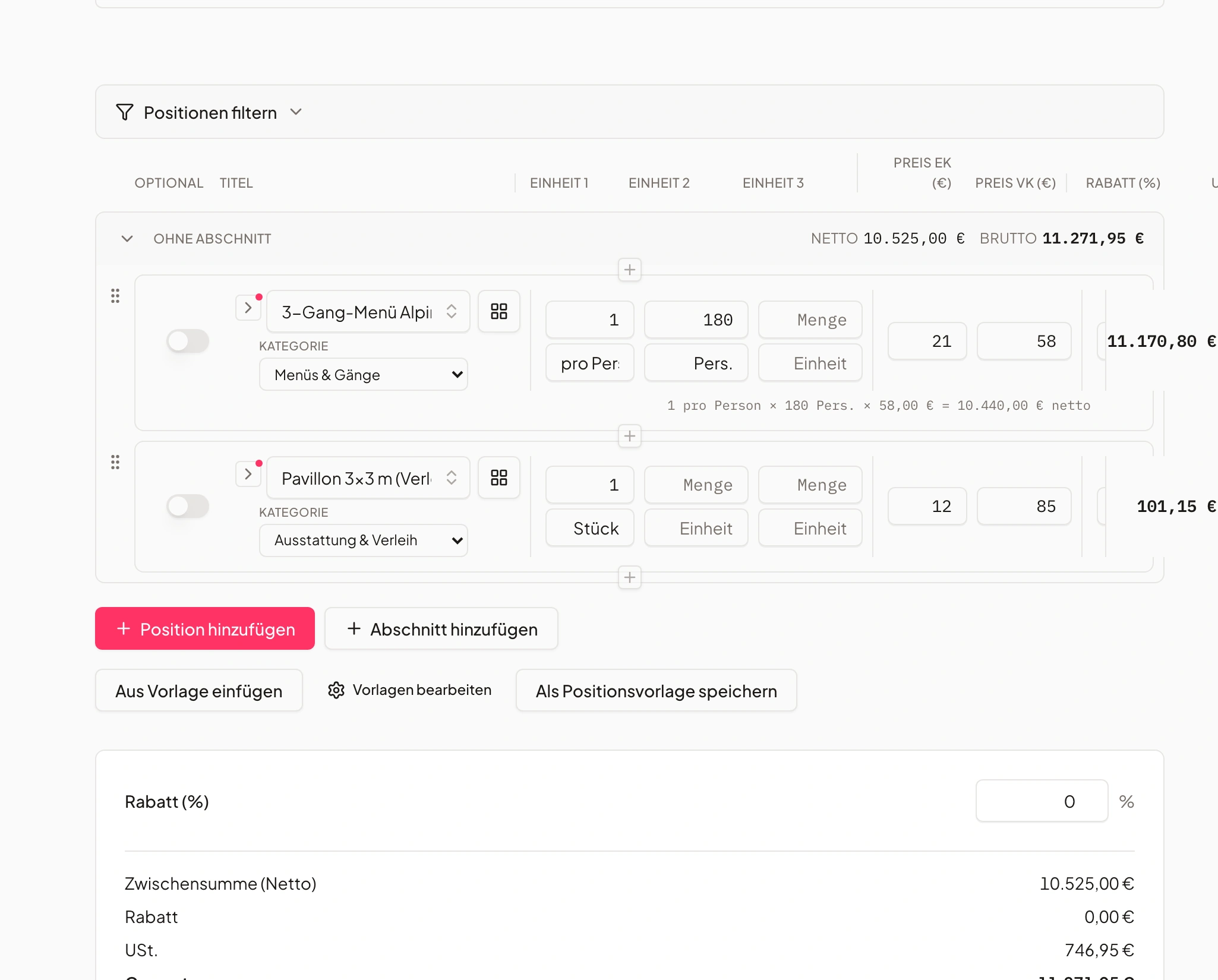
Professional quotes
Impressive quotes that sell.
Quotes with images, text blocks and pricing logic – digitally signable on the spot.
Customers can sign and pay directly online.
- Layouts in your own branding
- Digital signature
- Direct online payment
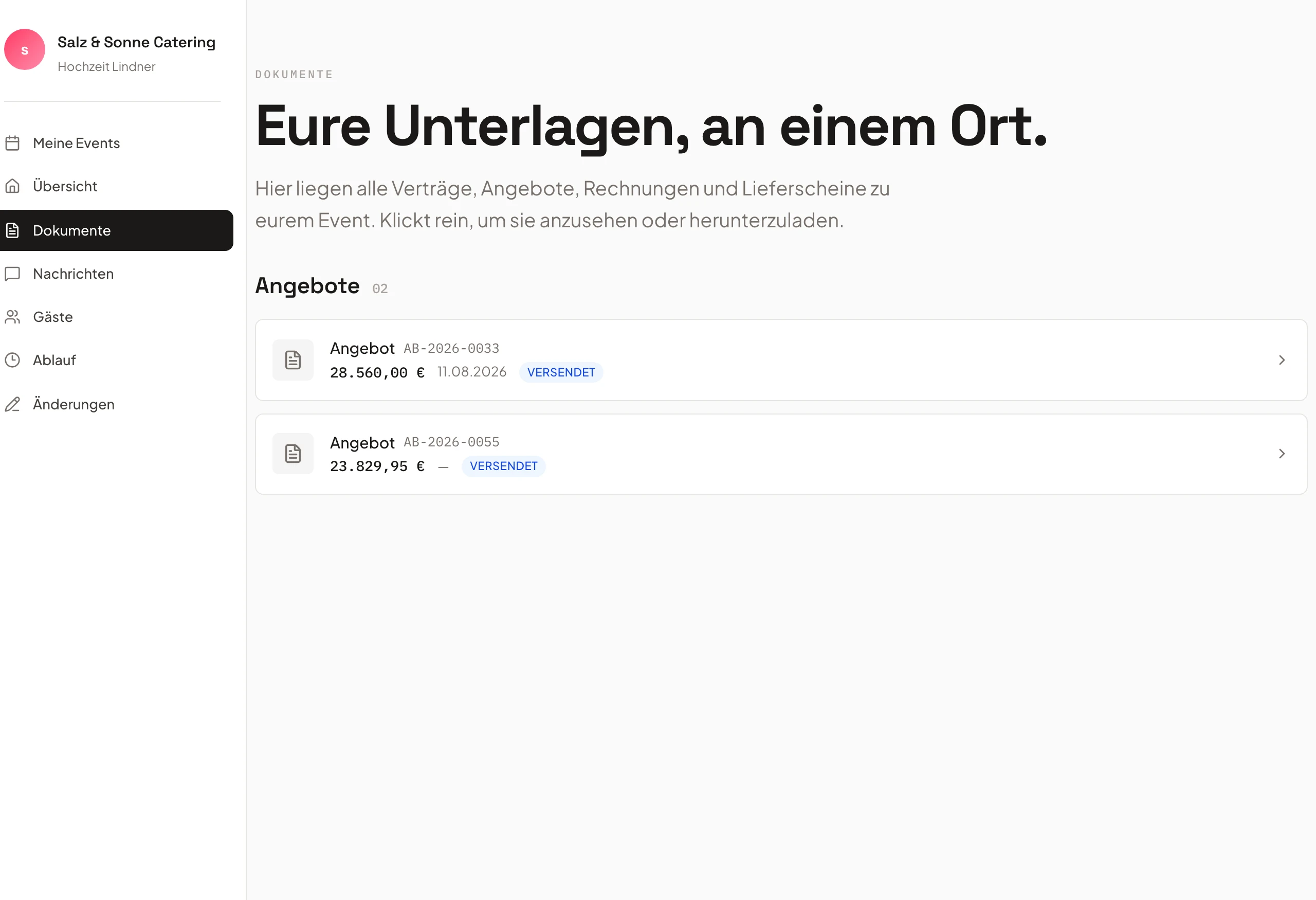
Customer portal
Customers who collaborate instead of asking.
Customers see their event, accept quotes and submit change requests – all in one place.
That saves time and noticeably reduces back-and-forth.
- EventHub for customers
- Self-service changes
- Transparent communication
- Inquiry Mayrnew
- Follow-up Huberreplied
- Quote approvalinternal
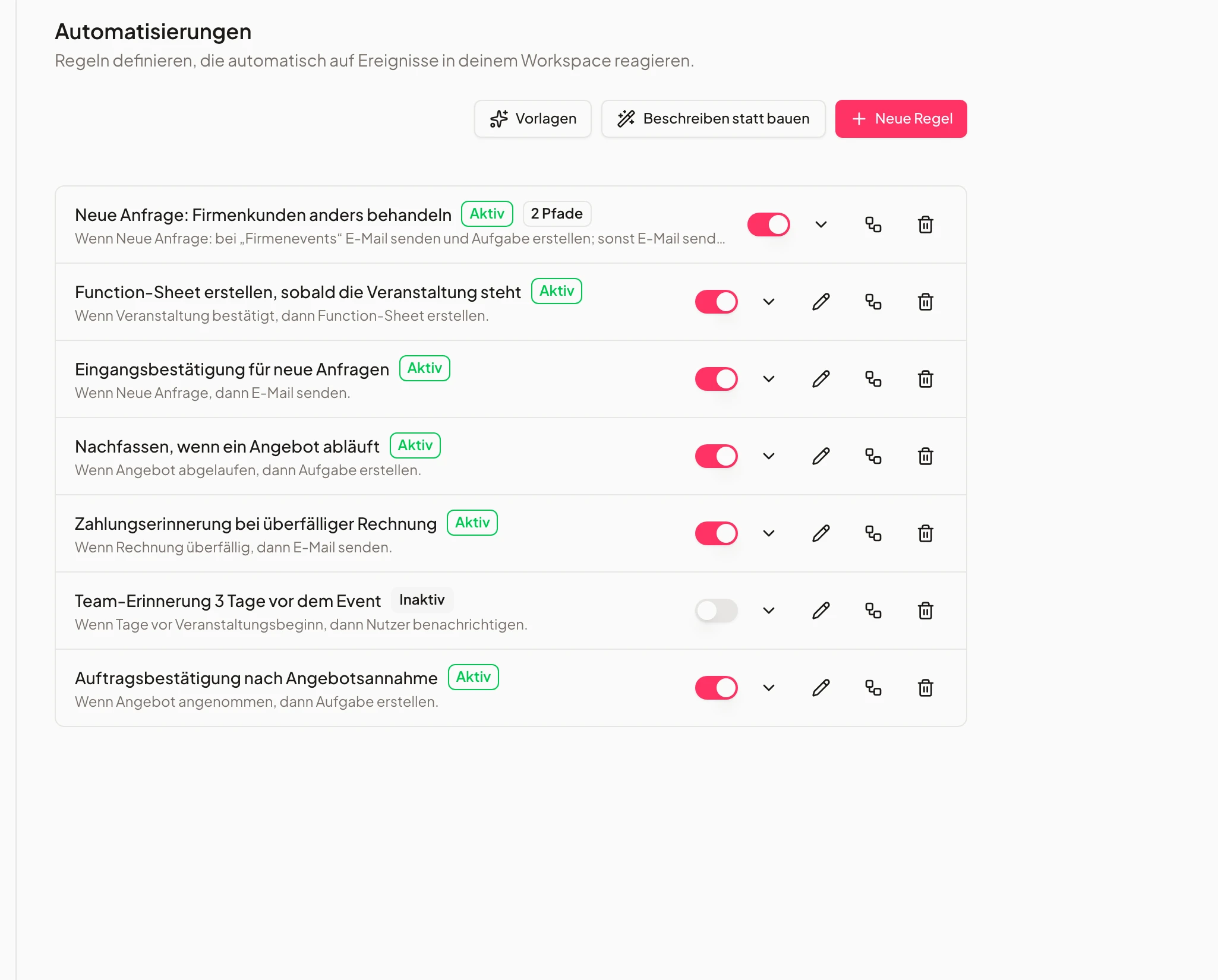
Automations
When inquiries turn into events automatically.
Automatic reminders, status updates and follow-up workflows – no manual phone calls.
You focus on customers — the rest runs by itself.
- Custom intervals
- Email & task triggers
- More closes, less effort
- 1Event is created
- 2Tasks & function sheet
- 3Deposit requested
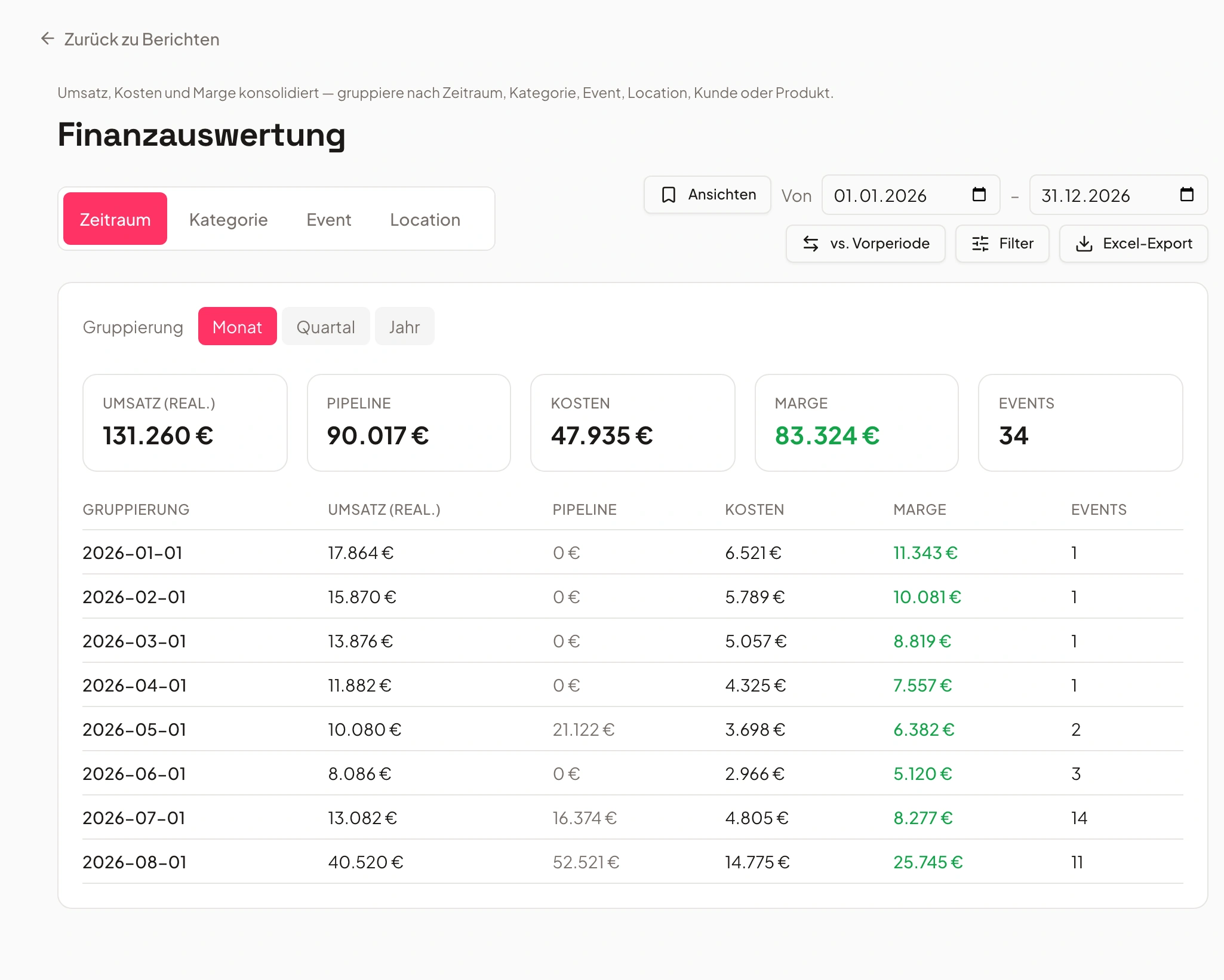
Insights & reporting
Every booking, clearly analyzed.
See conversion rates, most popular products and utilization in real time.
So you spot trends and steer with intent.
- Live dashboards
- Conversion per source
- Revenue forecasts
Speakers and exhibitors enter their own details
One form per event — the answers land directly with the contributors.
For congresses, trade fairs and conferences you create a form attached to that specific event. You share it either as an open link or as personal invitations by email. Whoever fills it in becomes a contributor to the event — without you typing a single line or maintaining a second list.
Ask for what you actually need: talk title, stand size, arrival time, catering — including a file upload for logos, slide decks or certificates. Anyone who forgot something corrects their own answers through the same link, and you can cap the number of places.
- Open link or a personal email invitation
- File upload for logos, slides and certificates
- Submissions become contributors to the event
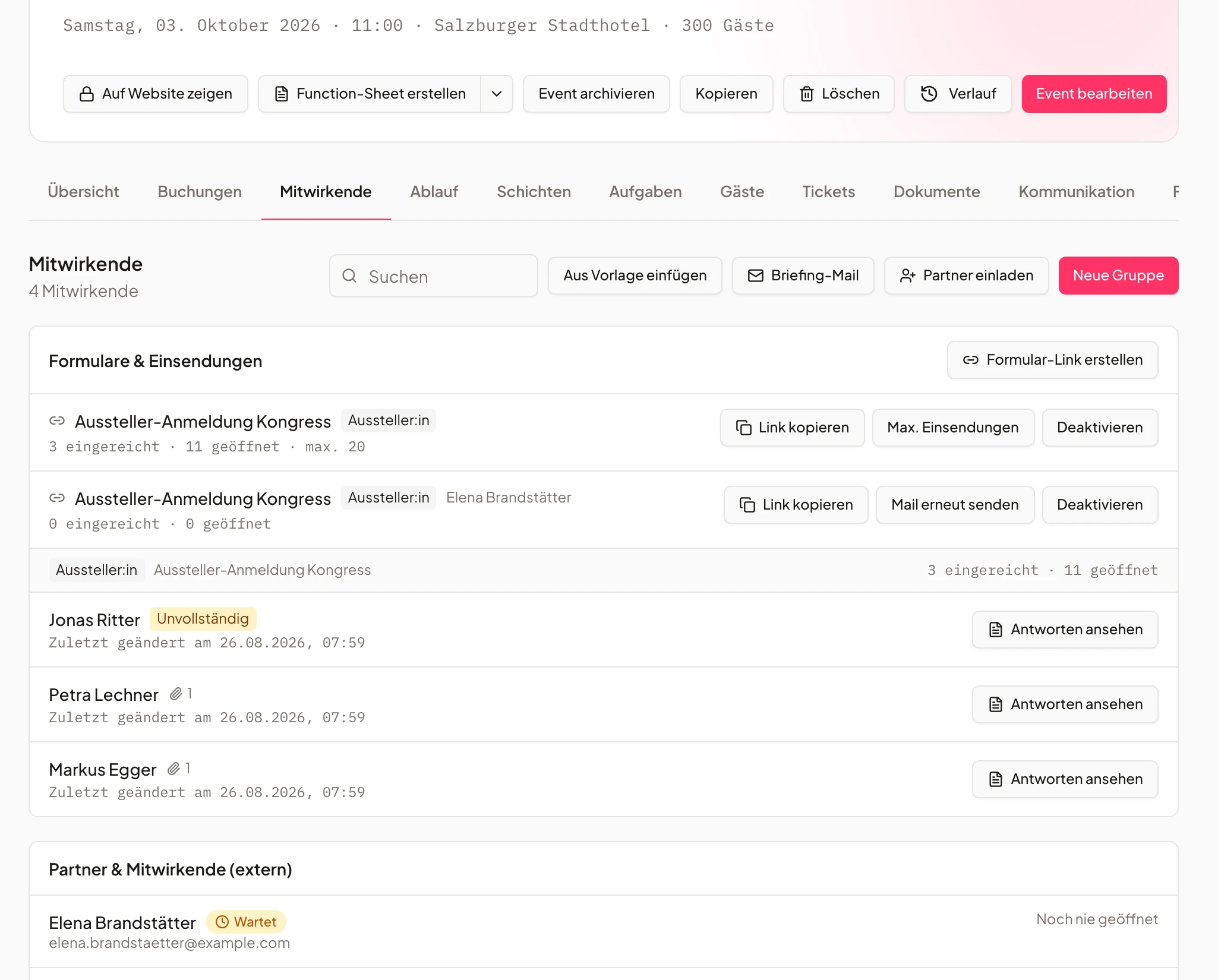
- Dr. Weiß — keynoteComplete
- Nordlicht GmbH — stand B12Received
- Alpin Systems — stand C4File missing
How much time do you win back?
Drag the sliders and see how much quoting time Univents saves you every month.
Assumption: Univents saves around 85% of quoting time (based on customer reports). All values adjustable.
No more Excel, Word and email chaos
How a booking runs without and with Univents.
With Excel, Word and email
- Inquiries scattered across inbox, phone and sticky notes
- Copy-pasting quotes together in Word for hours
- Calculating prices, surcharges and quantities by hand
- Signatures via PDF ping-pong and chasing calls
- Entering data for event, kitchen and invoice three times
With Univents
- Every inquiry lands centrally in the pipeline
- A complete quote in minutes, calculated automatically
- Pricing logic computes season, guest count and distance automatically
- Digital signature and direct payment in the same step
- The accepted quote automatically becomes the event
Writing quotes now takes just a few minutes. We're faster, look more professional and win noticeably more inquiries.
Frequently asked questions
How do the booking pages work?
Customers inquire or book online via customizable forms or a shop. Every inquiry lands automatically in the right event, with all requested info.
Can I take payments online directly?
Yes. Booking pages support direct payment; a signed inquiry automatically becomes the quote or invoice.
Can I embed the booking page in my website?
Yes, via iFrame on any website — in your own branding.
Can I set per-product questions and pricing logic?
Yes. Conditional pricing, availability, minimum values, kilometer pricing and custom questions per product.
Is there a free trial?
Yes, 7 days with full feature access, no credit card.
Does Univents offer multiple booking pages for different audiences, e.g. B2B and B2C?
Yes. You can set up multiple booking pages per business — for example one for corporate clients with fields like company name and VAT ID plus its own pricing conditions, and a separate one for private customers with a simpler booking flow. Each booking page has its own products, form fields and pricing logic, so both audiences get the inquiry or booking flow that fits them.
What is the best event booking platform for catering businesses in the DACH region?
Univents is a booking and event management platform built specifically for caterers and event professionals in German-speaking countries. Inquiries come in through freely configurable booking pages straight into the inquiry board, with automatic pricing based on guest count, distance or season, plus availability checks. Unlike pure ticketing tools, Univents covers both ticket sales and individual event inquiries with quotes and contracts.
Why do caterers still get unnecessary follow-up questions despite online booking software?
Usually because generic forms don't ask for the details needed for calculation — things like guest count, dietary requirements, delivery address or requested equipment. Without that information, the caterer has to call or email to follow up before creating a quote. With freely configurable required fields per product, the Univents booking page asks for exactly that information upfront, so the inquiry arrives complete on the inquiry board.
Which software reduces follow-up questions through detailed online booking inquiries in catering?
Univents lets you define custom form fields per product and mark each one as visible, optional or required. That means every incoming inquiry automatically includes everything you need for calculation and planning, without extra phone calls or emails.
Does Univents offer booking pages specifically for event venues in Germany?
Yes. Every event venue gets its own booking pages with forms, pricing logic and availability checks – in your own branding, in German, and set up without any coding.
Is Univents also suited for online event booking across the DACH region?
Yes. Univents is used by caterers and event venues in Germany, Austria and Switzerland – including multilingual booking pages and GDPR-compliant data storage on servers in the EU.
Can customers book directly online, or does it stay an inquiry?
Both are possible: booking pages can be configured as a pure inquiry form or as a webshop with direct online booking and payment – however much automation you want.
How quickly can I set up my own booking page?
Most teams have their first booking page live in under an hour – with ready-made form fields you customize by drag-and-drop to fit your event venue.
Can speakers and exhibitors enter their own details?
Yes. You create a speaker or exhibitor form per event and share it as an open link or as a personal email invitation. The answers — including uploaded files such as logos or slide decks — land as contributors on the event, not in a separate tool. Anyone who wants to add something opens the same link again. The forms are included from the Growth plan.
Ready to get started?
Try Univents for free and see how simple event management can be.
Univents newsletter
Product news and practical tips for event and catering businesses. Roughly once a month, no more.