

Everything in view – from recipe to delivery
Plan, produce and deliver with maximum overview. With Univents, kitchen production, purchasing and picking run together automatically – error-free, traceable and in real time.
7-day free trial · no credit card · live in minutes
- Buffet Mayrin production
- Flying Huberdone
Just say it. Univents does the rest.
Speak it, connect your inbox or type in the chat – the AI does the rest. A few examples for exactly this area:
"Buffet for 120 people Friday evening – Mediterranean cuisine, 6 cold and 4 hot dishes, dessert station"
Menu created
- 120 guests – Mediterranean
- 10 dishes + dessert station
- Production list generated
Illustrative. You stay in control and approve before anything goes out.
From event to finished production
A seamless workflow from recipe management to delivery on event day.
Link event
Booked events and their products automatically flow into production planning – including quantities and allergens.
No manual transfers, no Excel lists.
Produce & pack
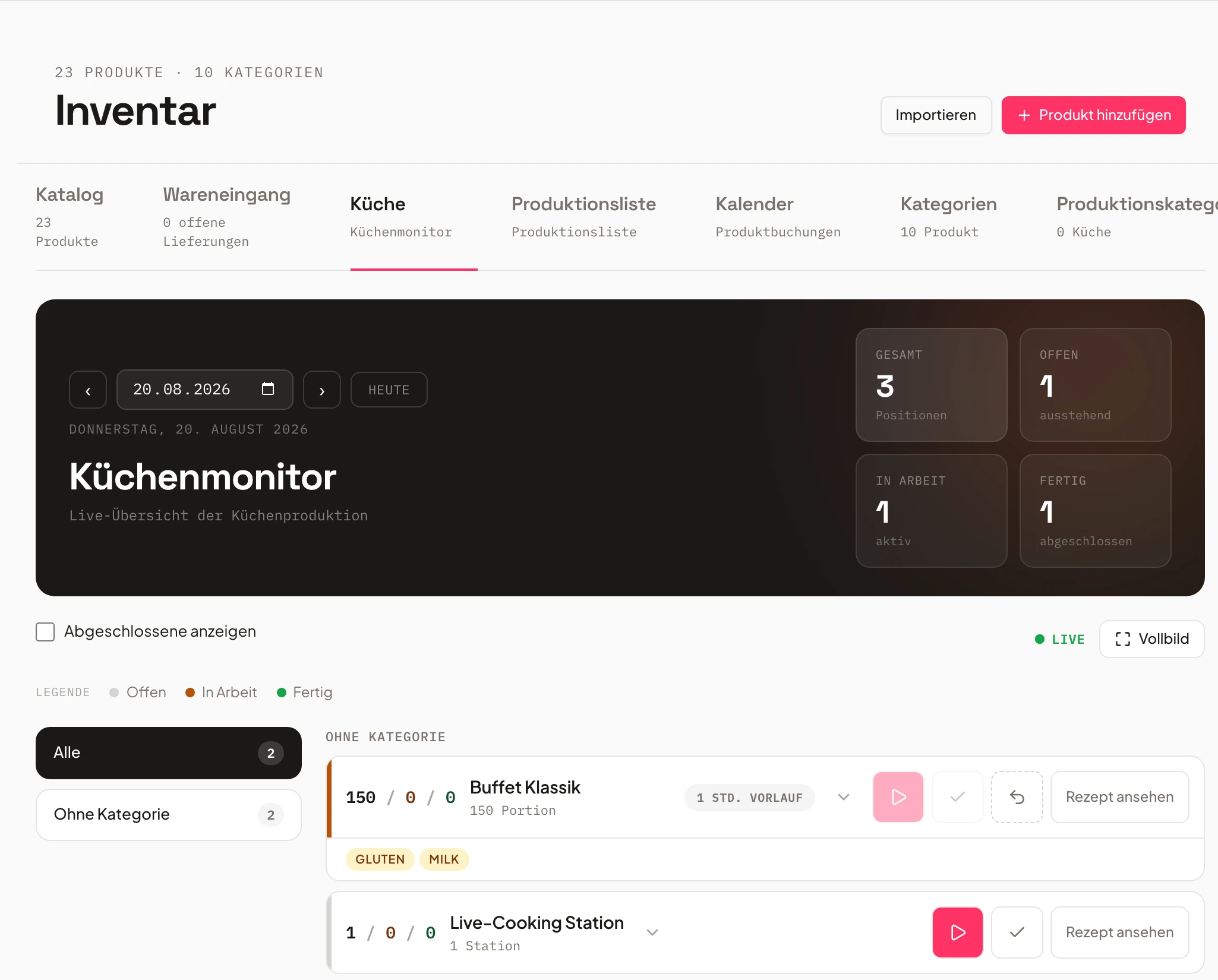
Sorted production, pack and order lists are created automatically. The kitchen monitor shows real-time status.
Full overview for everyone – from chef to service staff.
Deliver & serve
Pack instructions with photos and digital delivery notes ensure error-free picking and delivery.
Consistent workflows, fewer errors, happy customers.
A production list built from bookings, not Excel
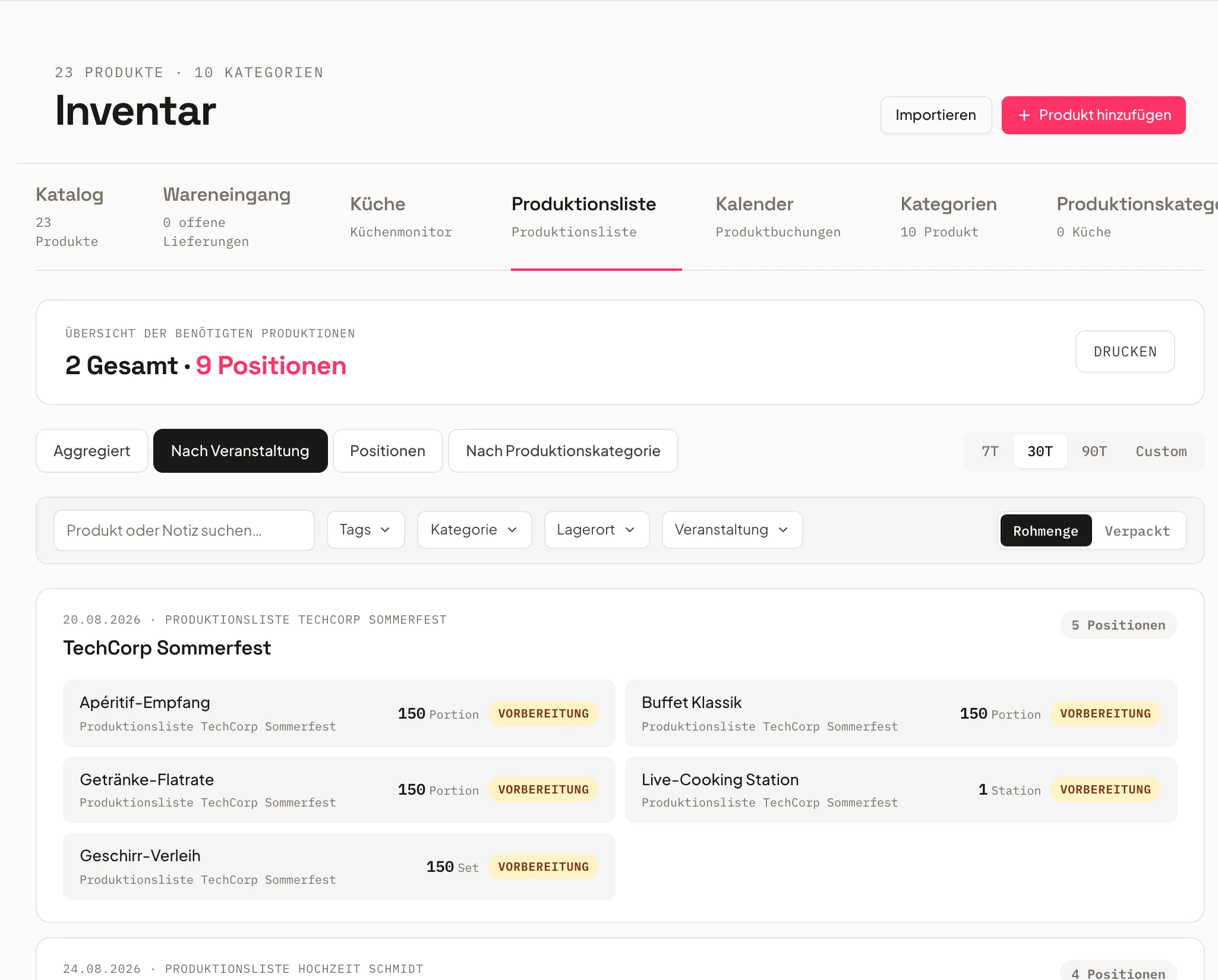
The production list is not a second round of data entry. The inventory overview already shows the bookings from every event — nothing needs to be generated for it. See how to filter by time range, category, supplier and order status, and switch between raw and packed quantities.
Chapters
Show transcript
Alright, let’s look at the production list. Here we get an aggregated view across every event, pulling together all the bookings – so you can see exactly how much is needed, how much is still open, and how much has already gone into purchase orders. We can also sort by status – every status, confirmed by the customer, partially confirmed, or unconfirmed. And we can filter by event, or filter by category, and switch between showing the raw quantity or the packed quantity. On top of that, we can sort the whole list by event again, so we see exactly what’s needed per event. We can sort it by individual line item or by production category when that matters for the kitchen, and print it out from here. Click through, and the list is ready to go – everything you need to take to the warehouse or send off to your supplier for ordering. For each event individually, we also have the production list right there. So if I go into an event, I have my production list ready under Bookings. From here I can filter the relevant bookings for the event and generate my production list. I can also add internal notes here, and pull the schedule into the production list.
Production lists that create themselves
Production lists are created automatically – no manual entry.
Based on booked events, Univents automatically creates sorted production, pack and order lists.
Filter by date, storage area, or category and export lists as PDF or CSV directly from the system.
- Automatic generation from events
- Filter by date, warehouse or category
- Multi-day events cleanly separated
- Buffet Mayrin production
- Flying Huberdone
- Best-before checkreview
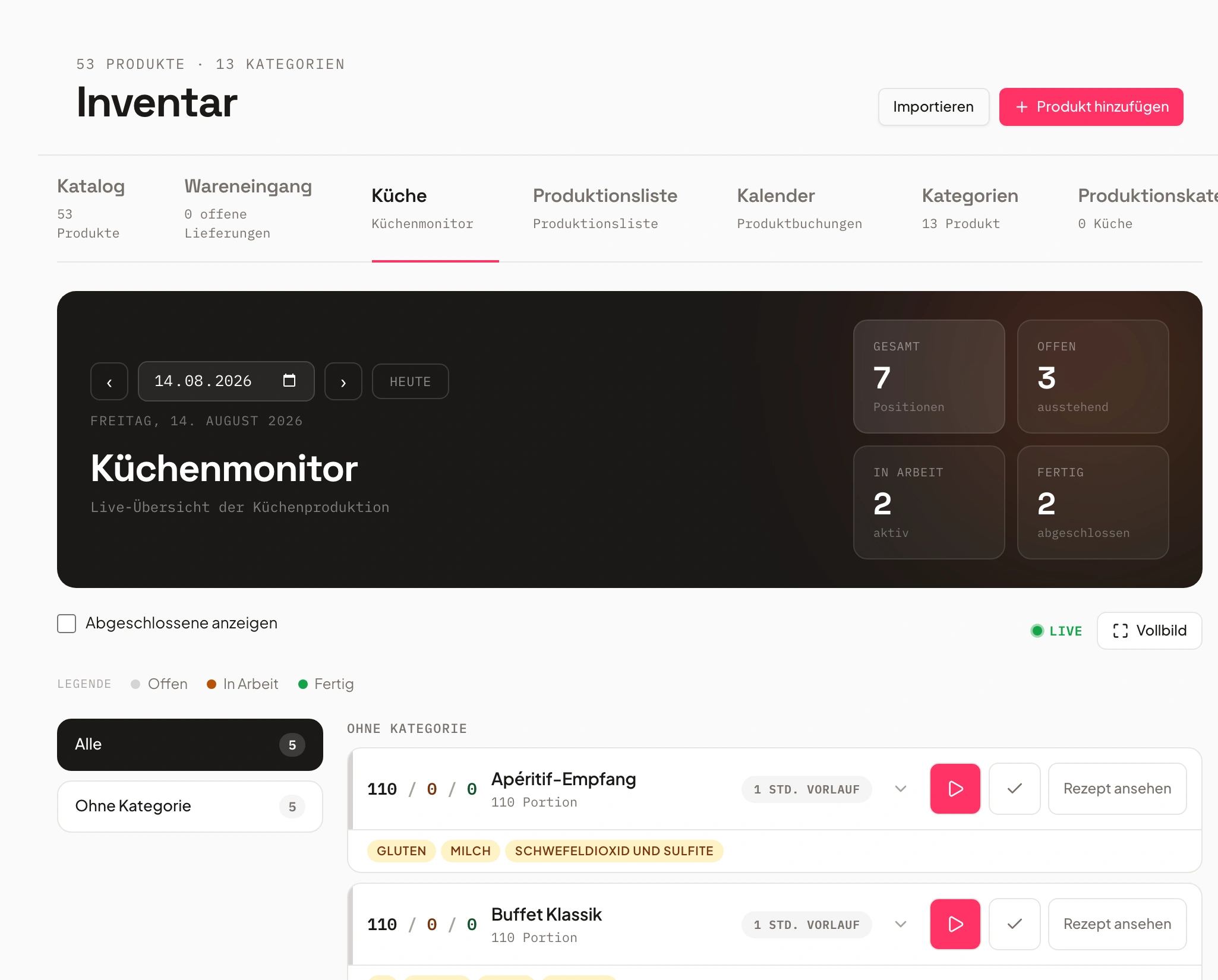
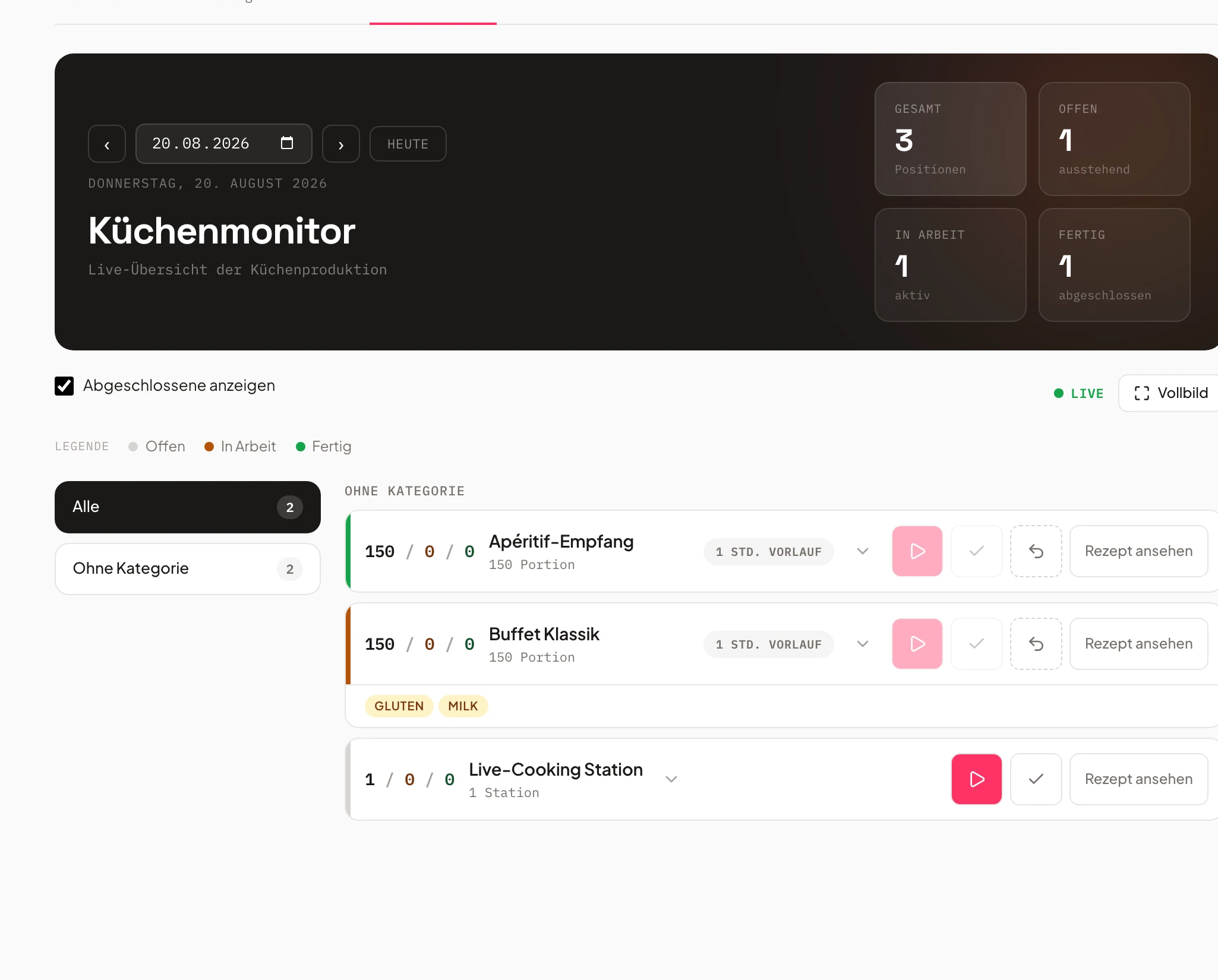
Kitchen monitor with live status
Everyone on the team sees in real time what is being produced or already done.
The digital kitchen monitor shows all staff what is being produced, prepared or delivered.
Touch-optimised for tablets and kitchen monitors: change status with a single tap, filter by day or dish.
- Live view of open & finished dishes
- Touch status ("In progress", "Done")
- Filter by day or category
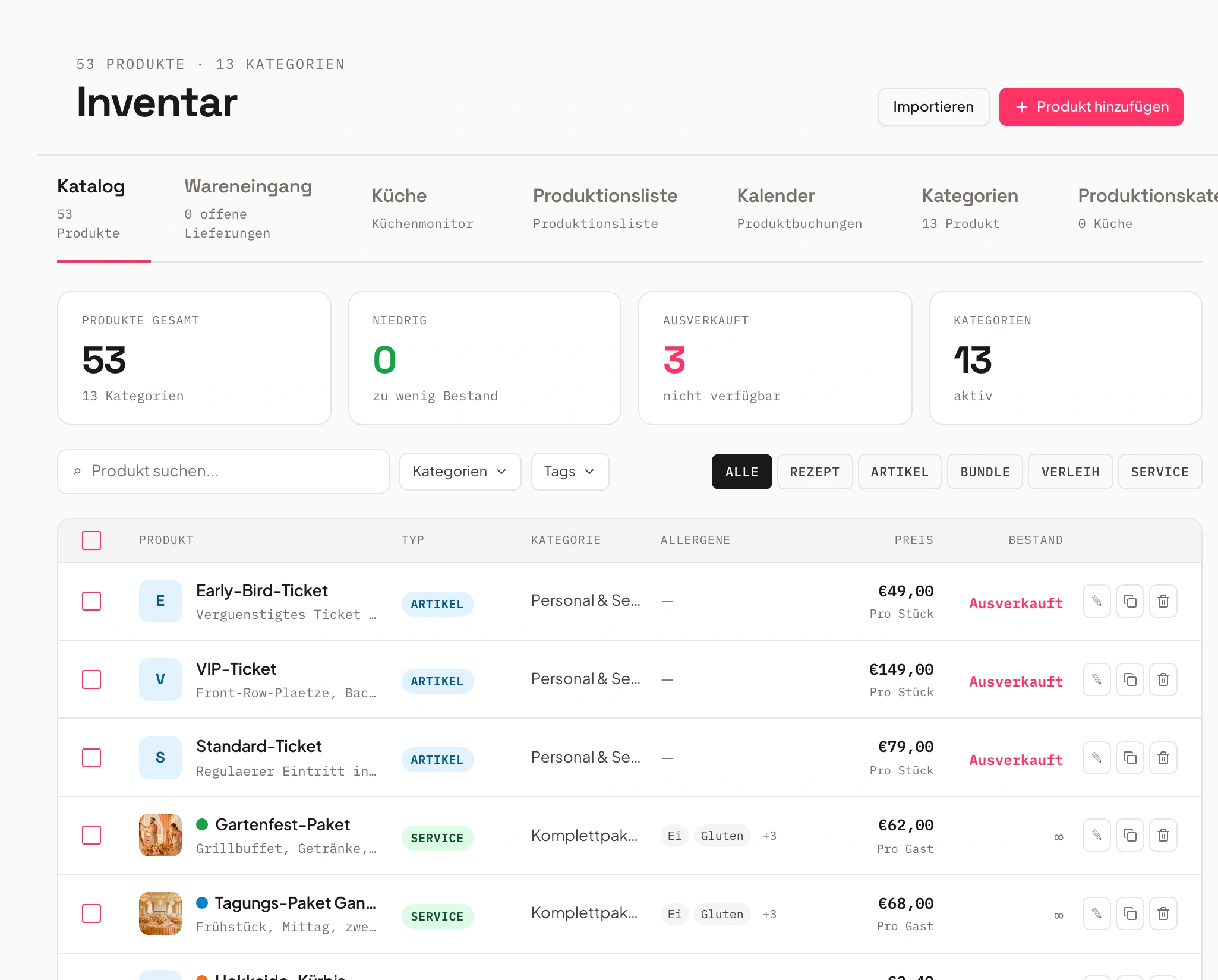
Inventory & purchasing auto-linked
Shortages are detected before they become a problem.
Univents detects shortages and creates matching reorder lists – including supplier approval.
Order and supplier processes run directly from the kitchen – no separate communication needed.
- Stock warnings at low inventory
- Order lists with supplier approval
- Traceability of all orders
- 1Order list created
- 2Supplier selected
- 3Ordered
Pack instructions & setup plans
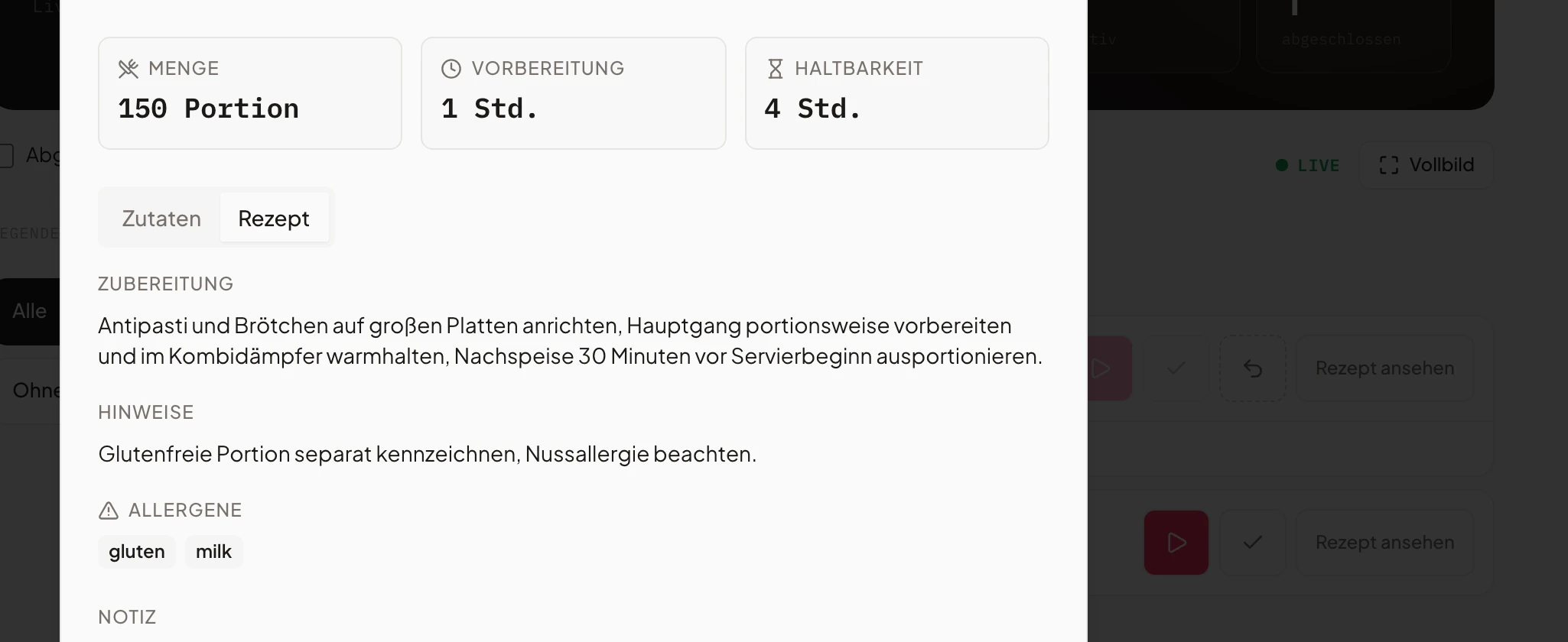
Packing instructions with photos and layouts ensure every step is carried out correctly.
Create instructions, photos and layouts for platters, buffets or sets – so every step is right.
Instructions are automatically linked to the relevant event and available to the whole team digitally.
- Visual pack & setup plans
- Space for photos, variations, quantities
- Automatic assignment per event
Multi-day & multi-location planning
Multi-day events are automatically split by delivery day and location.
Univents automatically splits by delivery days, quantities and production locations – perfect for multi-stage caterings.
Kitchen and logistics teams see their part – without overlap and without back-and-forth.
- Multi-day planning with no extra effort
- Overview per day or location
- Linked to kitchen & logistics teams
Recipe management & allergens
All recipes, ingredients, and allergens managed centrally – always up to date.
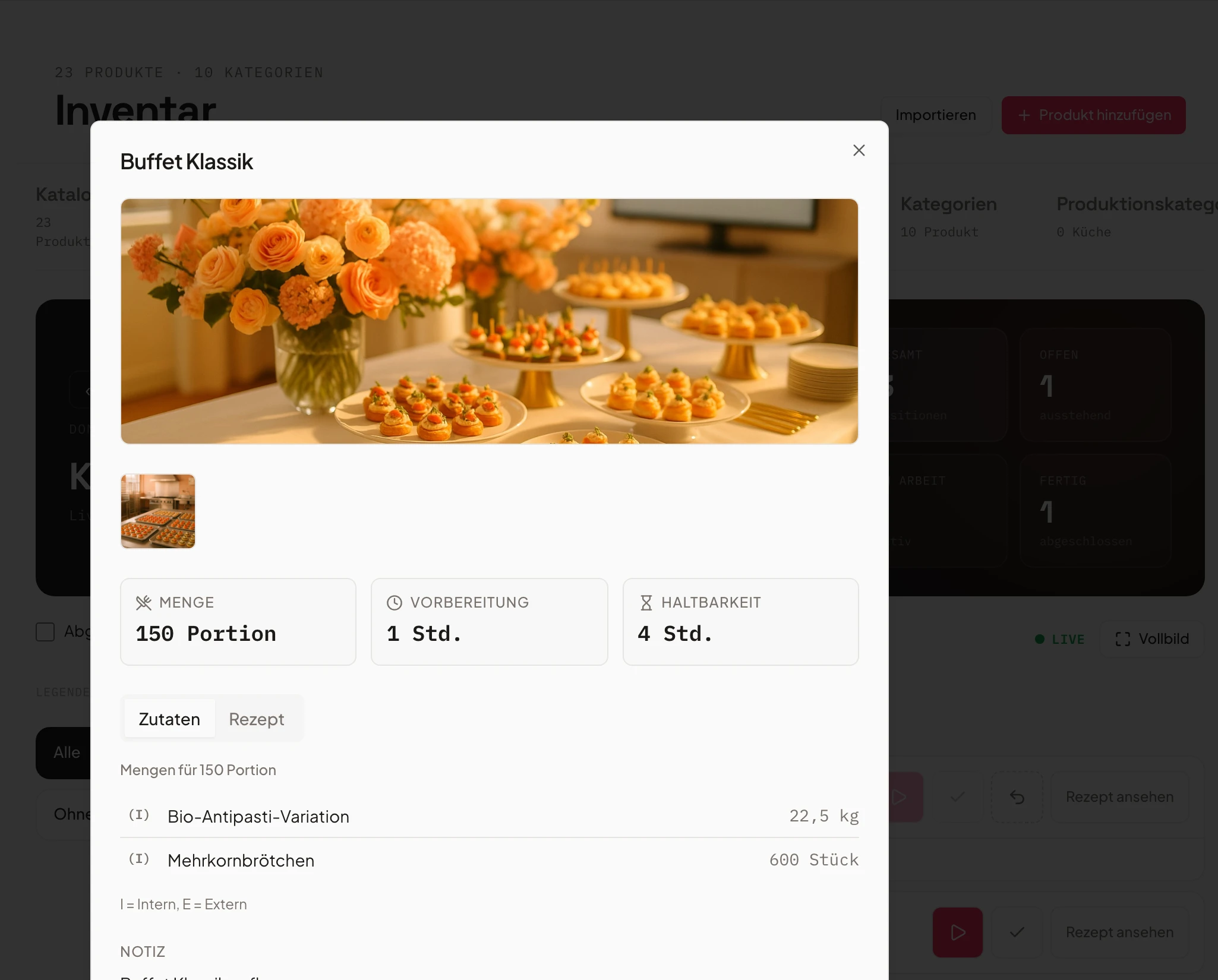
Ingredients, quantities, allergens and expiry dates cleanly maintained – centrally for all products.
Import existing lists via CSV or maintain recipes directly. Quantities and allergens are automatically taken into account for every production run.
- Central recipe database
- Allergen & expiry tracking
- CSV import of existing lists
- Beef tenderloinAllergens: none
- Salmon terrineFish
- Caesar saladEgg, Gluten
Scale quantities automatically
Choose a guest count – Univents instantly calculates the ingredients needed for your recipe.
Guests
Sample recipe: Beef tenderloin with sides
- Beef tenderloin18,000 g
- Cherry tomatoes300 pcs
- Jus8 l
- Side portion100 portions
Quantities are scaled from your recipe. Actual values depend on the recipe data in your Univents account.
Frequently asked questions
What does the production & kitchen module do?
Production lists by event, day or period, a kitchen monitor (KDS) with status and owners, plus automatic quantity and lead-time calculation.
Does Univents calculate quantities automatically?
Yes. Quantities, purchasing and production lists derive automatically from bookings and recipes.
Is there recipe and inventory management?
Yes. Ingredients, quantities and prices are managed automatically — ideal for kitchen, purchasing and quote costing.
Does it support allergens and traceability?
Yes. Quality/best-by control and traceability are built in.
Are suppliers notified automatically?
Yes. Order and delivery info can go to suppliers automatically.
Why do catering teams easily lose track of staff schedules at large events?
The cause is almost always a second data source: staff schedules are kept separately from production planning — on paper, in a standalone spreadsheet, or passed on verbally. When the guest count or run of show changes, that second list often doesn't get updated. Univents keeps shifts and staff scheduling in the same system as production and pack lists: who covers which shift is linked directly to the event, so kitchen and staff planning always see the same current state.
What causes chaos with production and pack lists in catering businesses?
The most common reason is duplicate data entry: production and pack lists get retyped from the booking by hand — in a spreadsheet, on paper, or in a separate file per event. Every manual transfer is a source of error, especially when quantities or line items change at short notice. Univents generates production and pack lists automatically from the event booking: one data source, with quantities calculated directly from the guest count — no second list to update by hand.
Why do mistakes still happen in the catering kitchen despite digital production planning?
Usually because "digital" only covers the first step: planning happens digitally, but then gets printed out or copied into another spreadsheet — and that copy stops receiving later changes to the event. With Univents, one click after an event change (guest count, time, line items) updates the production and pack list, and the kitchen monitor shows the current status continuously. There's no separate paper version that goes stale while the system has already moved on.
What makes digital event planning especially error-prone for catering businesses?
Digital planning becomes error-prone wherever media breaks appear: booking in one tool, production list in a spreadsheet, pack list on paper, staff schedule in a chat. Every handoff between these systems is a point where information gets lost or goes out of date. Univents keeps bookings, production and pack lists, storage-location notes and staff scheduling in one system — one click after a change is enough for everyone to see the same current state, instead of it getting stuck in a single copy.
Ready to get started?
Try Univents for free and see how simple event management can be.
Univents newsletter
Product news and practical tips for event and catering businesses. Roughly once a month, no more.