

A client portal that ends email back-and-forth on event changes
With the Univents EventHub, every client gets a secure link to all their events with you: timeline, documents and approvals in one place. Change requests arrive structured and traceable — not scattered across ten emails.
7-day free trial · no credit card · live in minutes
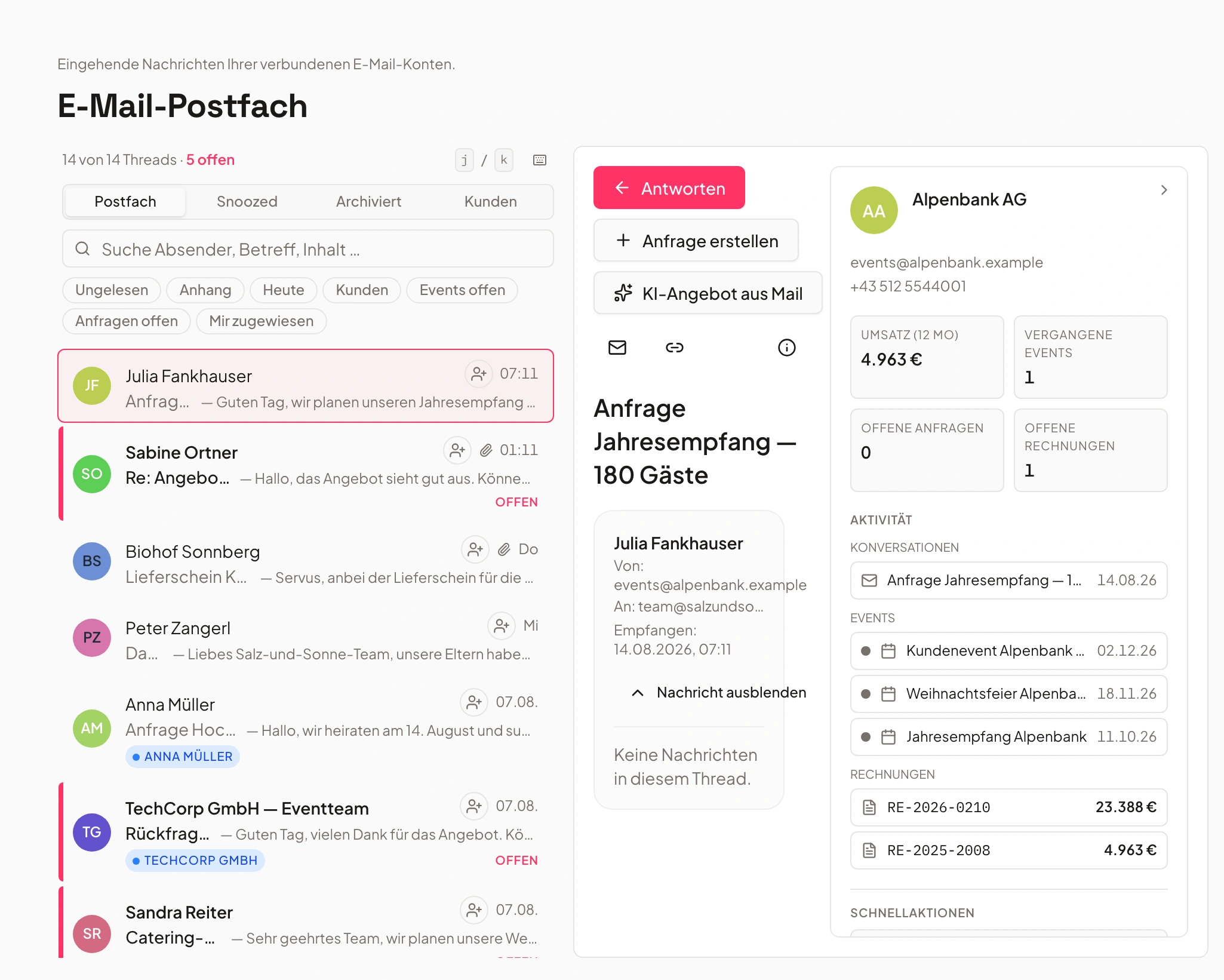
- Contract Spring Festsigned
- Change request menunew
From link to confirmed change
Three steps from first access to a confirmed change.
Share the link
The client gets a secure link to all their events with you — no account, no password, no invite to manage.
Access in seconds, no IT hurdle.
See everything
The timeline, approved quotes, contracts and invoices are visible to the client in the portal — always the current version.
No more asking for the latest file.
Report and confirm a change
When the client wants a change, they report it in a structured way in the portal. The team sees it immediately and confirms it right in the system.
One history instead of ten emails.
Customer Portal: Sign, Pay and Rebook — No Login Required
The inquiry is accepted, the quote is out — from here on, your customer doesn’t need their own Univents login, just a personal link. In it, they can sign the quote online, view the invoice and pay by card or direct debit, message your team straight from the portal, manage the guest list including dietary and allergy information or hand it off to their own guests via a link, view the schedule, book additional products or request changes — which then land with you for approval — all the way through to a post-event review and rebooking with pre-filled data.
Chapters
Show transcript
The customer has submitted their inquiry, and we’ve sent out the first quote. Let’s take a closer look at what’s actually possible here in the customer portal, and what it looks like for the customer in the end. Here we can open the portal directly from the customer’s point of view. There we have the upcoming events, and let’s take a look at one of them — the Hüttenabend. Everything is nicely laid out for the customer here. They can also see what’s actually included in the event, answer any open questions, view the full quote, or browse impressions of the venue, and they have their schedule with all the relevant points right here too. Under Documents, the customer sees our quote directly. They can sign it completely digitally right here — and if it isn’t fully finalized yet, they can also request changes at this point. Once the invoice is ready, customers can view it in this section, download it as an e-invoice, or pay directly through the portal by credit card, direct debit, or similar. Then there’s the message portal: customers can write to you directly from the portal instead of going through email or WhatsApp, which already saves a good amount of time, effort, and back-and-forth. Customers can also manage the full guest list here: how many guests are vegetarian or vegan, or which allergies they have. That information goes straight to your kitchen, so the kitchen knows exactly how to prepare everything. There’s also the option to send guest links directly, which is even easier than entering everyone by hand. That works from the customer’s side as well as yours — you can issue those links yourself too. Customers also see their schedule here, showing how the day will run. They can make additional bookings if they want to add more products afterward, and request various changes — for example 90 guests instead of 85, moving the date, or a different answer to one of the questions they already answered. The same goes for changes to individual schedule items or to booked products. Those change requests land directly in your admin area, and you can turn them into a new quote with a single click if it works for you. Once an event is completed — here, for example, the Gala-Dinner is done — there’s also a review link: you can drop in a Google review link directly, or our own form appears, so you find out how the customer felt and whether everything matched their expectations. At the same time, customers can also request the same event again in a similar form right here: they simply enter their preferred date, and with one click, all the data is already carried over. That saves your customers a lot of work and time, and makes it very easy for them to book with you again.
Change requests with status instead of email ping-pong
Every change captured in a structured way — with history, not scattered across inboxes.
Instead of an email to three addresses, the client reports a change directly in the EventHub — more guests, a different menu. The request lands immediately with the right team.
Every request gets a status: submitted, in progress, applied. Nothing gets lost, even with several people working on the event.
- Changes reported in a structured way, not by email
- Status per request: submitted, in progress, applied
- Traceable history for everyone involved
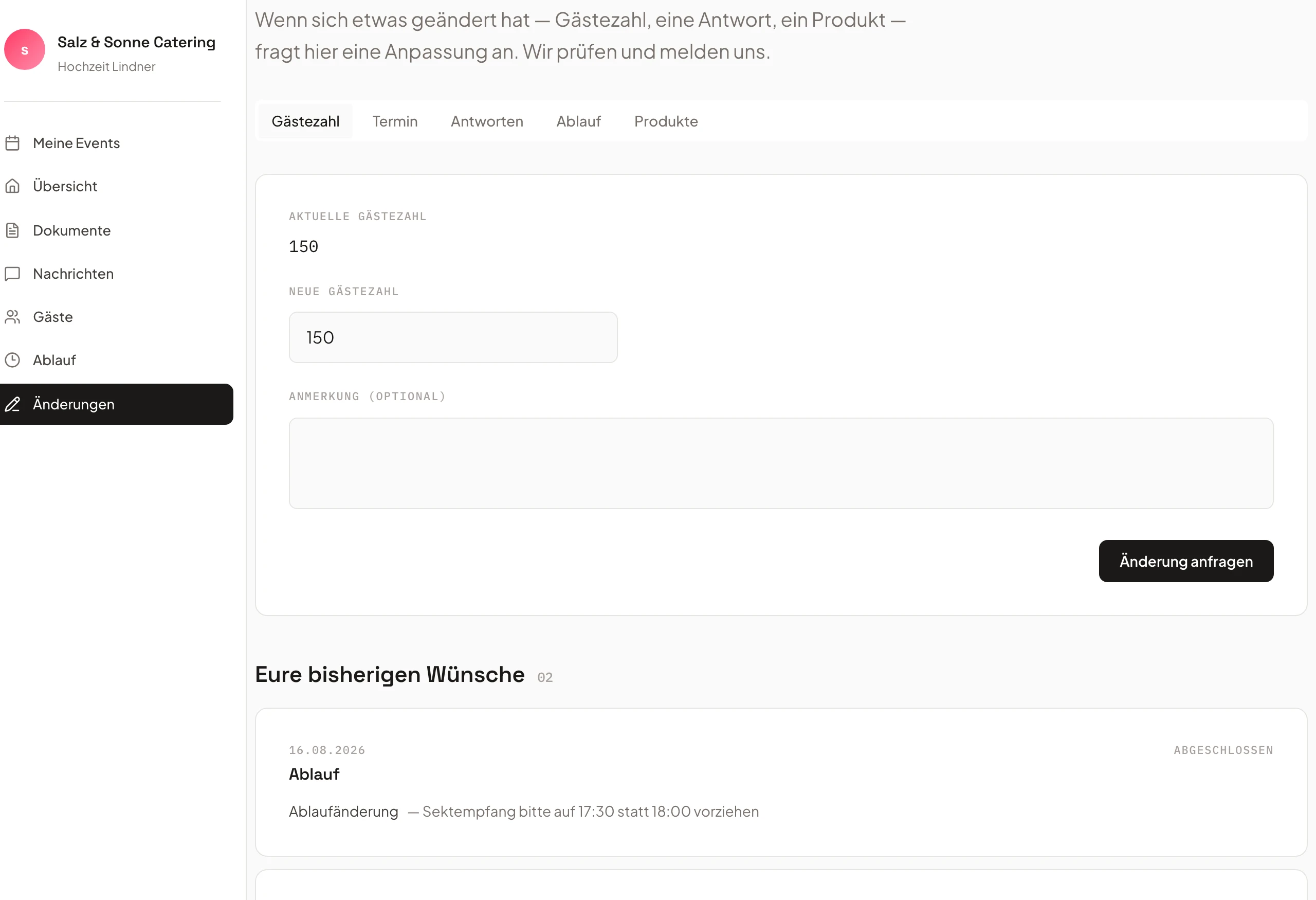
- Menu changerequested
- Guest count +10accepted
- Add-on productnew
Accept and sign quotes digitally
Approval directly in the portal — no printing, scanning or fax.
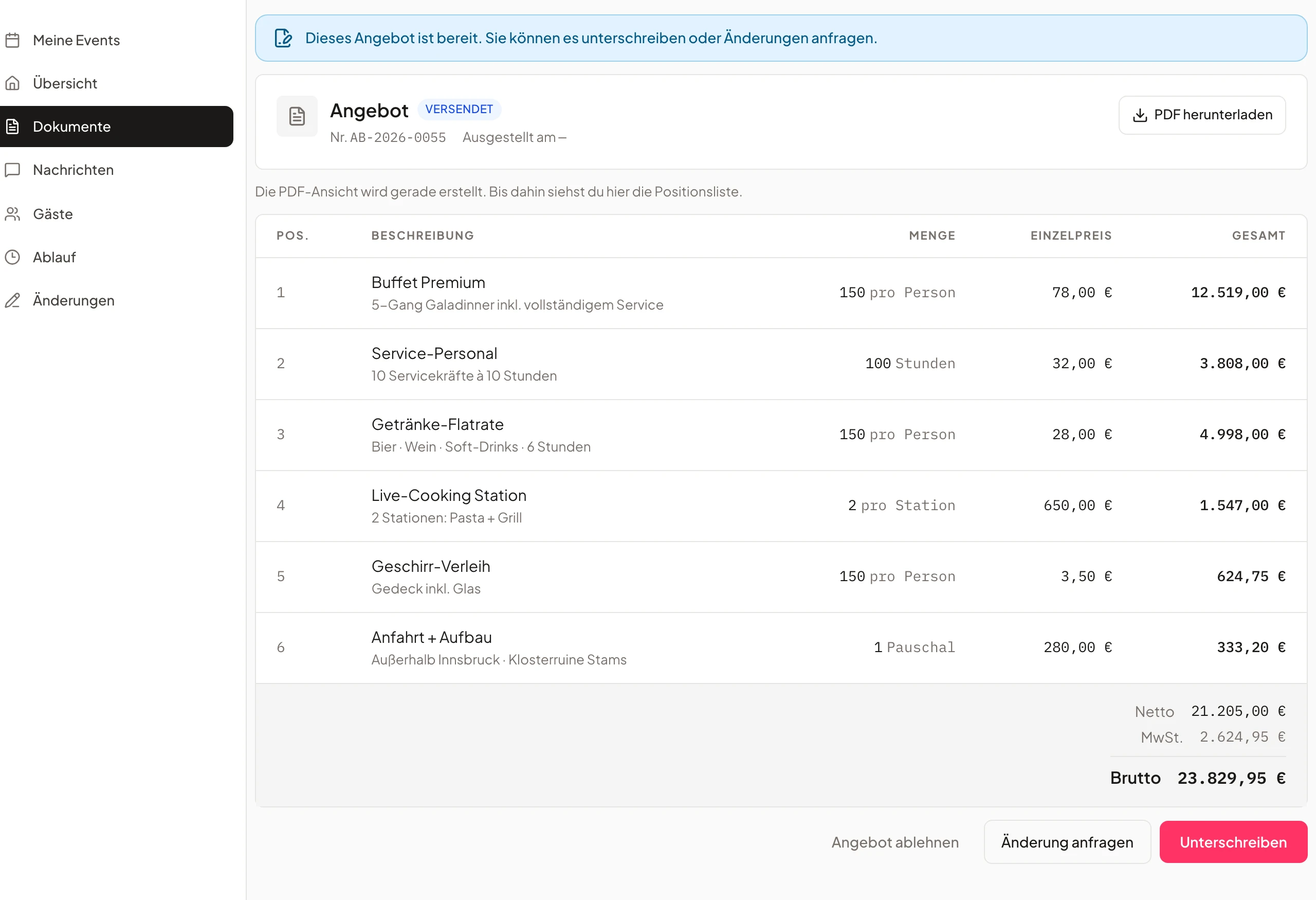
Quotes, contracts and invoices sit ready for the customer in the customer portal. Approval takes a few clicks right in the Portal, digital and documented. Documents you release as “Editor” the customer edits right in the Portal.
As soon as the client signs, the team sees the status immediately in the system — nobody has to chase whether the signature has arrived.
- Accept the quote directly in the portal
- Digital signature, documented in the system
- Status visible to the whole team immediately
One report, one automatic process
From change request to confirmation — no manual step in between.
When the client reports a change to guest count, date or products, the responsible team gets notified automatically. They apply it with one click — the event is then up to date everywhere.
Once the change is applied, the customer sees the confirmation right in the Portal – one flow, no copy-paste between mailbox and event planning. In the Portal they see the guest count per group and can suggest a new number for each group; it is only applied once you accept the change request. Text message notifications they switch off in the Portal.
- Automatic notification, applied with one click
- The team is notified without manual handoff
- The client sees the confirmation directly in the portal
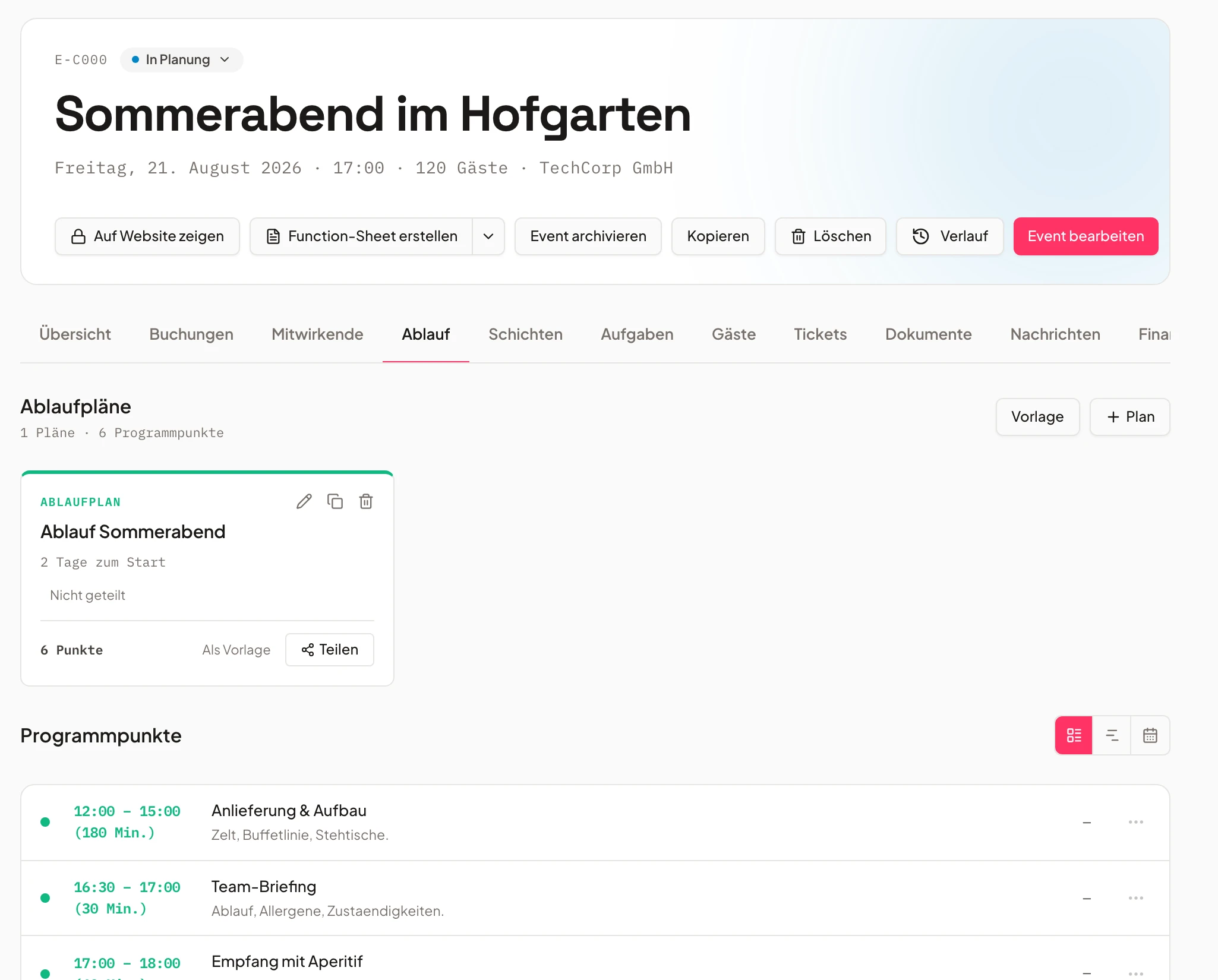
- 1Timeline updated
- 2Team notified
- 3Client confirms
Every discussion, in one place, per event
At a glance: what's open, what's confirmed — across everyone involved.
Whether it's a change request, partner chat or approval: the EventHub bundles every open and completed item for an event in one place.
The team no longer has to dig through email threads to see what's still open — clients and partners communicate in the same system that's synced with the event planning.
- Open and completed items at a glance
- Your team has client messages bundled on the event
- Synced with event planning, no copy-paste emails
Frequently asked questions
Why are event client change requests so time-consuming without a client portal?
Without a client portal, change requests usually travel by email: the client writes a message, someone on the team forwards it, a second person enters the change into the event plan — and several versions often exist in parallel because nobody sees the full history. With the Univents EventHub, the client reports the change directly in the portal. It's immediately visible to the right team, gets a status, and automatically updates the event plan — no email ping-pong, no version confusion.
Does my client need their own account for the client portal?
No. The client gets a secure link to their event and opens the EventHub directly in the browser — no registration, no password, no app to install.
What exactly does the client see in the EventHub?
Depending on what's shared, the client sees their event's timeline, approved documents such as the quote, contract and invoices, and the key event details. Anything not shared stays invisible to them.
How do reported changes actually make it into the event?
The client reports the change in a structured way in the portal. The team sees the request with its status, reviews it, and applies it to the event plan with one click. The client then sees the confirmation directly in the EventHub — all in the same system, without copy-pasting between an inbox and a planning tool.
Is the client portal suitable for event agencies and multiple locations?
Yes. Your client gets one secure link and sees every one of their events with you in it — you don't need to set up access per event. This works whether your team operates from one location or several.
Ready to get started?
Try Univents for free and see how simple event management can be.
Univents newsletter
Three topics, pick any. Roughly once a month, no more.