

Newsletters to customers who have already booked you
Last year's guest list is your best audience — and it is already in Univents. Reach it straight from the CRM, with the legal basis built into the system instead of guessed.
7-day free trial · no credit card · live in minutes
- Existing customers 202596 reachable
- Corporate clients, region32 reachable
From contact list to sent campaign
Three steps, no export, no second set of contacts to maintain.
Pick recipients
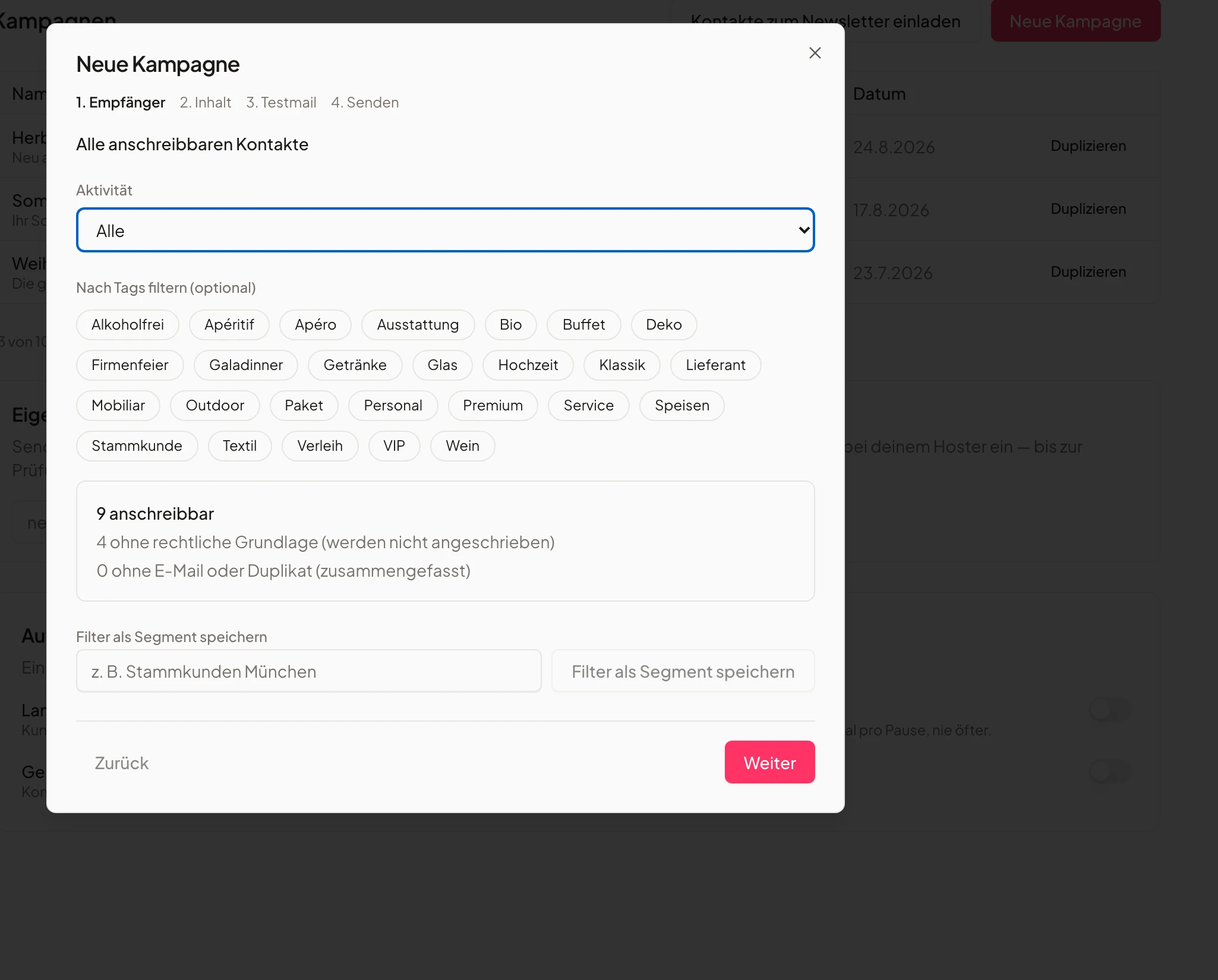
Filter your contacts by tag or attribute. A live counter tells you before sending how many of them are reachable, how many have no legal basis, and how many are missing an email address or appear twice.
You see the real reach before you write
Write and test
Subject and formatted body, with the salutation personalised automatically. Before sending you deliver the campaign to yourself as a test — exactly as the customer will receive it.
No sending blind
Send and prove it
Univents freezes the recipient list, sends in batches and records for every recipient whether the email was sent, failed or skipped — including the reason. That list is your evidence if anyone asks.
Documented, not asserted
Newsletter & Campaigns: Automatic Emails, Segments and Status Mails
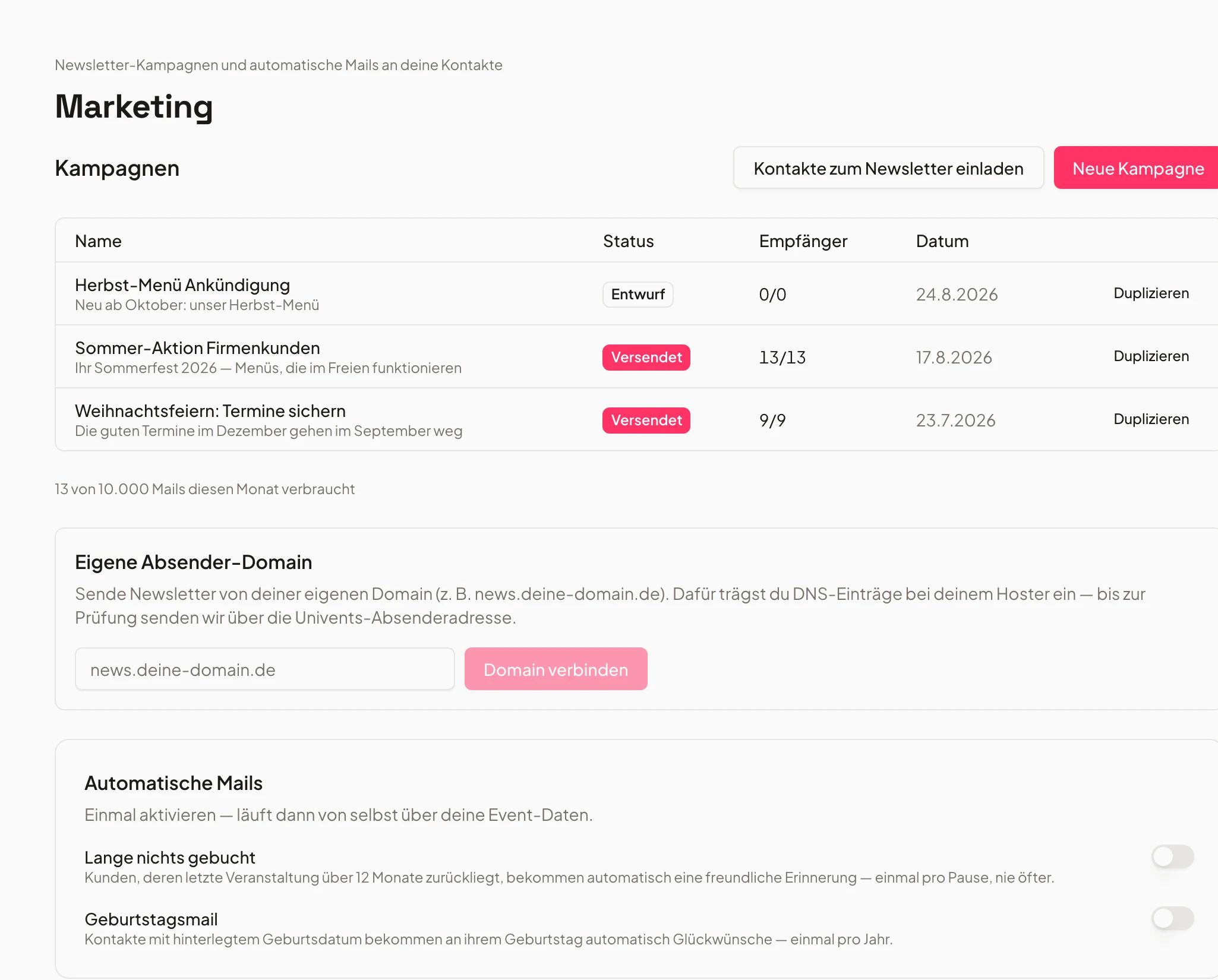
Stay in touch with customers: send newsletters, automatic birthday or win-back emails, and segment by tags. Status emails before, after, and for feedback can be automated too. You’ll see how to set up a subdomain, configure automatic emails for customers who haven’t booked in a while and for birthdays, create campaigns with tag-based segments, design and send emails, and set up status emails like reminders, thank-yous and feedback requests.
Chapters
Show transcript
We also have a nice way to stay in touch with our customers: we can send newsletters straight from Univents. Here we can set up our own subdomain for the newsletter. And we also have a couple of automatic emails built in. For example, we can say: if someone hasn’t booked in a while, please send a short email automatically — or send a birthday email along with a small voucher. Here we have the option to create campaigns. We can also filter recipients by their tags — for example, we only want to contact customers with the tag Fingerfood here. We can save that directly as a segment. Let’s click Next: here we can design our email completely, for example use the seasonal offer template or include an announcement or a thank-you, and send the email out to the customers. Then we move on to the next step. We also have the option, in Settings under status columns, to set up status emails for events. There are various emails we can automate: for example a reminder email before the event, a thank-you email after the event and a feedback email, where customers can leave us feedback directly via a Google review or Univents’ own internal feedback link.
Recipients come from the CRM, not from a spreadsheet
Whoever booked you is already in there.
No CSV export, no second contact database that goes stale on day two. You filter the same contacts you write quotes for and plan events with — by tag, contact type or booking history.
If an address changes in the CRM it changes for the next send too. Deleted and redacted contacts drop out automatically.
- Filter by tags & attributes
- Live reach counter before sending
- Saved segments & activity filter (12 months)
- Existing customers 202596 reachable
- Corporate clients, region32 reachable
- No legal basis12 skipped
The legal basis is built into the system
§ 7 (3) UWG and GDPR, without a spreadsheet on the side.
Univents distinguishes two cases: existing customers with a real booking history, whom you may contact about similar services under § 7 (3) UWG — and everyone else, who has to opt in first. You collect that opt-in with a double opt-in email straight from the system.
Every opt-in, unsubscribe and complaint lands in a log that is only ever appended to, never overwritten. Every email carries an unsubscribe link and the one-click unsubscribe header that Gmail and Outlook require from bulk senders.
- Double opt-in by email from the system
- Evidence log that cannot be overwritten
- Consent column in the contact list + one-click unsubscribe
- 1Consent checked
- 2Win-back email sent
- 3Recorded in the log
Two emails that go out on their own
Win-back and birthday run in the background.
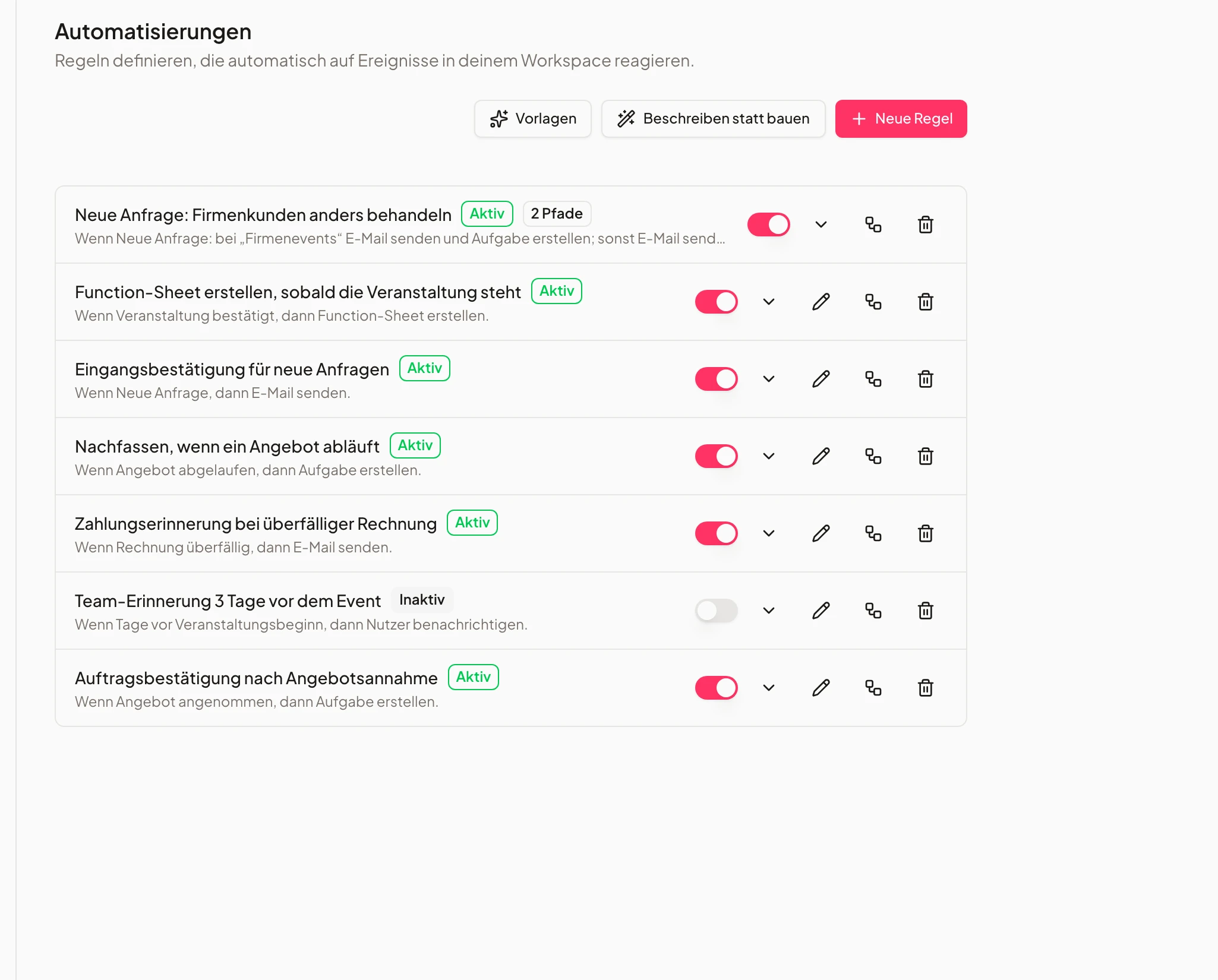
Turn on "not booked in a while": contacts whose last event was twelve months ago automatically receive a reminder. And if a contact has a birth date on file, a greeting goes out on the day.
Both run through the same consent check as a campaign, and every contact receives each email at most once per period — even if the job runs twice.
- Win-back after 12 months without an event
- Birthday email from the contact's date
- Exactly one email per contact and period
- 1Consent checked
- 2Win-back email sent
- 3Recorded in the log
Delivery, reactions and your own sender address
Marketing runs separately from document delivery — and still under your name.
Marketing emails run on their own sending route, never on the channel that delivers your quotes, invoices and reminders. A newsletter that lands in spam for many recipients therefore cannot damage the delivery of your documents. Connect your own domain, add the DNS records shown, and once verified the newsletter goes out from your address.
After sending, the campaign shows what arrived: delivered, opened and clicked. Undeliverable addresses and complaints switch the affected contact off automatically; if the complaint rate rises above the acceptable range, sending pauses by itself.
- Your own sender domain after DNS verification
- Deliveries, opens and clicks per campaign
- Bounces, complaints and an automatic pause
- Existing customers 202596 reachable
- No legal basis12 skipped
Frequently asked questions
Who am I allowed to email at all?
Two groups. First, existing customers: whoever has booked you may be contacted about similar services under § 7 (3) UWG, as long as every email offers a way to unsubscribe. Second, everyone who has actively opted in — you collect that with the double opt-in email from Univents. Contacts with neither are counted as "no legal basis" by the pre-send counter and are left out.
Do I have to import my contacts into a newsletter list first?
No. There is no second list. You filter your existing contacts by tag or attribute, and Univents works out at send time who among them is reachable.
What happens when somebody unsubscribes?
The contact is out immediately — from campaigns and from the automated emails, with nothing for you to do. The unsubscribe lands in the log so you can prove it if needed. Quotes, invoices and other documents continue unaffected, because those are not marketing emails.
Can I see who opened or clicked?
Yes. The campaign shows delivered emails, opens and clicks, plus the state per recipient — sent, failed or skipped, with the reason. Opens are explicitly a lower bound: anyone who blocks images will not show up there even though they read the email.
Can I send from my own domain?
Yes. You connect your domain in the module, add the DNS records shown at your provider and have them verified. After that the newsletter goes out from your own address. Without that verification it would technically be a forged sender address and would reliably land in spam at Gmail and Outlook — hence only after verification.
How many emails are included?
The module includes 10,000 emails per month. A single campaign is capped at 5,000 recipients — ample for list sizes in catering and venue businesses; if you are regularly above that, talk to us.
Do I have to start every email from scratch?
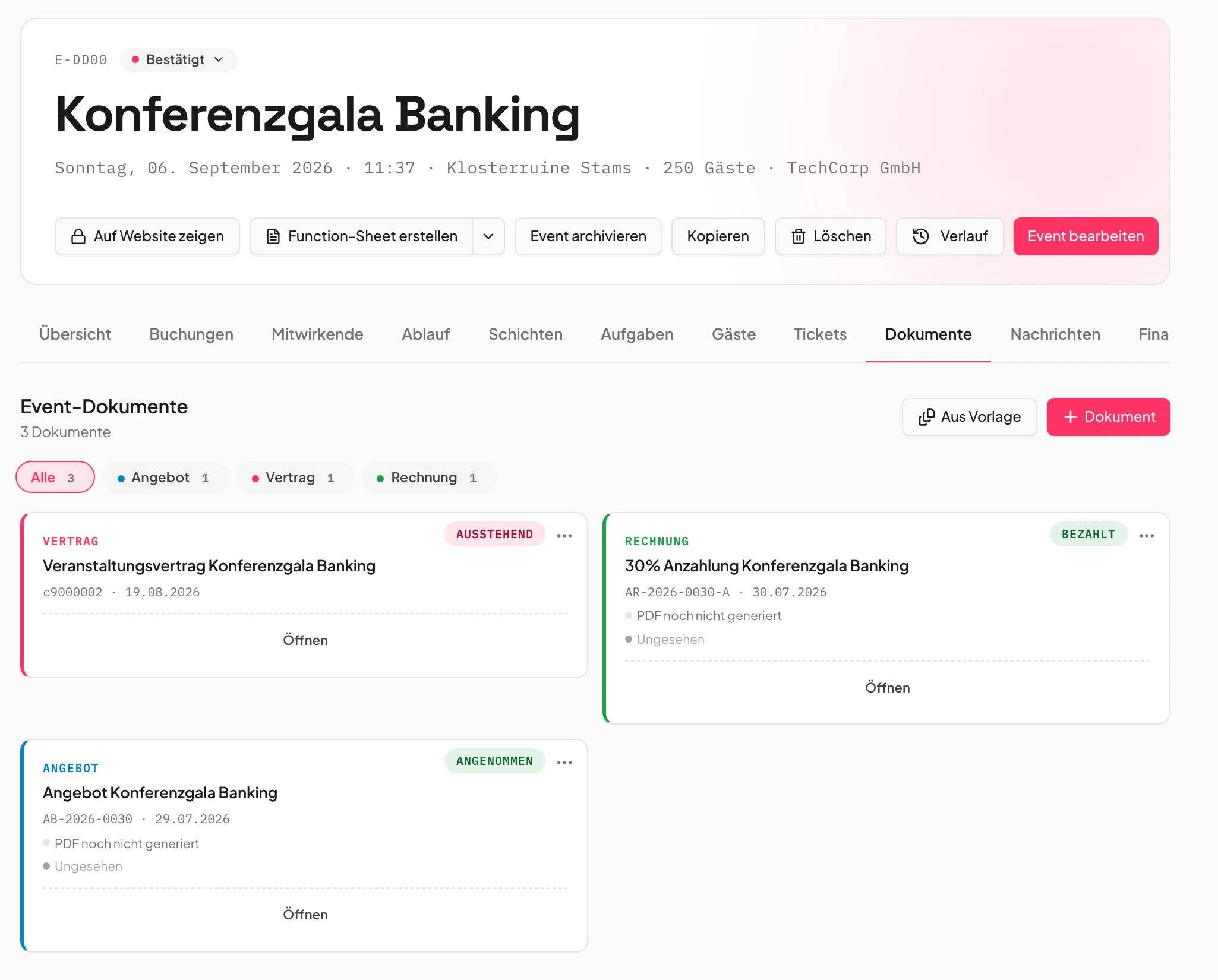
No. Three ready-made templates cover the usual occasions, and every campaign you have run can be duplicated and adapted. There is deliberately no drag-and-drop builder yet — a subject and formatted body with an automatic salutation is what works for these lists.
What does the module cost?
€49 per month on top of your plan, including 10,000 emails a month. It can be added to any paid plan; let us know via the contact or help route and we will enable it for your workspace.
Ready to get started?
Try Univents for free and see how simple event management can be.
Univents newsletter
Product news and practical tips for event and catering businesses. Roughly once a month, no more.