

Several locations, one platform
Anyone running two sites, two companies or seasonal businesses keeps the numbers apart and stays on top of it. Every location has its own records, roles and approvals – and you see all of it in one view.
7-day free trial · no credit card · live in minutes
- Quote €8,400 · North locationapproval
- Inquiry · South locationdecided
From the first location to the group
Three steps from one location to a shared overview.
Create the second location
The new location gets its own booking pages, items and rooms and stays separate in the numbers.
No mixing of revenue and stock.
Assign roles per location
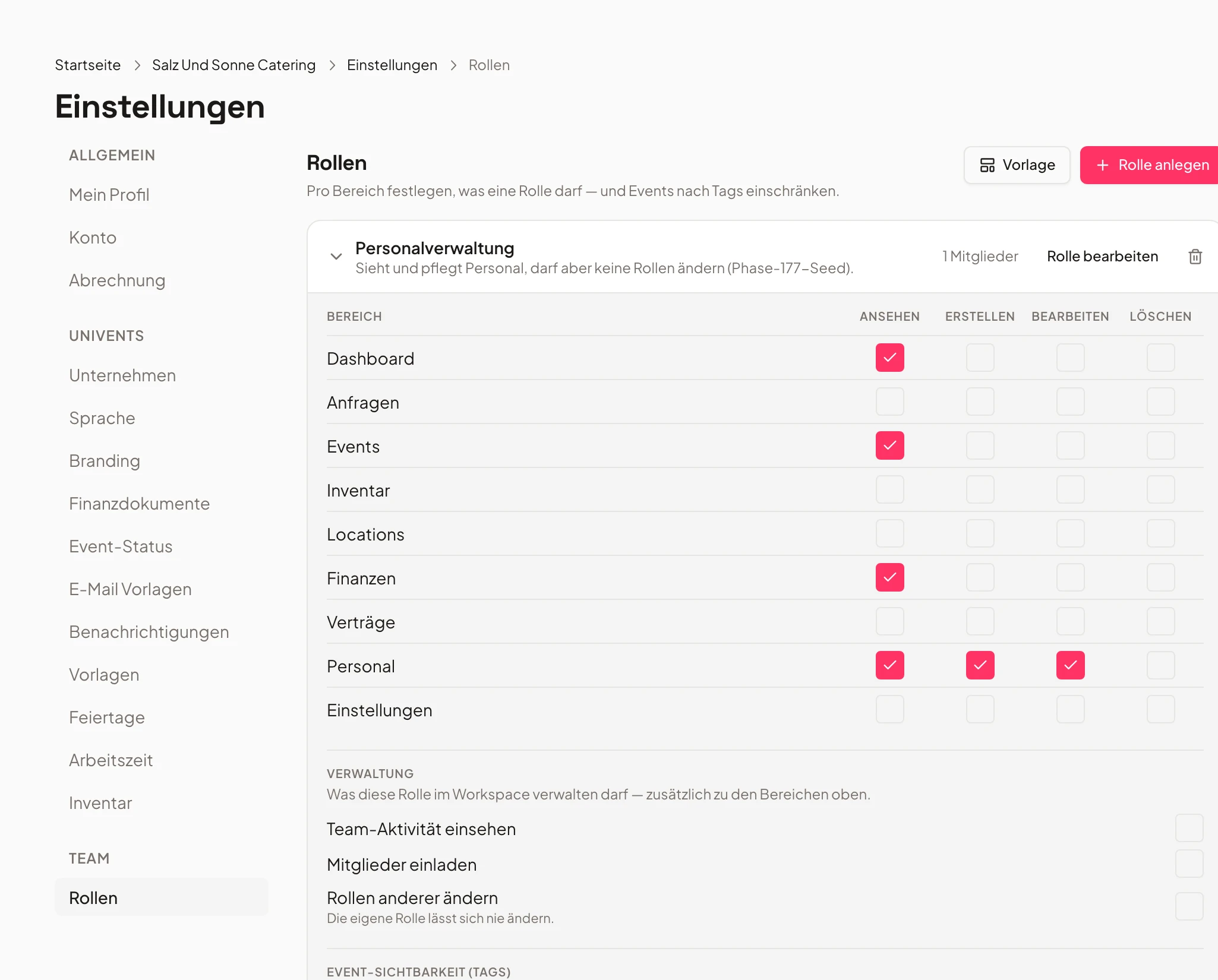
Permissions apply per location: whoever runs the South location sees the whole catalogue and edits only their own records.
Mistakes are caught before anything is saved.
Keep the overview
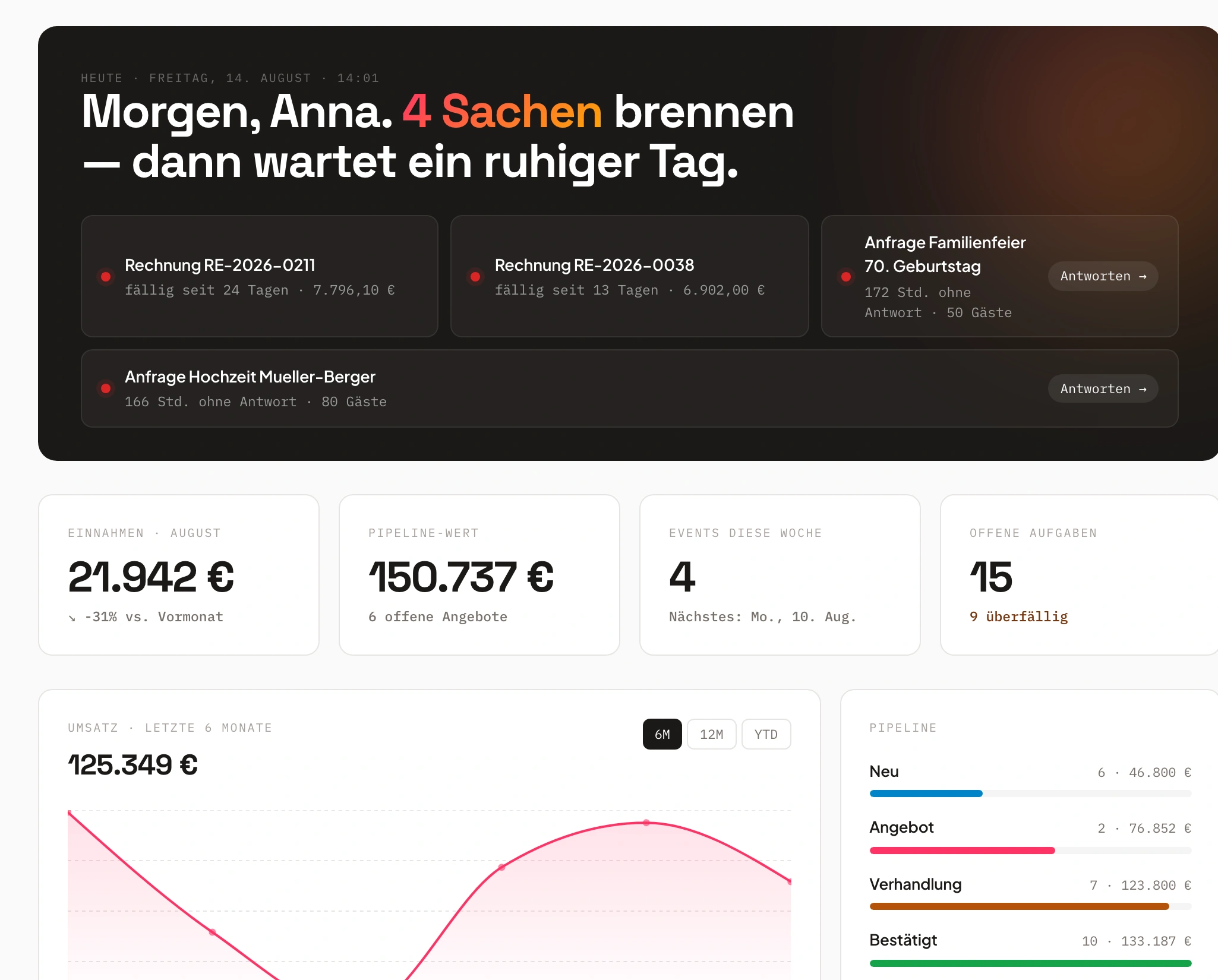
The group overview brings several locations together, the audit log shows who changed what.
You see the difference without opening every view.
Locations separated, permissions clear
Records belong to a location – only what you share becomes shared.
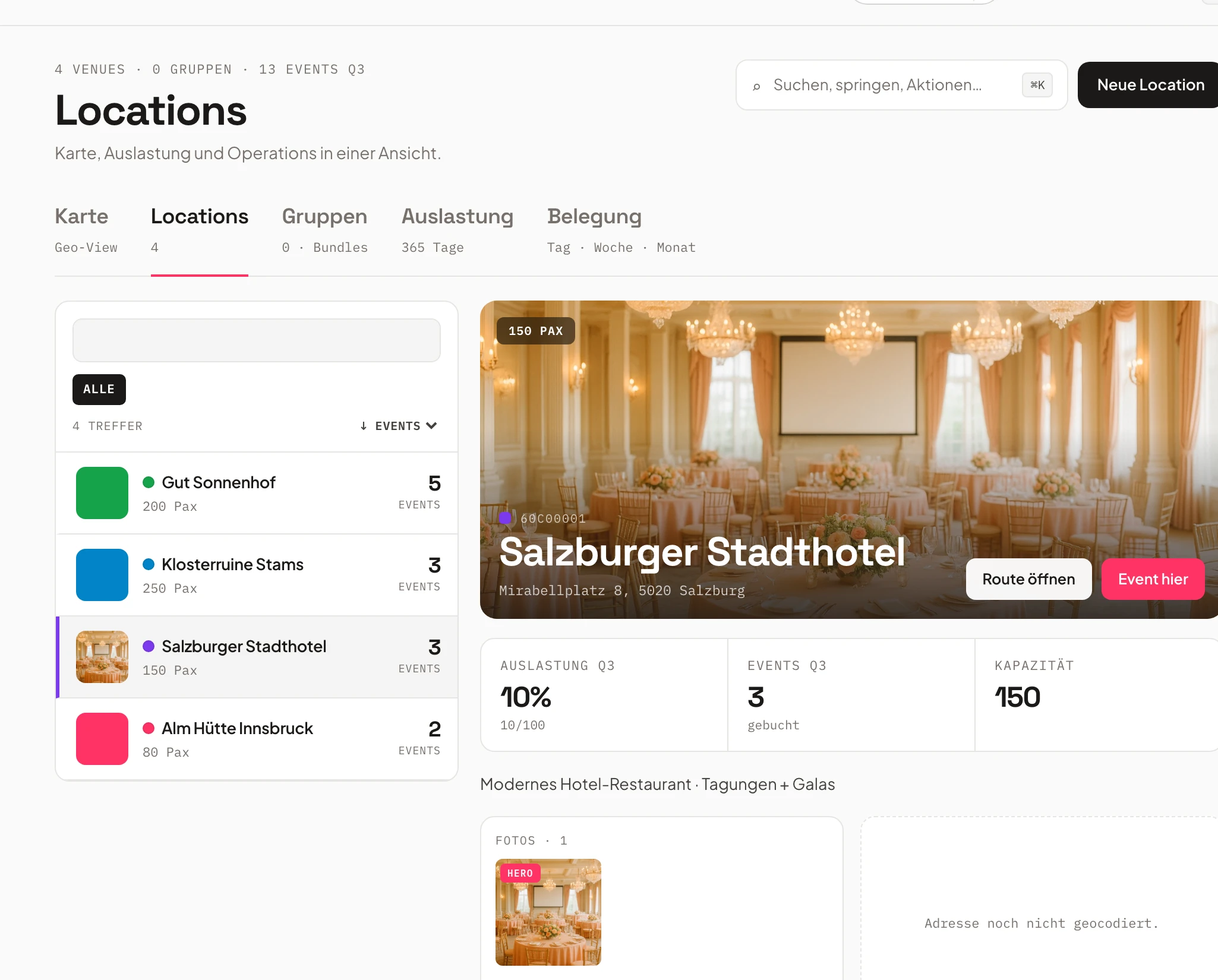
A role with location tags sees events, inquiries, documents, tasks and shifts only from its own location. It sees all booking pages, products and sites, but can edit only its own; records from other locations open read-only with a note saying which location they belong to. Records without a tag are shared – only those allowed to do so in their role can edit them.
Anyone changing a record outside their location gets a note and nothing is saved. Existing records are assigned via multi-select.
- Own responsibility per location
- Shared records only with the permission
- Changes outside the location are caught
- North locationactive
- South locationactive
- Shared recordsonly with permission
Roles, permissions and read-only access
Anyone who should only look sees everything and changes nothing.
A role of the type “Read only” opens the admin area for reading – quotes, events, invoices, reports, inventory, Personal – and allows comments, messages and exports except DATEV and BMD. Every save action is rejected, hours cannot be recorded, subscription and settings cannot be changed.
From Scale, one read-only seat is included per admin seat, each additional one costs €19 per month or €190 per Jahr. Per role you define which Startseite applies after login.
- Role “Read only” with a clear Grenze
- Read-only seat included per admin seat
- Their own Startseite per role
- Ownereverything
- Read only€19/month
- South locationown records
Approvals for quotes, invoices and inquiries
You define when a step needs a second Person.
For quotes and invoices a Regel applies by amount or discount, for accepting an inquiry by rooms, booking page or customer tag. Without a valid Freigabe the document stays a draft and the inquiry stays open. An approval never triggers anything itself: after the approval you carry out the step as usual.
Whoever may approve gets a message in the bell and by push, also in the employee Portal, and decides with approve or reject – a reason is mandatory when rejecting. Approvals belong to the Scale plan.
- Rules by amount, discount, room or tag
- Bell and push, also in the employee Portal
- Rejection with a mandatory reason
- 1approval requested
- 2bell & push
- 3approved
Overview and Änderungsverlauf
Several locations in one view, every change traceable.
The group overview brings several locations together in one view so you can compare revenue, open documents and utilisation without opening every view. The audit log and the Änderungsverlauf show for every record who changed what and when.
So even months later it stays clear why a price or a commitment looks the way it does.
- Group overview across several locations
- Audit log and Änderungsverlauf
- Compare instead of gathering
Integrations and your own domains
Each location with its own sender, its own order pages, the same API.
You open internal order pages only for your own email domains, and each location can write with its own sender domain. For connections, API, MCP and webhooks are available – so POS systems, shops and your own tools work on the same data as the back office.
Setting up your own sender domain is handled by support; it stays separate per location.
- Internal order pages only for your own email domains
- Own sender domain per location
- API, MCP and webhooks
- API & webhooksactive
- MCPactive
- Own sender domainset
In the Scale plan, Enterprise on request
Several locations belong to the plan for businesses with multiple sites.
Scale costs €1,199 per month, or €879 per month when billed yearly, and includes six admin seats. Enterprise we tailor to your business – with SSO, your own cloud, SLA and on-site training.
Prices and seats are on the pricing page; what each plan includes is in the comparison table.
- Scale: €1,199 per month, six admin seats
- €879 per month billed yearly
- Enterprise with SSO, own cloud, SLA and training
- Scale per month€1,199
- Scale yearly€879/month
- Admin seats6
Frequently asked questions
From which plan can I run several locations?
From the Scale plan, which costs €1,199 per month or €879 per month billed yearly and includes six admin seats. Enterprise we tailor to your business.
Do staff from one location see the other location's data?
A role with location tags sees events, inquiries, documents, tasks and shifts only from its own location. Booking pages, products and sites are visible, but only their own can be edited. Records from other locations open read-only.
What does a read-only seat cost?
In the Scale plan one read-only seat is included per admin seat; each additional one costs €19 per month or €190 per Jahr. In smaller plans every seat in the admin area counts as an admin seat.
When does a quote need an approval?
You decide as the owner: always, from an amount or from a discount. For accepting an inquiry you can additionally require approval by rooms, booking page or customer tag. Without a valid approval the document stays a draft.
Who sees who changed what?
The audit log and the Änderungsverlauf show for every record who changed what and when. Together with the group overview it stays traceable what happened in which location.
Ready to get started?
Try Univents for free and see how simple event management can be.
Univents newsletter
Three topics, pick any. Roughly once a month, no more.