

Software for room and resource planning in your event venue
Plan seating, multiple venues and the right equipment in one place – with automatic availability checks, so no room ever gets double-booked.
7-day free trial · no credit card · live in minutes
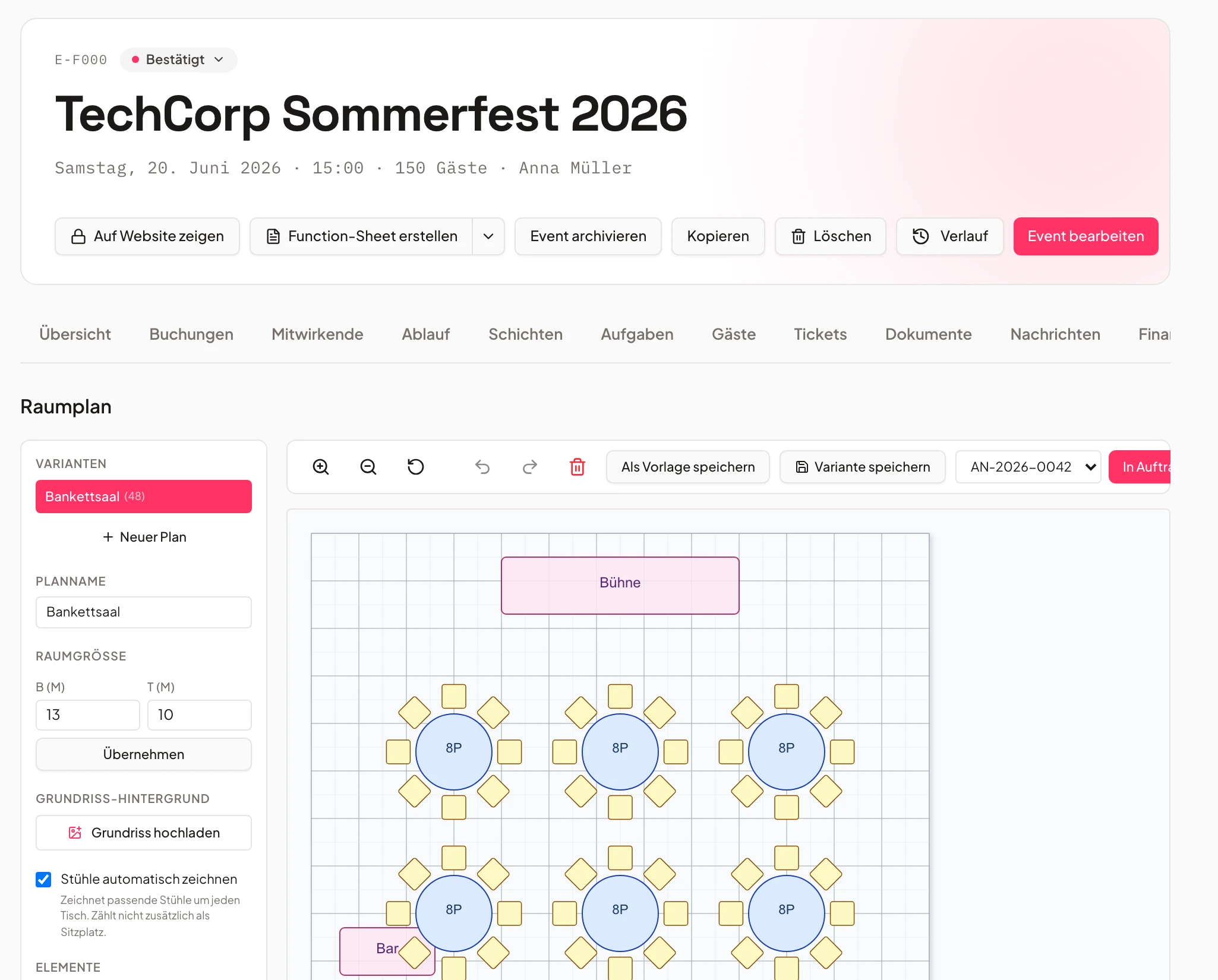
- Hall Abooked
- Foyerrequested
How your floor plan comes together
From the first table to the finished seating layout – in three steps.
Assign venues
Assign one or several venues to an event – a hall, a foyer and a terrace together.
Every space on one event.
Design the floor plan
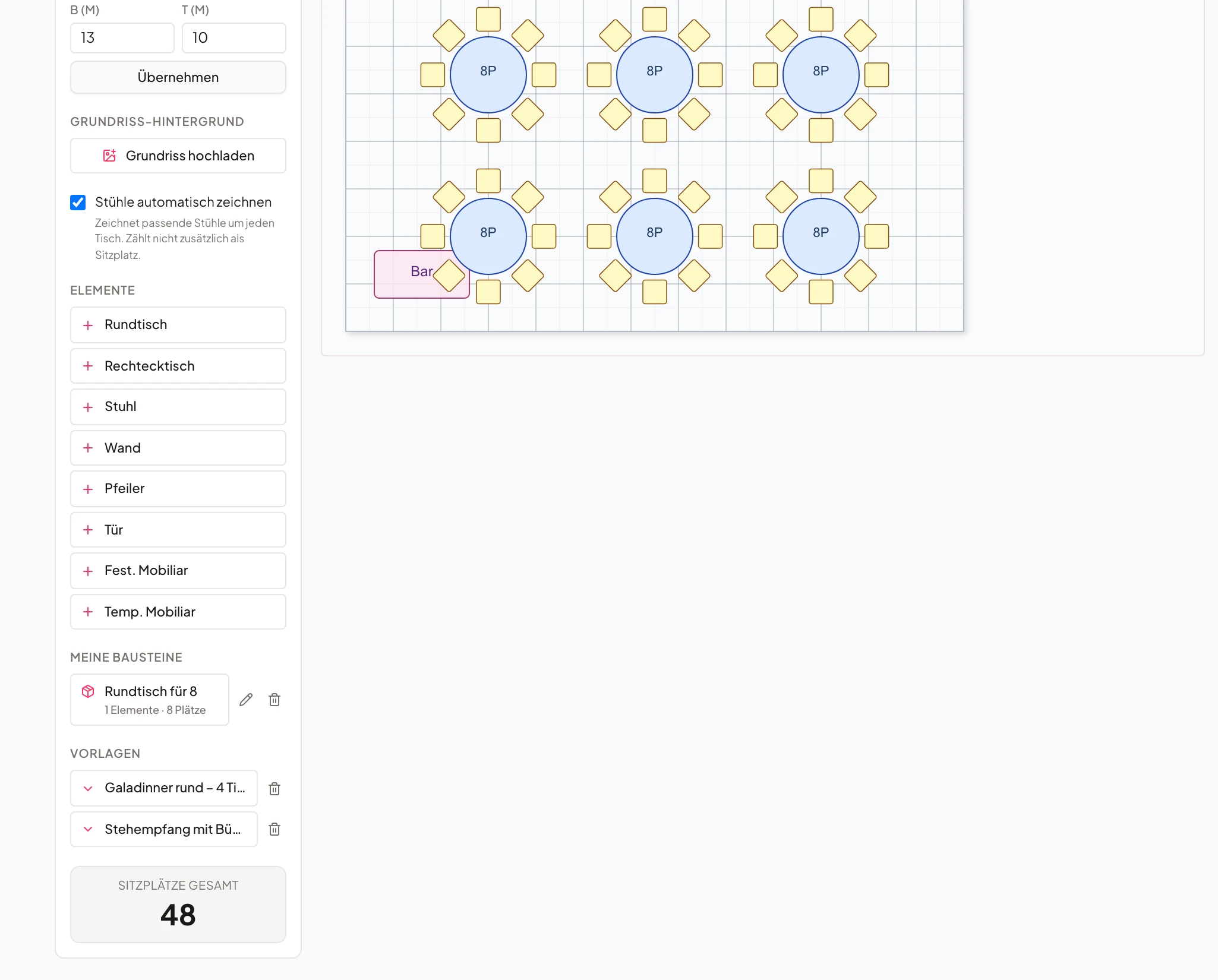
Place tables, stage and seating visually right on the event, in the seating planner – no more paper sketches.
No second plan in a separate file.
Check availability
Univents shows instantly which rooms are free on the requested date – double bookings surface before they happen.
No unpleasant surprise for the client.
Seating planner for every event
Place tables, stage and reception right on the floor plan.
In every event's floor plan you place tables, stage area and other elements visually – no sketching on paper or in a separate file.
The plan belongs to the event: if guest count or schedule changes, it shows immediately, without maintaining a second plan.
- Visual floor plan per event
- Tables, stage and areas freely placeable
- Always matches the current event
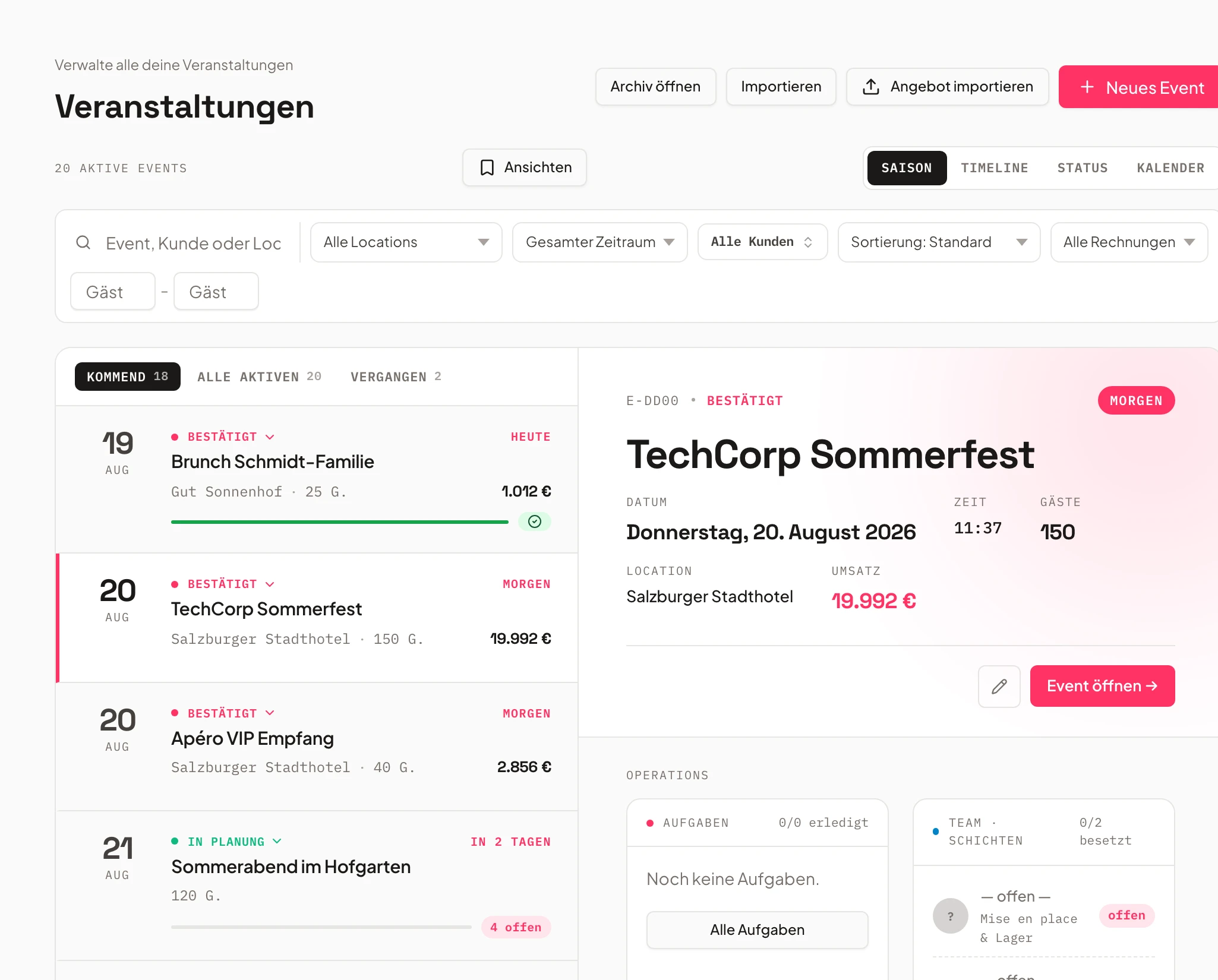
- Banquet tables80 seatsplaced
- Stage6×4 mplaced
- Reception area40 seatsdone
Multiple venues per event
Manage a hall, foyer and terrace together.
One event can occupy several venues at once – reception in the foyer, dinner in the hall. Every space stays visible on one event.
Each venue can have required products attached – equipment, seating or staff that get booked automatically as soon as the room is assigned.
- Any number of venues per event
- Required equipment booked automatically
- Nothing gets forgotten
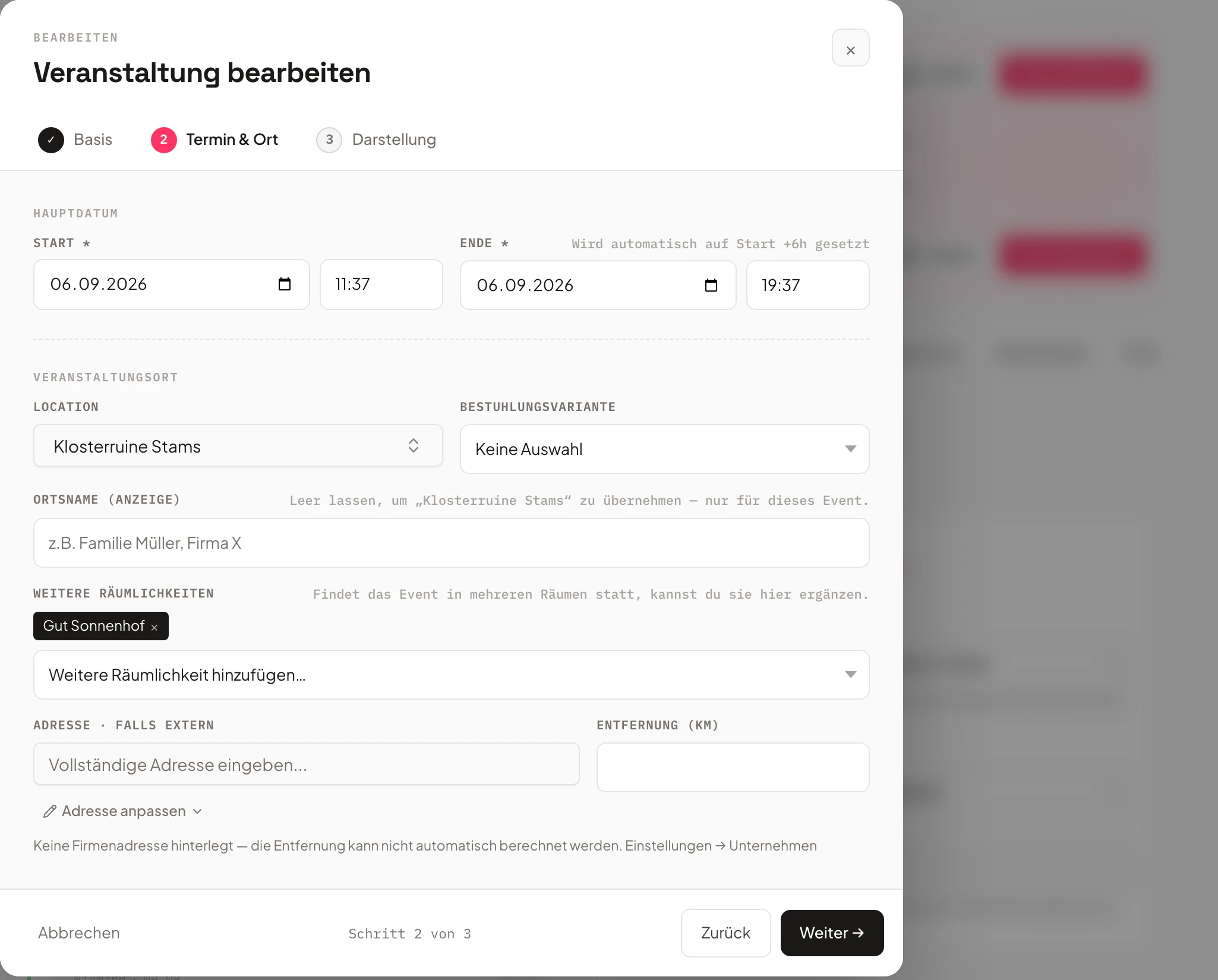
- 1Required equipment booked automatically
- 2Team sees both rooms
- 3Ready for the floor plan
Availability at a glance
Double bookings surface before they happen.
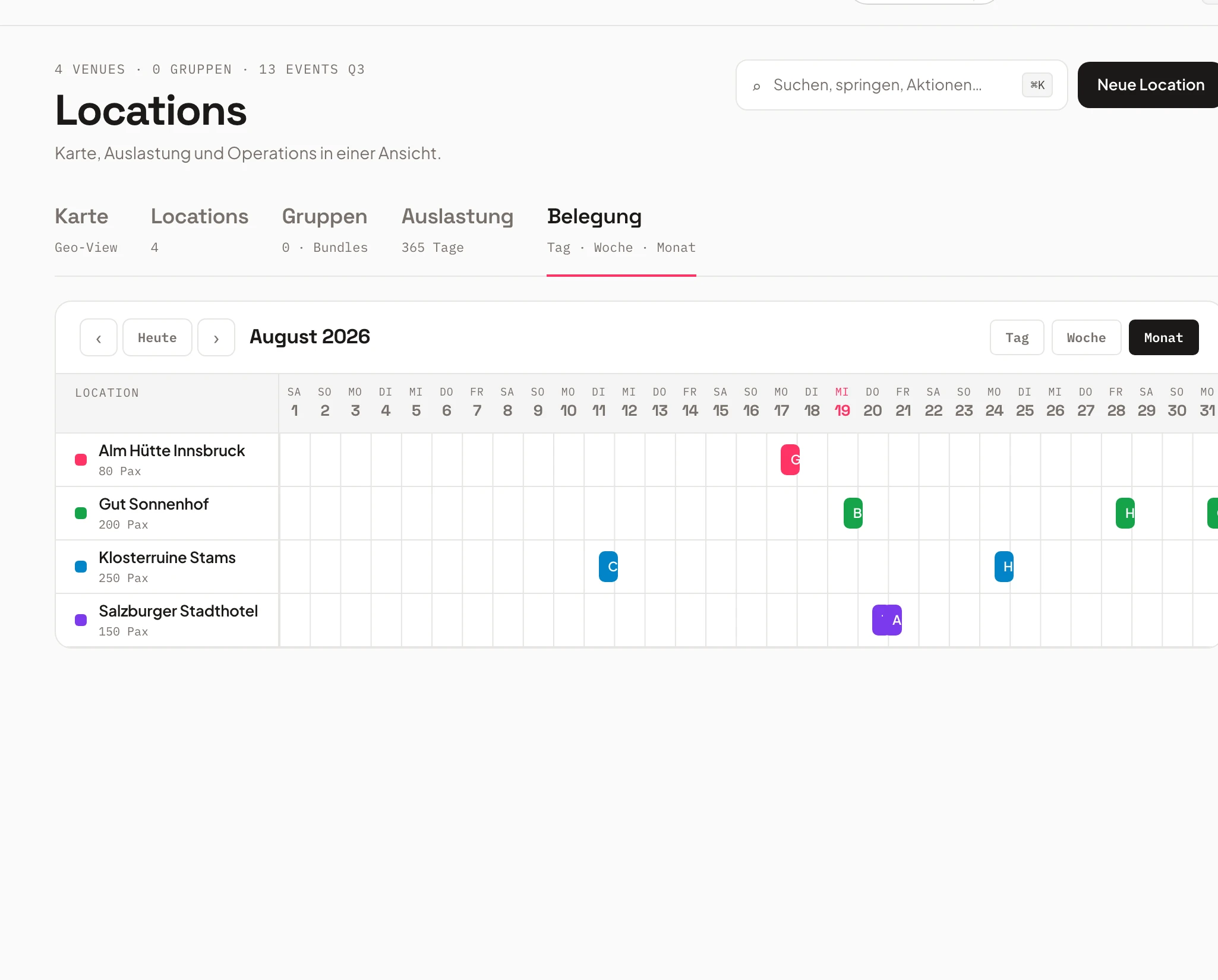
Univents checks every venue's availability for the requested date – while you're planning, not when the client calls.
See free, requested and booked for every room at once – across every event in the season.
- Availability check per venue
- Free, requested or booked at a glance
- Across every event in the season
Templates that fit into daily work
A proven layout is one click away.
For recurring formats, save a floor plan as a template and reuse it for the next matching event – tables and stage are ready instantly.
The chosen venues appear automatically on the booking page for clients and in the function sheet for kitchen and service – one floor plan, visible everywhere.
- Floor plan templates for recurring events
- Visible on the booking page
- In the function sheet for kitchen & service
Frequently asked questions
What is Univents' room and resource planning?
A tool for planning seating, multiple venues and required equipment right on the event – including availability checks so no room ever gets double-booked.
Can I assign multiple venues to one event?
Yes. One event can occupy several venues at once, such as the foyer for the reception and the hall for dinner – every space stays visible on one event.
How does the seating planner work?
You place tables, stage and other elements visually in the event's floor plan. The plan belongs to the event and is visible to the team and kitchen at any time.
Does Univents catch double bookings of rooms?
Yes. Univents checks every venue's availability for the requested date and shows free, requested and booked at a glance – across every event in the season.
How does the floor plan connect to the booking page and function sheet?
The assigned venues appear automatically on your booking page for clients and in the function sheet for kitchen and service – no double maintenance.
Ready to get started?
Try Univents for free and see how simple event management can be.
Univents newsletter
Product news and practical tips for event and catering businesses. Roughly once a month, no more.