

Tasks and Budget — Under Control for Every Event
Univents keeps every event on track: tasks and checklists for your team, budget envelopes with automatic actual-vs-planned tracking, and supplier invoices that capture themselves. No more Excel chaos between planning and costing.
7-day free trial · no credit card · live in minutes
- Catering & Cost of Goods€4,200on track
- Staff & Service€2,800tight
From Task to Post-Event Costing
One continuous process for planning and budget — automatic, transparent, and without side calculations in Excel.
Create and assign tasks
Set up checklists and tasks with due dates and owners for each event — from templates or from scratch.
Nothing falls through the cracks — every task has an owner.
Set budget envelopes
Define budget categories with a planned amount per event — costs from supplier invoices flow in automatically.
Spend status is always current, no manual reconciliation.
Review margin and learn
Compare budget against actual costs per event and see contribution margin across all events in the report.
Grounded numbers for your next quote.
Uploading an incoming invoice: AI reads it, you check and post it
Upload a supplier invoice as a photo or PDF and have it read out automatically — instead of typing in every figure yourself. You stay in control: no figure counts until you click “post”. You’ll see the upload, how to trigger processing right away instead of waiting for the nightly run, the extracted invoice details next to the preview, assigning it to a budget envelope, the due-date reminder, and marking it as paid.
Chapters
Show transcript
Let’s take a look at how we can handle incoming invoices in Univents. Here under the Finance section, we also have the option to upload all our incoming invoices and check what’s actually still due — and above all, when it’s due. So let’s upload one of our incoming invoices here as an example. Let’s go in here for a moment and grab our sample invoice. There we go. So now we have a sample invoice as a PDF — but it also works as an image file, both work fine. So right now we’re just waiting for our system to process this. We can also speed that up by saying: process it now, rather than waiting for the next overall batch run. There, now it’s ready to review. So we can take a look at the preview here, zoom in on it, and see the information about our supplier. We also have the matching contact right here in the system, and we can see our invoice details again. That all looks right. We can assign this to a budget envelope, or create a new one, so all these line items are also allocated within our budgets. There, now we see our budget included here, and we can also see straight away when invoices are due. The system also reminds us if anything ever becomes overdue. And we can then mark things as paid directly right here. That’s it.
Tasks & Checklists per Event
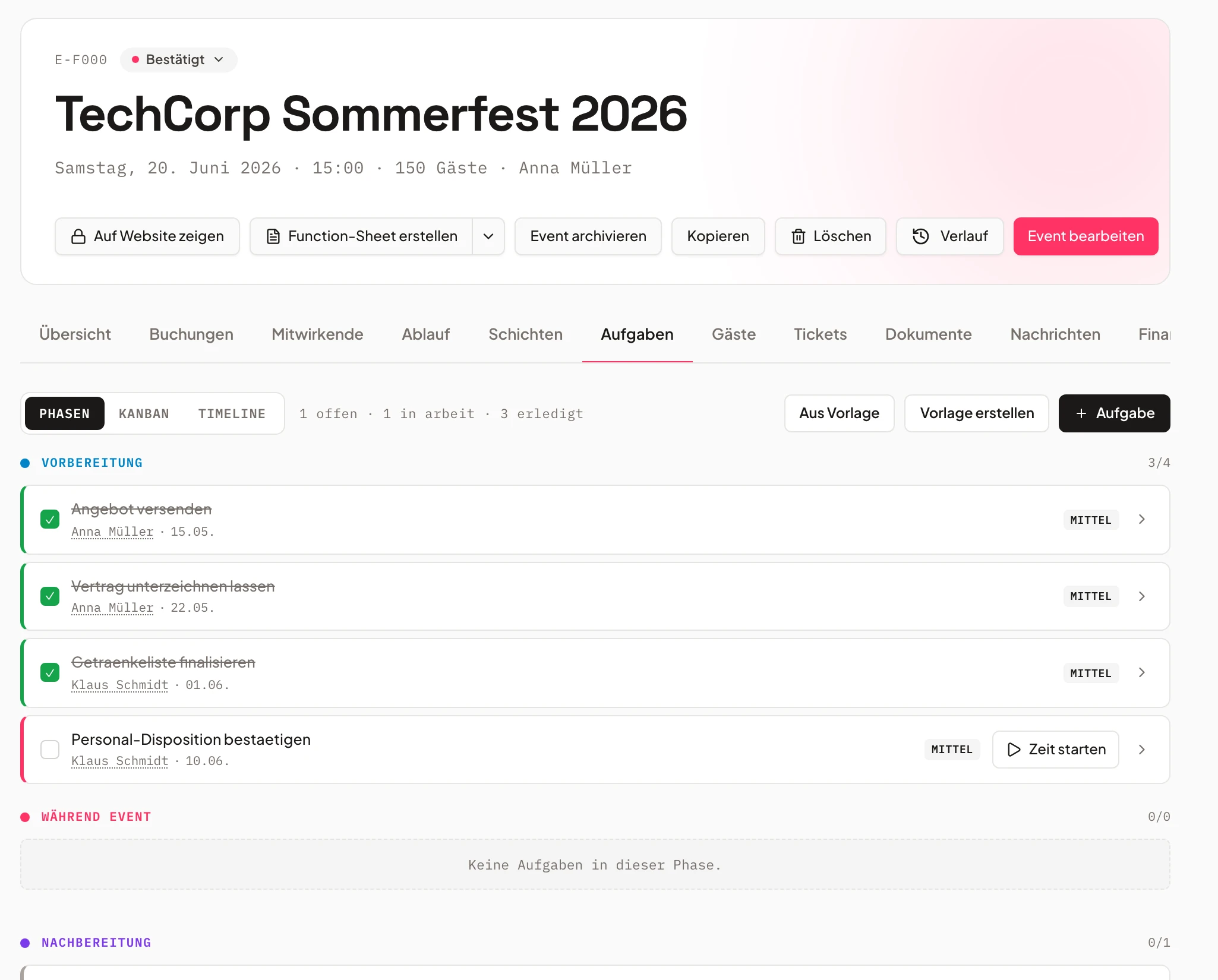
Every task has a name — and a deadline.
Create tasks with due dates and owners for each event, individually or from reusable checklist templates.
The tasks tab on the event shows every team member exactly what's due and when.
- Due dates & owners
- Checklist templates for recurring events
- Dedicated tasks tab per event
- Finalize menuopen
- Seating planin progress
- Tech checkdone
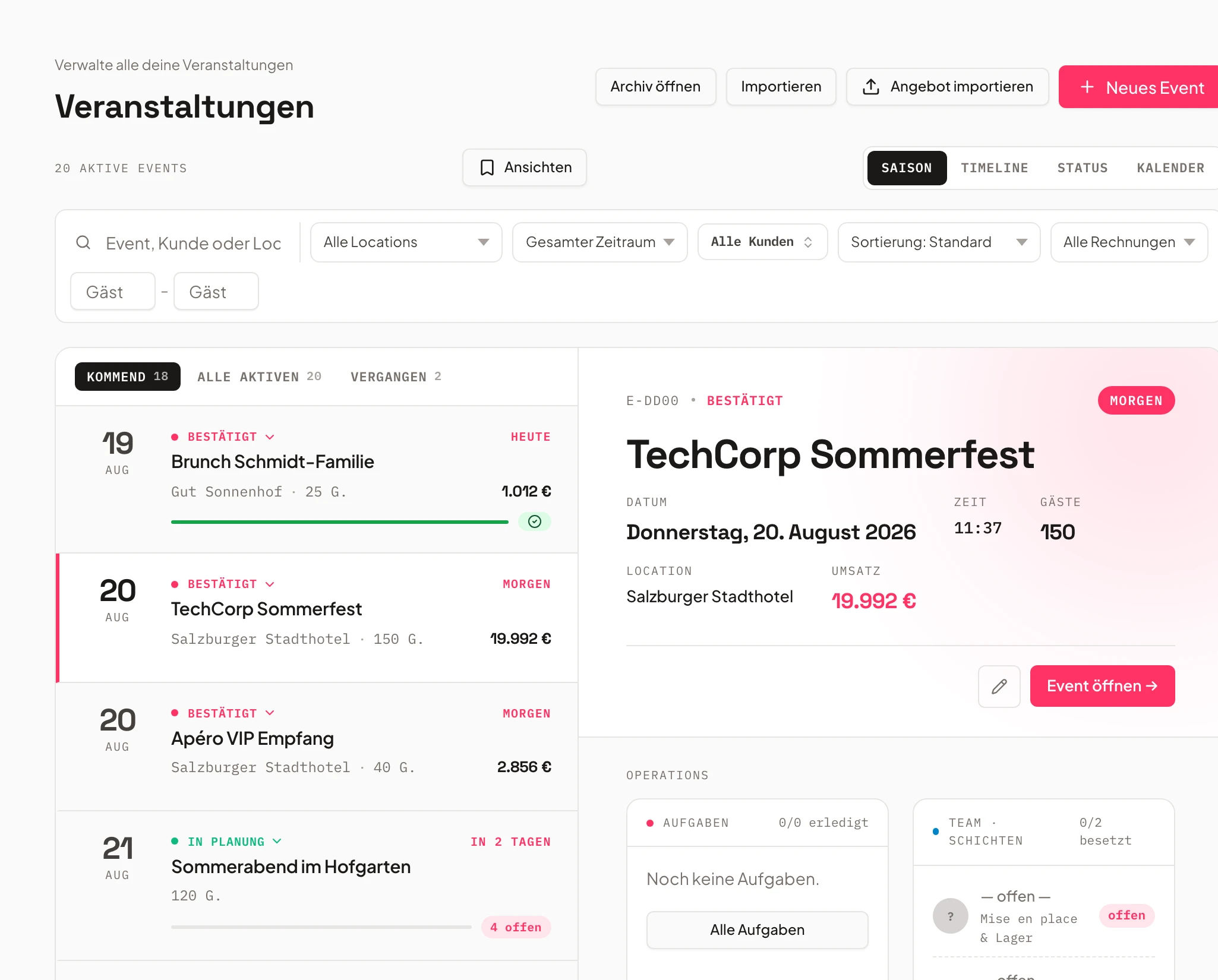
Budget Envelopes per Event
Every category with its own planned amount.
Define budget categories like catering, staff, or technical equipment with a planned amount per event.
When you confirm an invoice, you pick the matching budget envelope — the spend counts against it immediately, so spend status stays current.
- Budget categories with planned amounts
- Spend counts against the envelope instantly
- Linked directly to supplier invoices
- Catering & Cost of Goods€4,200
- Staff & Service€2,800
- Technical & Decor€1,100
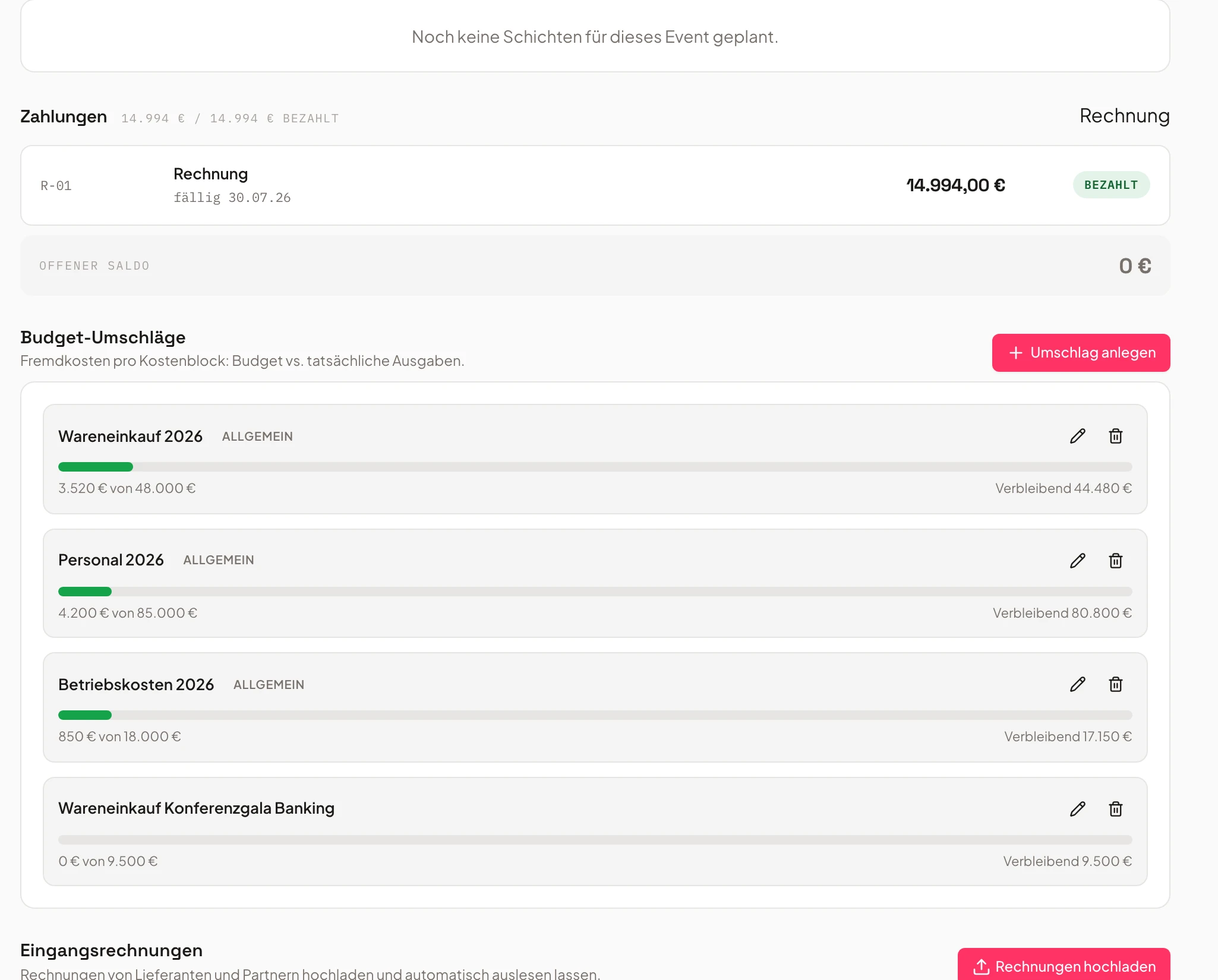
Capture Supplier Invoices Automatically
Upload the receipt — Univents does the rest.
Upload a supplier invoice — as a PDF or as a photo from your phone — amount, vendor, and invoice details are extracted automatically.
After a quick confirmation, the invoice lands in the right budget envelope — for an event or as an overhead cost for the whole business.
- PDF or photo upload
- Amount, vendor & invoice details extracted
- Confirm instead of retype
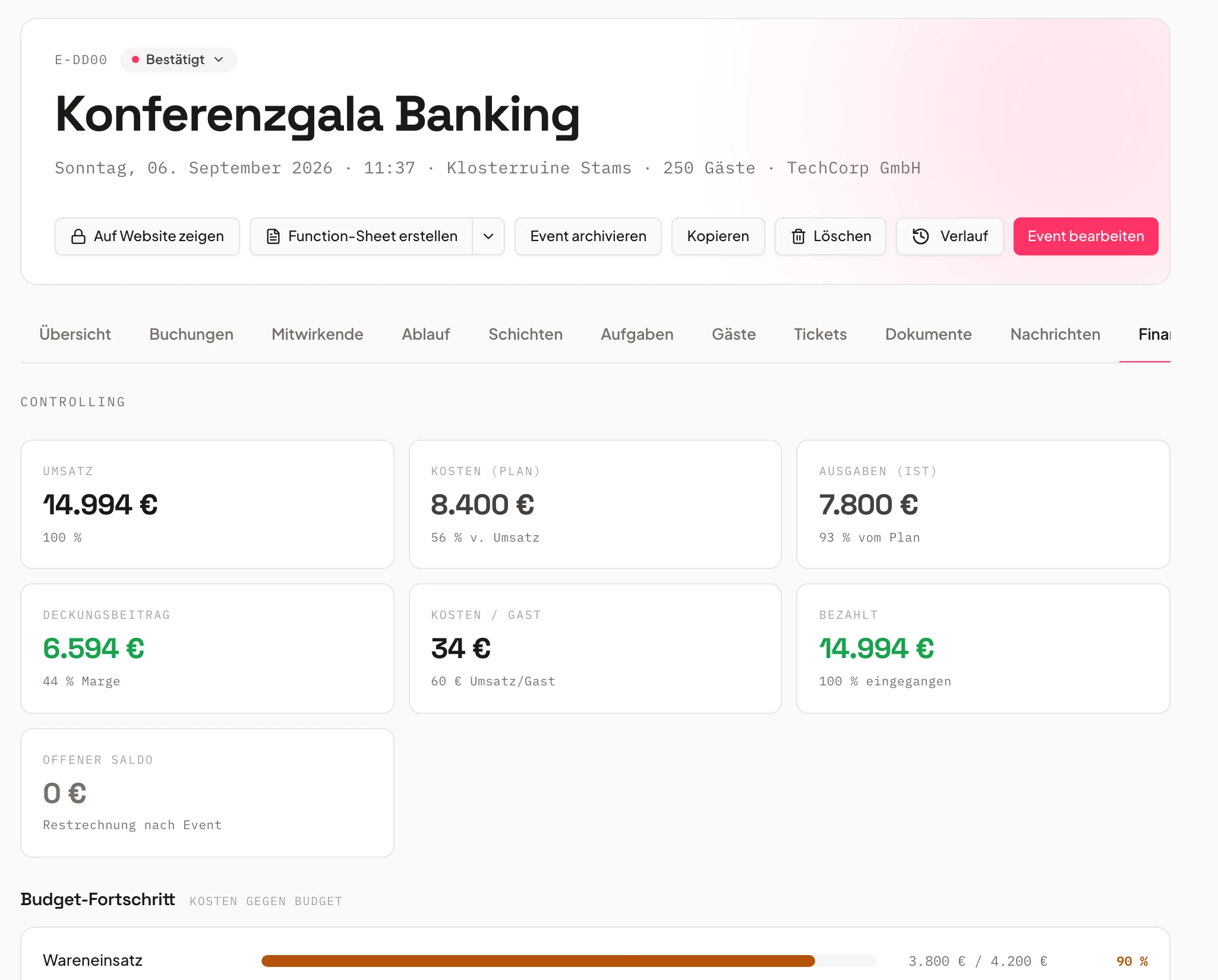
Costs, Budget & Margin at a Glance
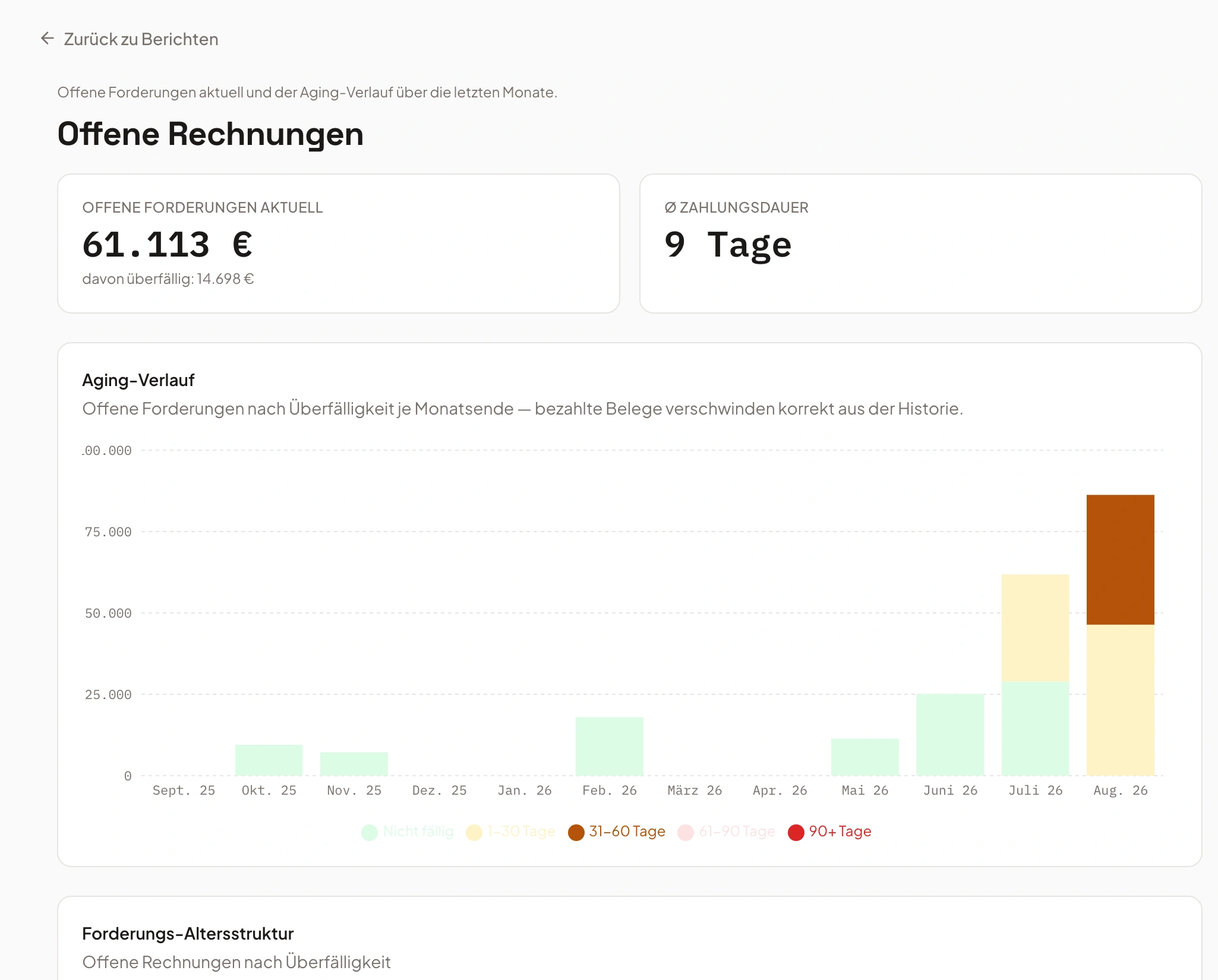
Contribution margin, live per event.
The finance tab on the event shows captured costs against budget — live, without a side calculation in Excel.
The margin report shows contribution margin across all events, so you see which events actually pay off.
- Costs vs. budget live on the event
- Contribution margin per event
- Event margin report across all events
Frequently asked questions
Which event planning software helps caterers with task lists and budget control?
Univents is the event planning software for caterers and event managers that bundles task lists and budget control directly on the event: checklists with due dates and owners, budget envelopes with automatic spend tracking, and supplier invoices captured automatically.
How does budget control work in Univents?
You set up budget categories with a planned amount per event, for example for catering, staff, or technical equipment. When you confirm a supplier invoice, you pick the matching budget envelope — the spend counts against it immediately, so spend status is always current.
How do I capture supplier invoices?
Upload the supplier invoice — as a PDF or as a photo from your phone. Univents extracts the amount, vendor, and invoice details automatically; when you confirm it, you pick the matching budget envelope — the spend counts against it immediately.
What's different from Excel sheets or general project tools?
Tasks and budget sit directly on the event, and supplier invoices can also be captured as overhead costs with no event at all — everything ties to the real costs from your quotes and invoices, no manual reconciliation between spreadsheets. The event margin report shows contribution margin automatically across all events.
Who is the tasks and budget module for?
For caterers, event agencies, and venues who want to keep track of open tasks and actual costs per event — from planning through post-event costing.
Ready to get started?
Try Univents for free and see how simple event management can be.
Univents newsletter
Three topics, pick any. Roughly once a month, no more.