

Everything under control – from planning to execution
Whether company party, wedding or festival: with Univents all parties stay on the same page. Schedules, rooms and tasks update automatically, contracts are signed digitally.
7-day free trial · no credit card · live in minutes
 AI generated
- Ballroombooked
- Garden terraceoption
Just say it. Univents does the rest.
Speak it, connect your inbox or type in the chat – the AI does the rest. A few examples for exactly this area:
"Create an event in the ballroom – Schmidt AG company party, August 23rd, 150 guests, evening from 6 pm"
Event created
- Ballroom – Schmidt AG
- August 23rd, 6:00 pm
- 150 guests entered
Illustrative. You stay in control and approve before anything goes out.
How event planning works with Univents
A clear process – from idea to finished event. All centrally connected, no copy-paste.
Create event
Customers fill out your custom inquiry form. Every inquiry automatically lands in the right event.
No email chaos, no manual data entry.
Create quote
Univents creates a complete quote in seconds with images, text blocks and CI layout.
Quotes that impress – automatically and in your style.
Execute event
After quote acceptance, Univents automatically creates the event including function sheets and tasks.
From booking to production, everything flows automatically.
Creating an event: date, venue, calendar
How a new event comes together in a few steps starting from an empty event list — from basic data through the date and venue to how it shows up on the calendar. At the end: how you copy an existing event for a follow-up occasion instead of entering everything again.
Chapters
Show transcript
Let’s take a look at how to create an event manually in the system. At the top, under Events, there is the New event button. You can use one of your templates right away — in this case, though, we will start completely blank and fill in the event from scratch. Say we have a company party: we look up the matching contact, add the number of guests, and can select the on-site contact person at the customer and the project planner for the event. Then we set the payment method, so we know later, at a glance: pays by card, pays cash or pays by invoice. And instead of a single date, we can also create a whole recurring series as an event series. Next we pick the date — let’s say October 2nd at 4 pm — and can select the venue along with its seating layout. If you want a different location name to appear on the quote than the venue name, you can change that here, and you can also book additional rooms if the event takes place in more than one. You can also enter the address directly or use the customer’s address — Univents then calculates the travel distance automatically. If it should be calculated automatically, leave the distance field empty; otherwise you can enter it directly, so it is correctly reflected in the products priced by kilometer on the quote. You can also assign various tags, mainly for the sake of overview, so you know what each event belongs to. You can release events to specific people by tag — someone in group A, for example, only sees events tagged company party — and run different email automations depending on an event’s tags, more on that in another video. For the event color: leave it empty and the status color is used automatically; but you can also mark events of a certain type or at certain venues with their own color, so you can keep track more easily. Then you set the event’s language, and last but not least the kitchen details, which can also be preset completely. That done, you can create the event. And there we are in the event overview. Here you can add notes that also appear on the quote or in the function sheet, as well as internal notes meant only for you, and get an overall picture of the event. You can also upload images for the customer portal or look at the customer information again. Under Events, we now see all events sorted, with a summary of all the key information for each one at a glance, plus a timeline view and a status view — you can fully configure the statuses yourselves and move your events through them. And the overview is also available as a calendar, adjustable by month, week or day. If you want to create an event exactly the same way again, you can simply copy it and adjust it afterward, you can view the event’s edit history, and once an event is truly finished and should no longer be shown, you archive it.
Event planning – from idea to execution
One home for every event – no matter the size.
Plan events of any size centrally – from timelines to tasks to approvals. Everything is linked and updated in real time.
Timelines, tasks and approvals are linked. Move a date and every dependent step shifts with it automatically.
- Schedules with unlimited timelines
- Responsibilities & attachments per step
- Automatic creation from templates
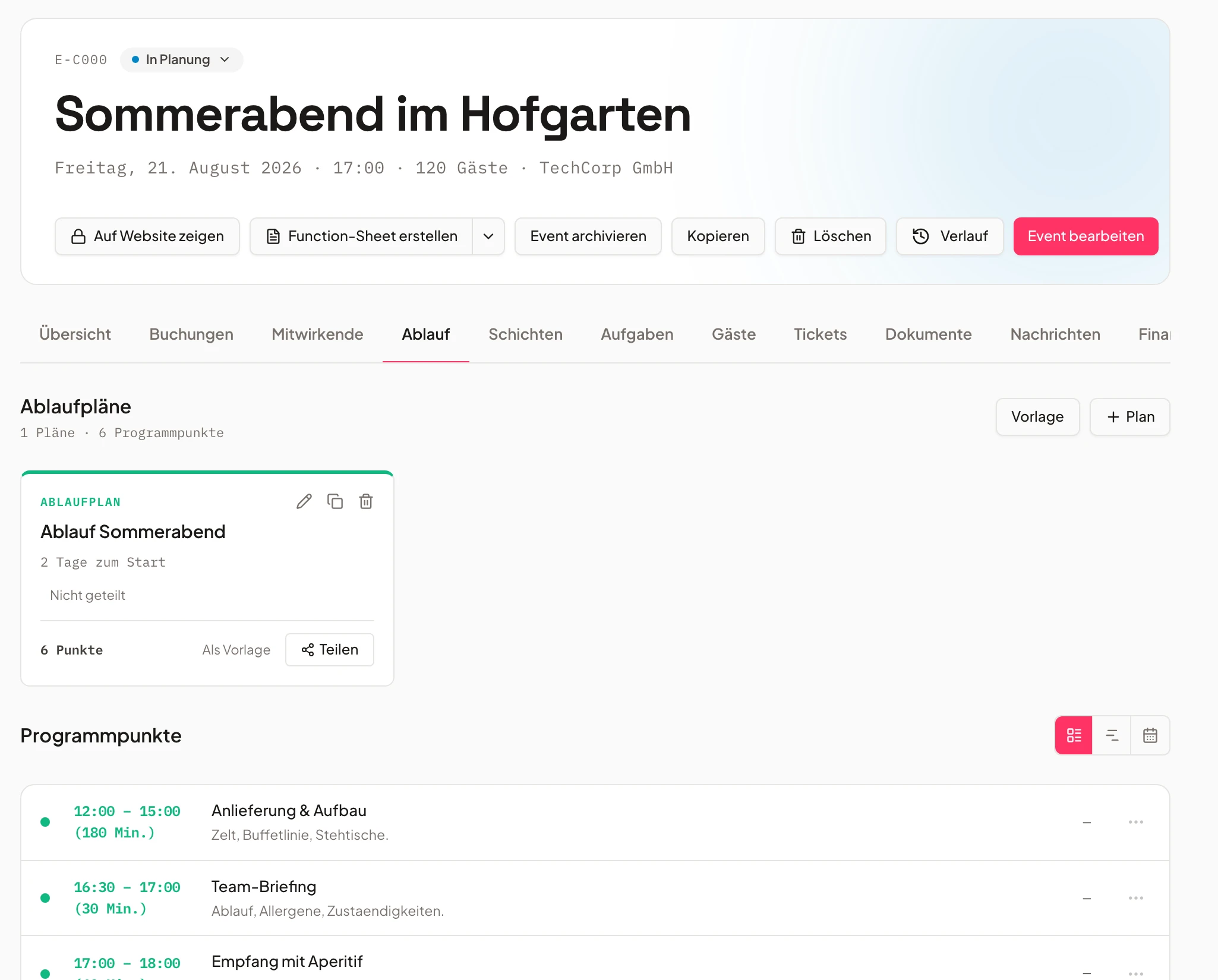
- 1Timeline built
- 2Tasks assigned
- 3Approved
Participants & teams
Internal and external people pulling together.
Manage internal and external participants, group them by area and keep responsibilities transparent.
Group contributors by area of work and grant targeted access – everyone sees exactly what their role needs.
- Groups & roles for participants
- Automatic inclusion in function sheets
- External users only see approved content
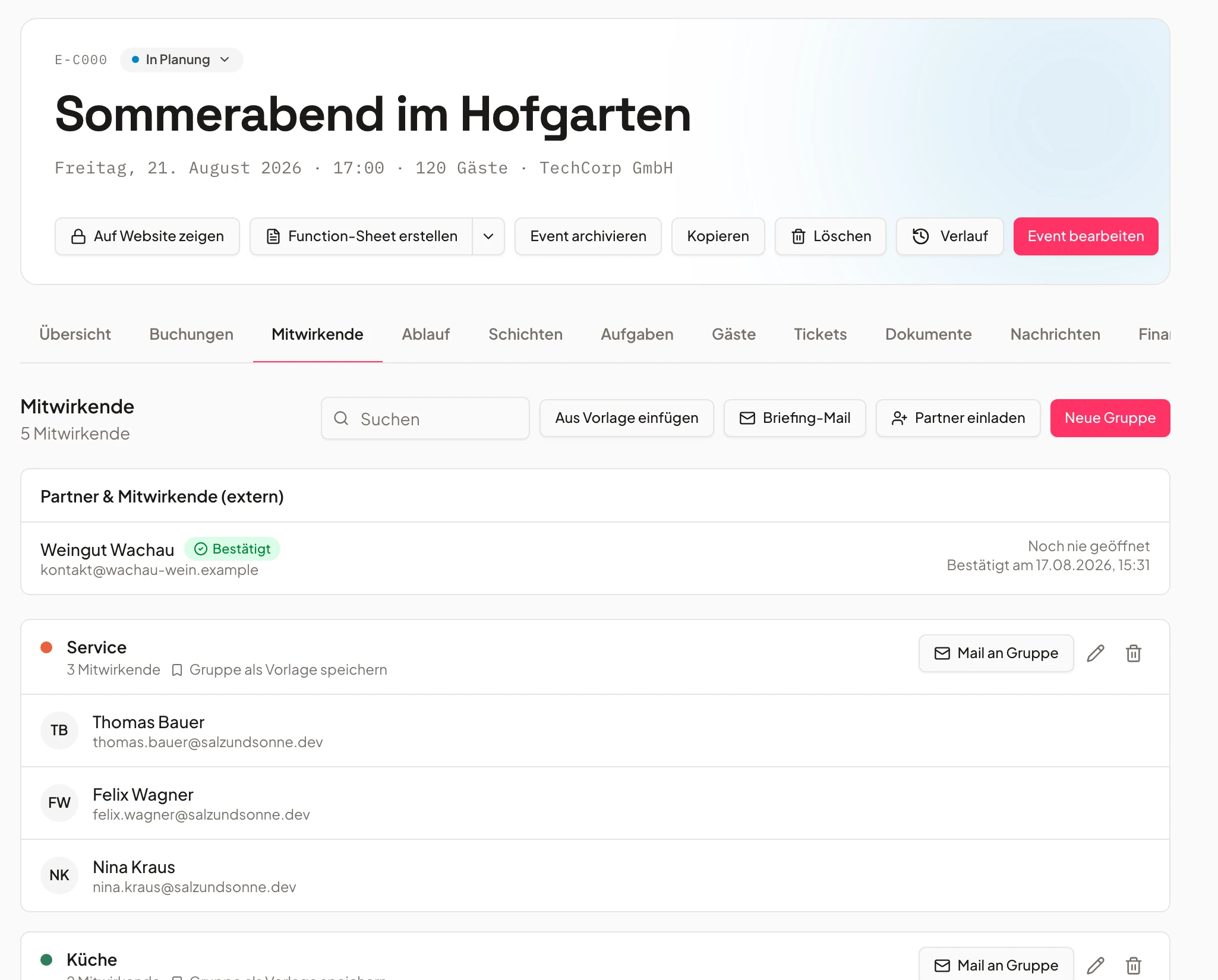
- Service team6 people
- Tech crewconfirmed
- Floralsexternal
Contracts & agreements
Contract created and signed – without Word.
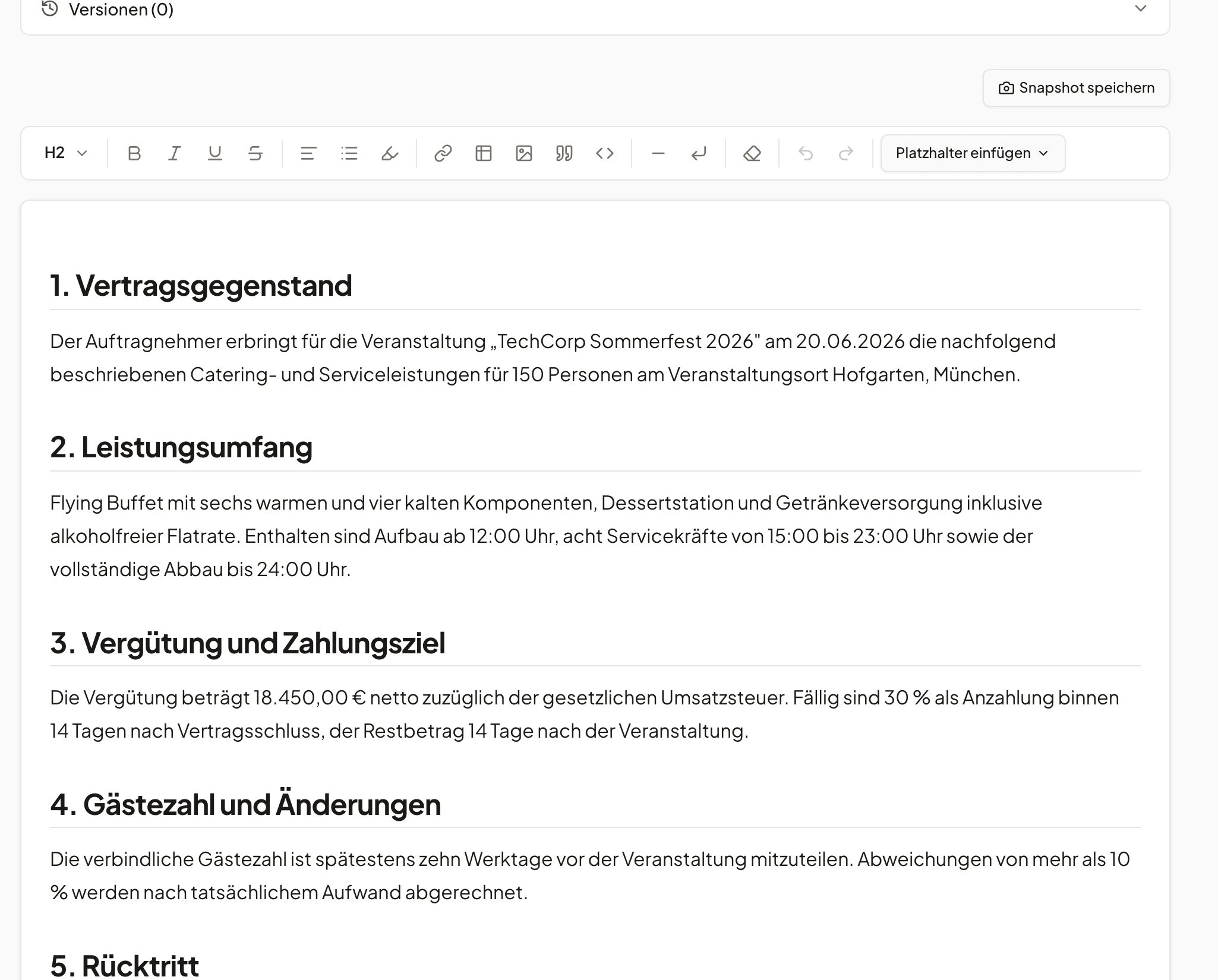
Create and sign contracts directly in the system – automatically filled with event data.
Contracts fill themselves with the event data and are signed in a legally sound way right inside the system.
- Placeholders for names, dates & addresses
- Digital signature in the tool
- Versioning & central storage
Locations & rooms
Rooms, buildings and outdoor areas at a glance.
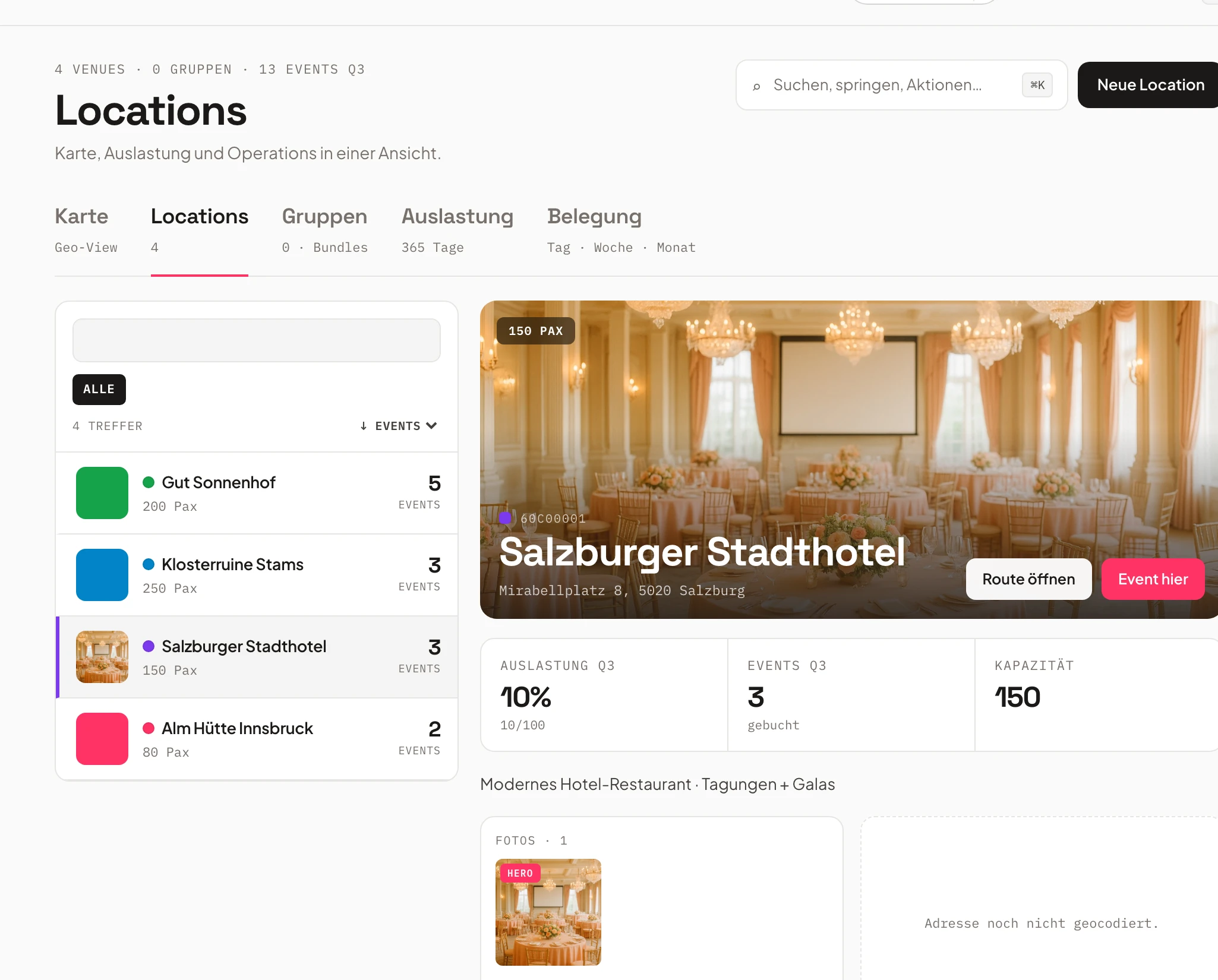
Manage rooms, buildings and outdoor areas with capacities, features and calendars – all linked to events.
Capacities, special features and a dedicated calendar per room – double bookings are simply impossible.
- Capacities & equipment per room
- Room groups & combined bookings
- External calendar sync
Automatic function sheets
Function sheets that write themselves.
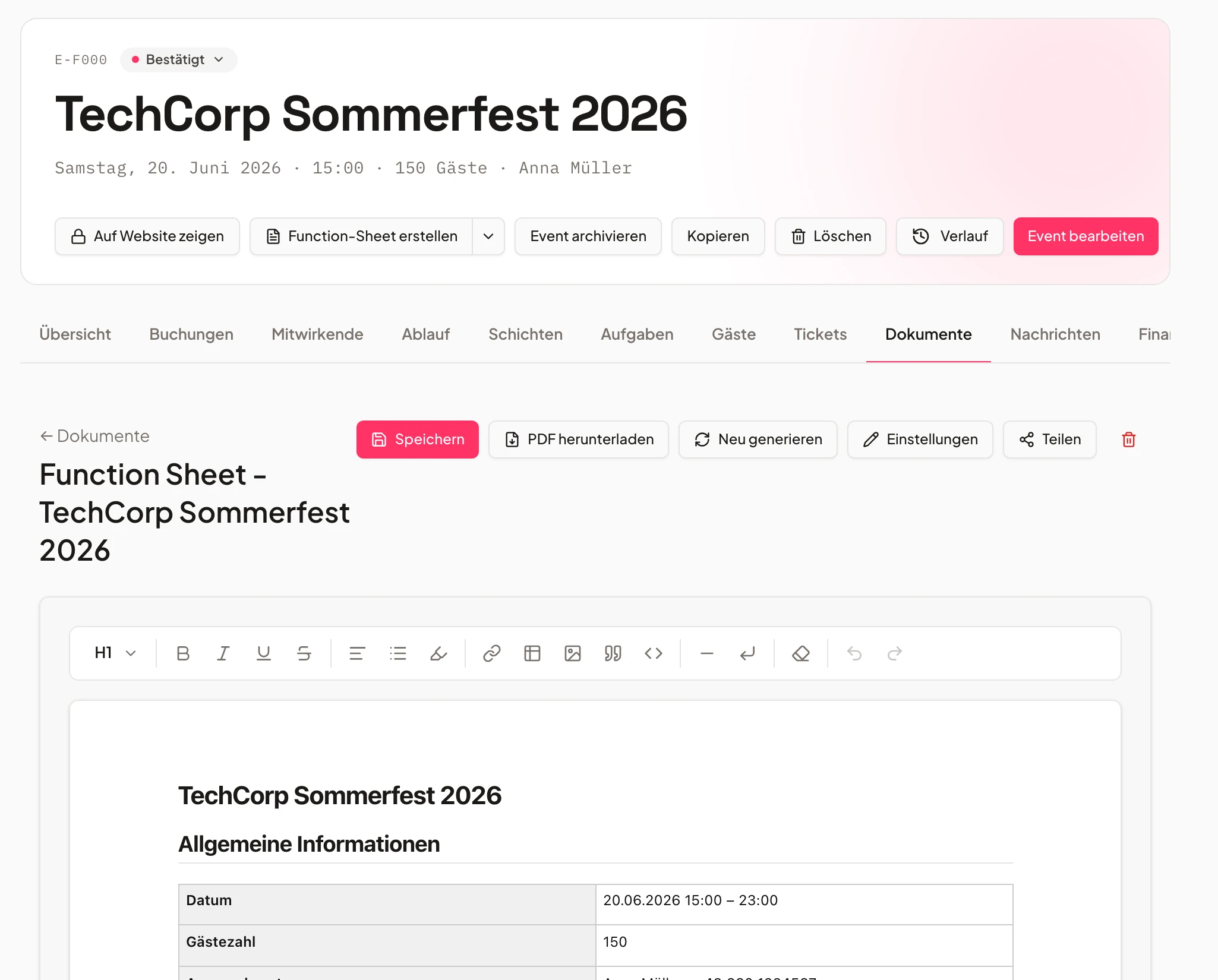
Univents automatically creates function sheets from event data – for kitchen, service, tech or customers.
Univents turns the event data into clean sheets for kitchen, service and tech – always up to date.
- Automatic creation from event & schedule
- Freely editable content and layouts
- Filter by area, time or team
Tasks & project control
Every task hangs on the right point.
Link tasks directly to schedule items, events or people and stay on track with automatic reminders.
Link to-dos to schedule points, events or people and stay on top with automatic reminders.
- Task types (upload, free text, approval)
- Automatic reminders on deadlines
- Review & approval processes
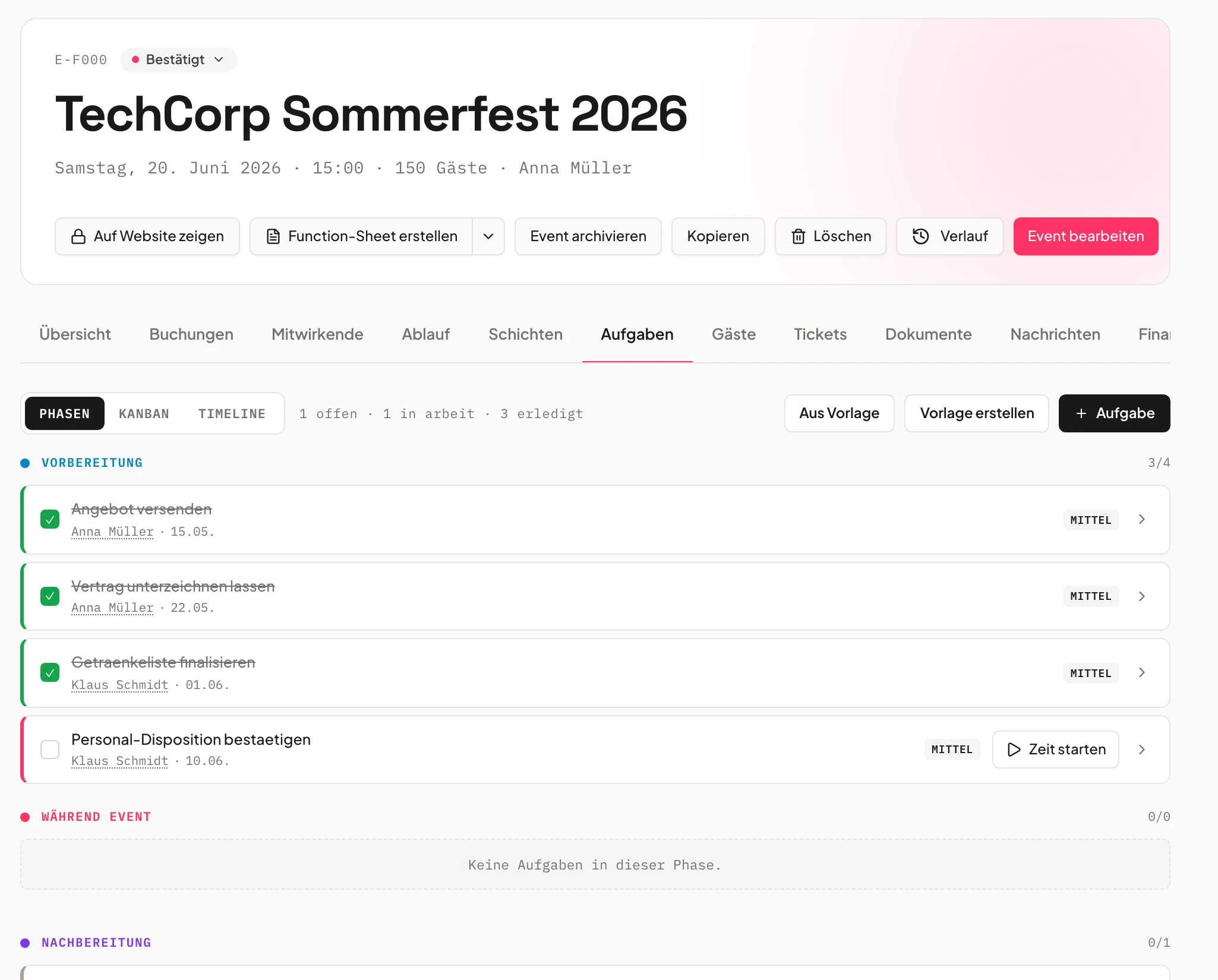
- Finalize menuopen
- Seating planin progress
- Tech checkdone
See at a glance which date is free
One click on the calendar shows bookings and open days – so double bookings never happen again.
Frequently asked questions
What can the event & location planning cover?
Events from idea to delivery: timelines, tasks, contracts, contributors, documents and rooms — all linked.
Are function sheets created automatically?
Yes. Univents generates function sheets from event, shift and timeline data — editable and filterable by area, time or team.
Can I manage rooms and room groups?
Yes, including capacity/equipment per room, room groups, combined bookings and double-booking blocking.
Do external partners only see released content?
Yes. Externals see only released content and can respond within the event context.
Does Univents sync with external calendars?
Yes. Events, rooms and schedule items sync with external calendars.
Ready to get started?
Try Univents for free and see how simple event management can be.
Univents newsletter
Product news and practical tips for event and catering businesses. Roughly once a month, no more.