

Quote software for caterers & events – from first quote to paid invoice
Univents builds your catering and event quotes from bookings and templates, lets the client accept online and turns them into an order confirmation and invoice – in your own layout, with follow-up emails and e-invoicing.
7-day free trial · no credit card · live in minutes
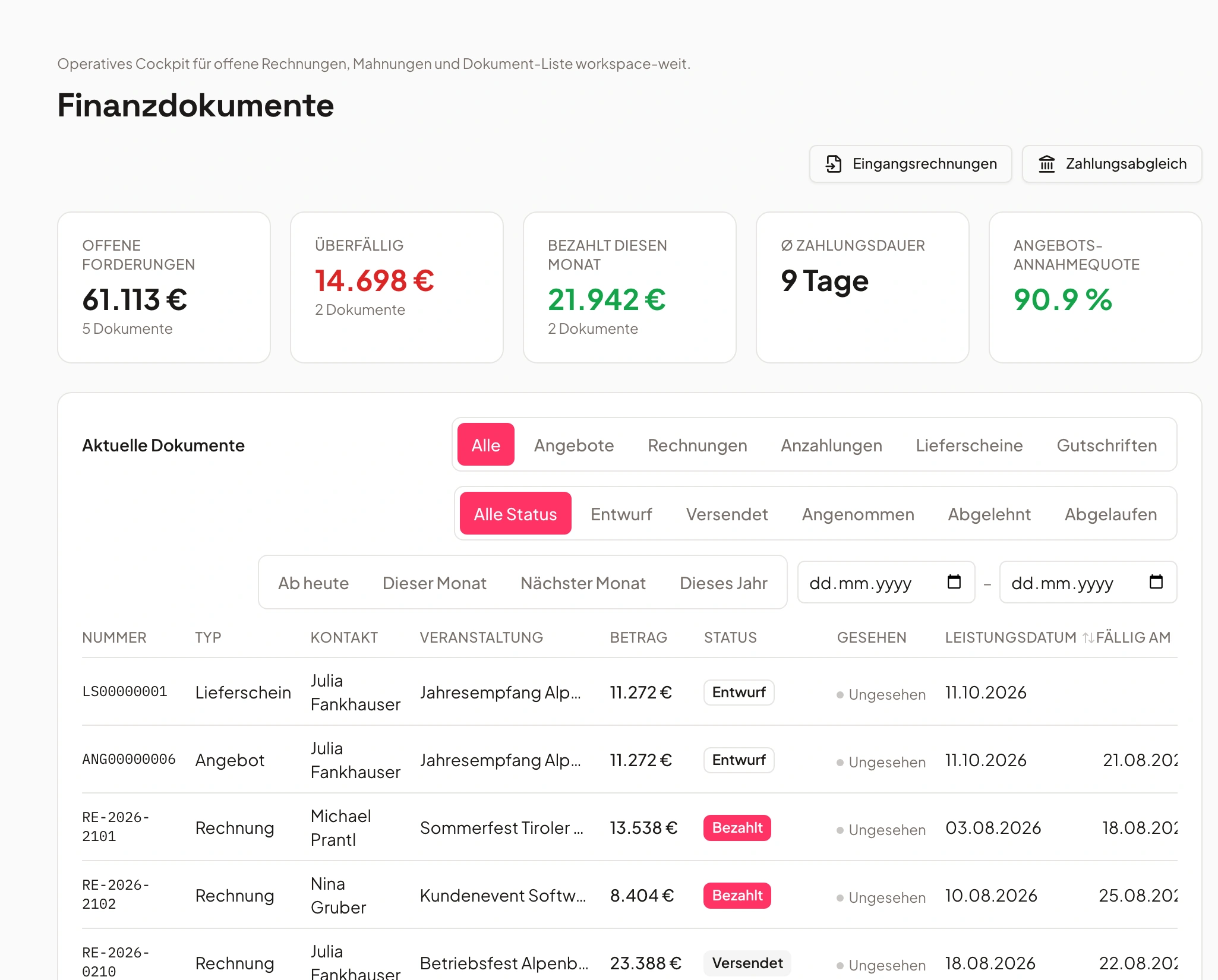
- Quote #1042€9,996sent
- Invoice #0998€1,726paid
Just say it. Univents does the rest.
Speak it, connect your inbox or type in the chat – the AI does the rest. A few examples for exactly this area:
"Create a quote for the Bauer wedding on July 5th – 120 people, 4-course menu, champagne reception, wine pairing"
Quote created
- Bauer wedding – 120 guests
- 4-course menu + champagne
- Quote draft at €6,840
Illustrative. You stay in control and approve before anything goes out.
From quote to paid invoice
A seamless process for all financial documents – automated, on-brand and error-free.
Create quote
Create complete quotes with images, text blocks and automatic pricing logic in your own branding.
Professional quotes in minutes, not hours.
Sign & pay digitally
Customers sign directly online and can pay instantly via Stripe – legally compliant per eIDAS.
No PDF ping-pong, no manual follow-up.
Invoice & accounting
The invoice is created from the quote automatically — and you transfer it into your accounting with one click.
GoBD-compliant and without duplicate data entry.
Building a Quote for Catering and Events — Step by Step
From a blank draft to a finished quote: header data, line items from the catalog, free-text lines, sections, bundles and discounts at both the line and document level – with every figure calculated along the way. Afterwards you can put together your own quote without guessing where a number comes from.
Chapters
Show transcript
Now that our inquiries are in the system, the most important thing is naturally to get a quote out to the customer as quickly as possible. Univents helps with that by already generating quote drafts – from emails using AI, from booking pages, and based on the customer’s inquiry and the items already put together for it. We can then either send it out automatically, edit it further here, or put together a completely custom, hand-built quote. For quotes, we can choose the language and have the system generate translations automatically whenever we want or need to. We also have several layouts to choose from, which we can define ourselves. A layout is the actual design of the quote – how it’s laid out, whether we include nice photos, whether it’s portrait or landscape, and what it ultimately looks like once the quote is generated as a finished PDF. We can configure all of that here. We’ll go into that in more detail in another video. Then we have our quote settings. That means we can set the document name here, of course select the customer, and check whether the invoice details match up. We can also enter the quote date, add a contact person, and set the service period, in case it wasn’t already filled in automatically by the system. We also have the option to set a validity period and decide when reminders should go out – both to the customer and to us, we can configure each reminder here. If a schedule already exists for the event, we can generate that straight into the PDF too, so the customer can immediately see how their event will actually run on the day. We also have several free-text fields we can adjust per quote – if there’s specific information about this particular event, it can go straight into the PDF. We can also filter our line items here, or add new ones. That means we can either search our list and pick items out – and we’ll immediately be shown a suggestion to apply the matching pricing condition. In this case, we’d get a discount from a certain guest count onward. Let’s remove that for now. Or we can browse through our full categories and pick line items from there. On top of that, as you can see, the system calculates automatically: it works out per-guest products based on the guest count, calculates travel costs, or hourly and per-guest-per-hour rates for certain items, so all of that information is already there automatically. We can also add different sections – partly for better organization, but we can also use them directly as sections in the quote. And we have the flexibility to show the subtotal after each section, or leave it out and only show it at the very end. We can fine-tune all of that here. We can also add whole templates instead of adding items one by one. So I can go in here and add a complete section template – it then pulls in all the line items we have there as sections with individual items straight into my quote. Line-item templates can also be created easily in settings, or saved directly from the quote itself as a template for future use. Then there’s some further fine-tuning. We can of course also add completely free line items – they don’t have to be tied to a product, they can be one-off items too – and enter the cost price and sale price here, which gives us the margin at the same time. We can also add a discount to a line item or mark it as optional in the quote. And if we have a special menu or buffet selection just for this customer, we can put together a menu or buffet directly in the quote. That means we have the full dishes, recipes and ingredients ready for the kitchen and production, while the customer just sees the buffet itself in the quote. We can also apply an overall discount to the whole quote, and we have the option to set certain PDF settings – for example, whether we want the totals shown gross or net, or whether we’d rather not show individual line-item prices at all and only the total. We can also choose to include the product photos we’ve stored directly in the PDF, or keep the order exactly as we have it here – otherwise it defaults to alphabetical order by category and product. Last but not least, we can also select our templates here. That means we can set it up so that, once the quote is accepted, our event template is applied to the event automatically and the event is marked as confirmed. That means the schedule, shifts and tasks are already set up in the event and assigned to the right people – exactly as we need them for the Firmenfeier template. Then we can either save the whole thing as a draft, or, once we’ve filled in the required fields, generate the PDF or send it straight to the customer.
Quote software for caterers and event venues
The catering quote tool that does not stop at the PDF.
As quote software for caterers, Univents builds your quote from your product catalogue, menus, drinks packages and staffing line items – quantities scale with the guest count, 7 % and 19 % VAT stay separate. For event venues, rooms bring their mandatory line items such as room hire or cleaning into the quote automatically once the space is booked.
Enquiries from your booking page arrive as a draft quote. The client accepts online, the accepted quote becomes the order confirmation and later the invoice – without retyping a single line.
- Quote templates per occasion: wedding, company party, conference
- Validity date and follow-up email for open quotes
- Line items taken from bookings instead of entered twice
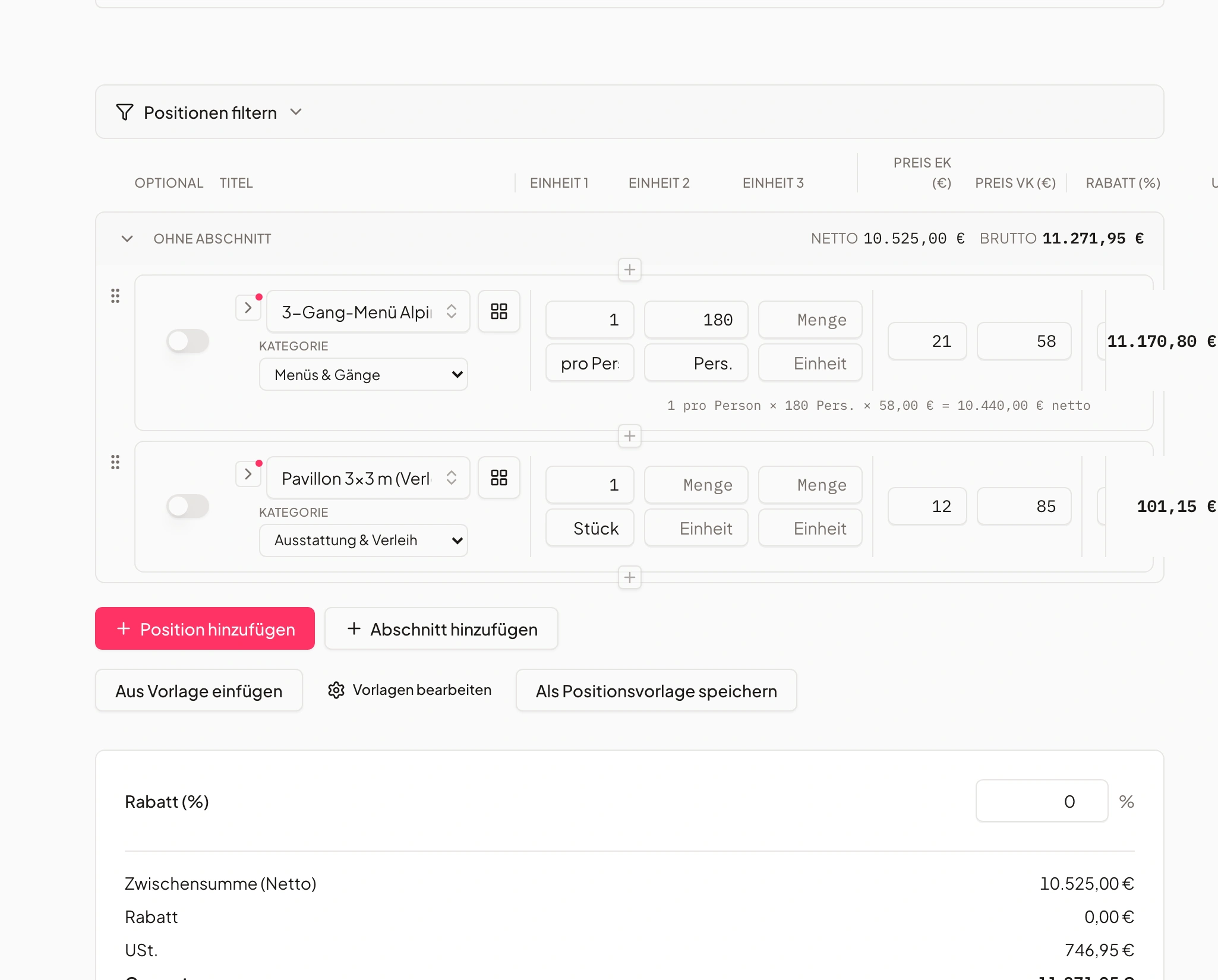
Professional quotes in minutes
Impressive quotes in minutes.
Create complete quotes with images, text blocks, CI layouts and automatic pricing logic.
Images, text blocks, CI layout and pricing logic — all automatic.
- Pixel-perfect layouts in your branding
- Automatic calculation & templates
- Digital quote signature
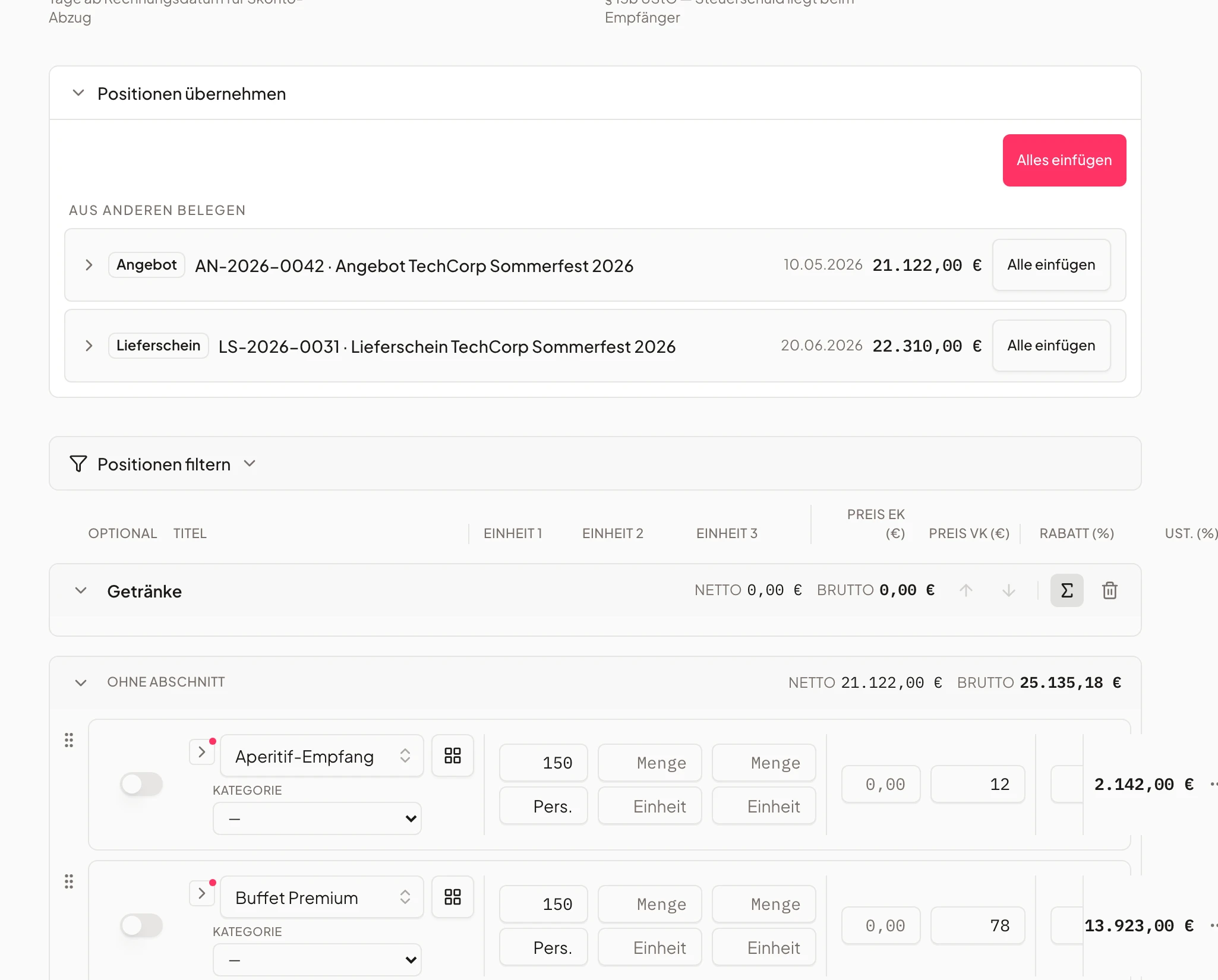
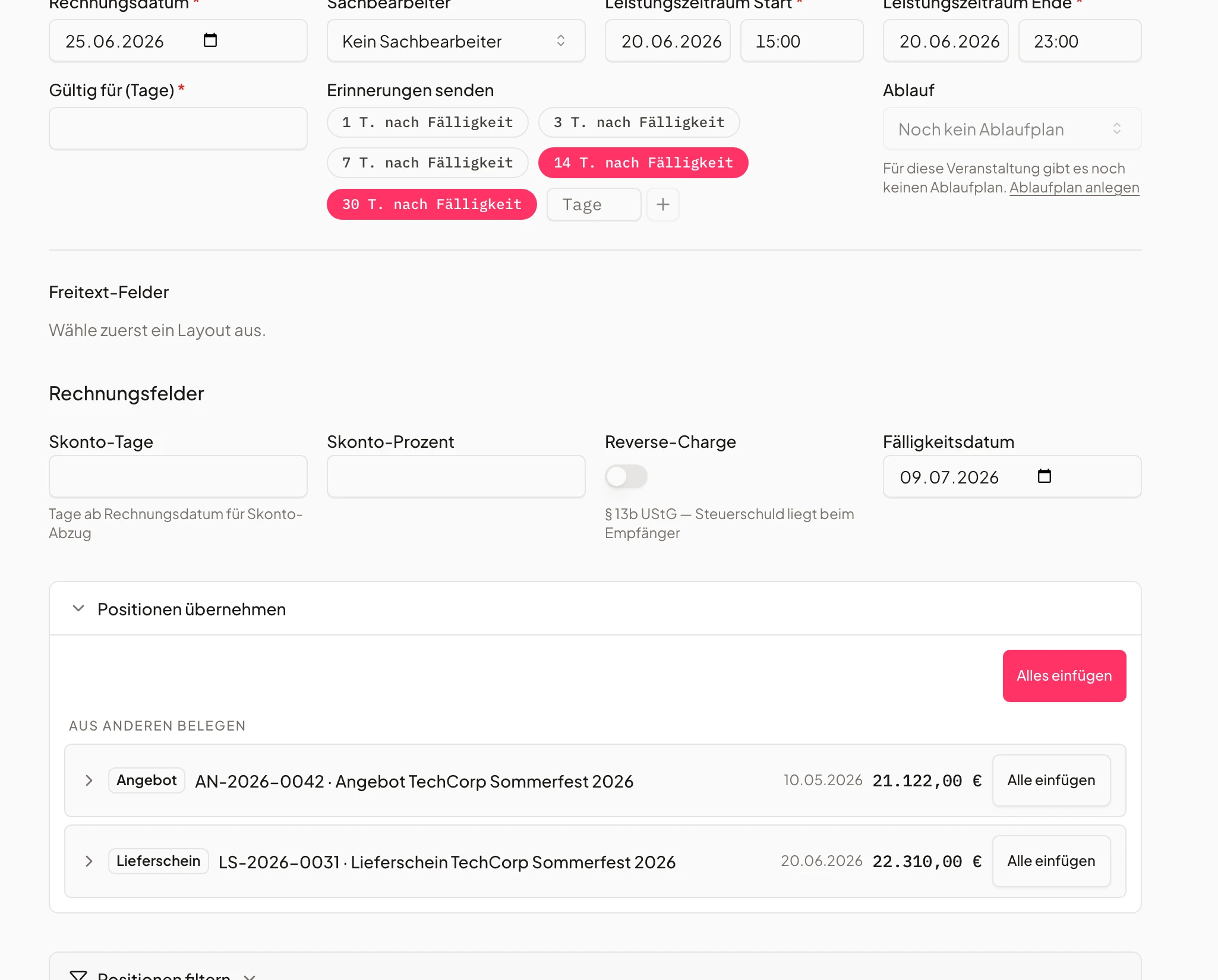
Invoices, deposits & credit notes
From deposit to final invoice.
From the first partial invoice to the final statement – all automatic in the same layout.
All in the same layout, generated automatically.
- Direct online payment
- Combine partial & final invoices
- Automatic payment reminders
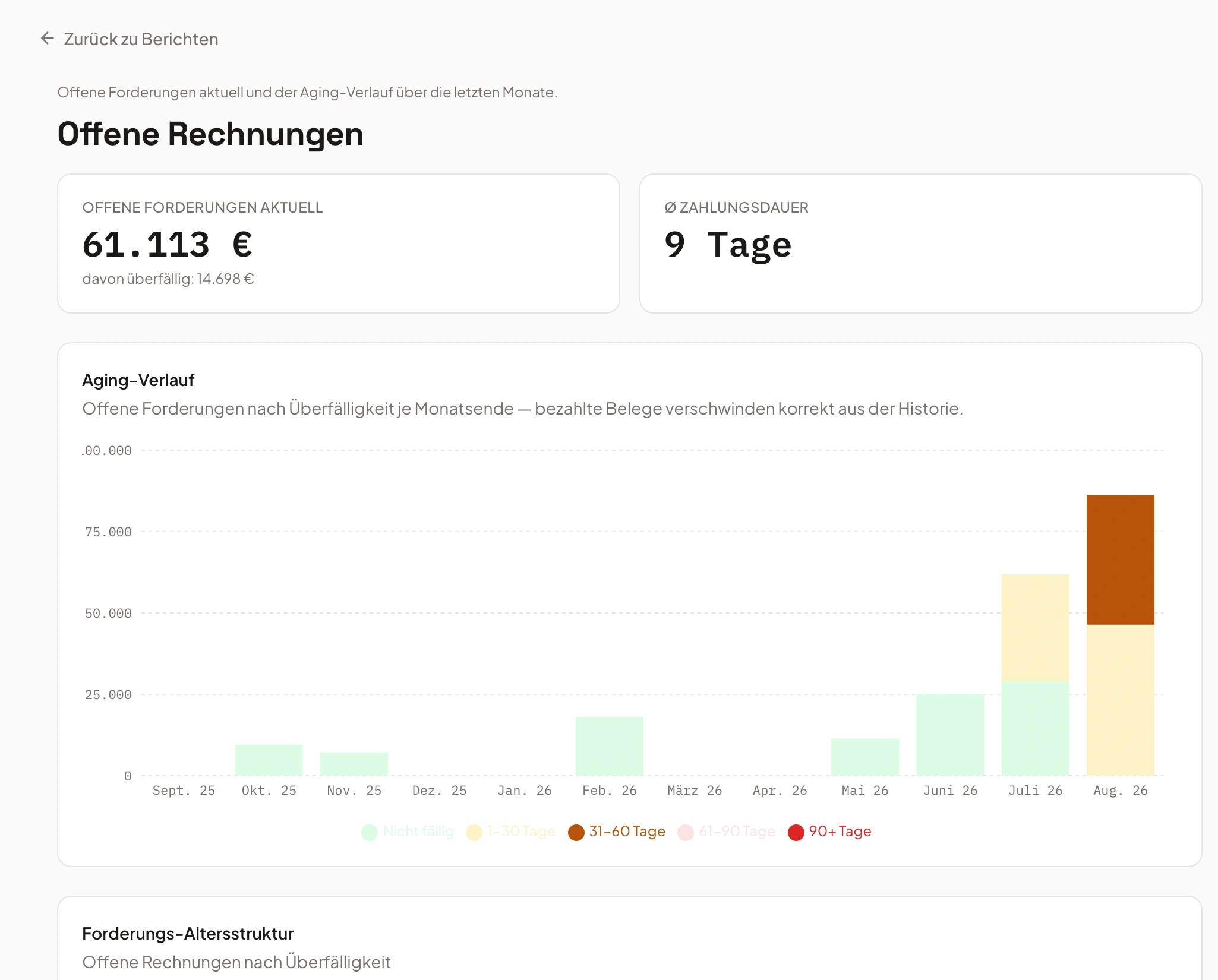
- Quote #1042€9,996sent
- Invoice #0998€1,726paid
- Delivery note #231€14,994open
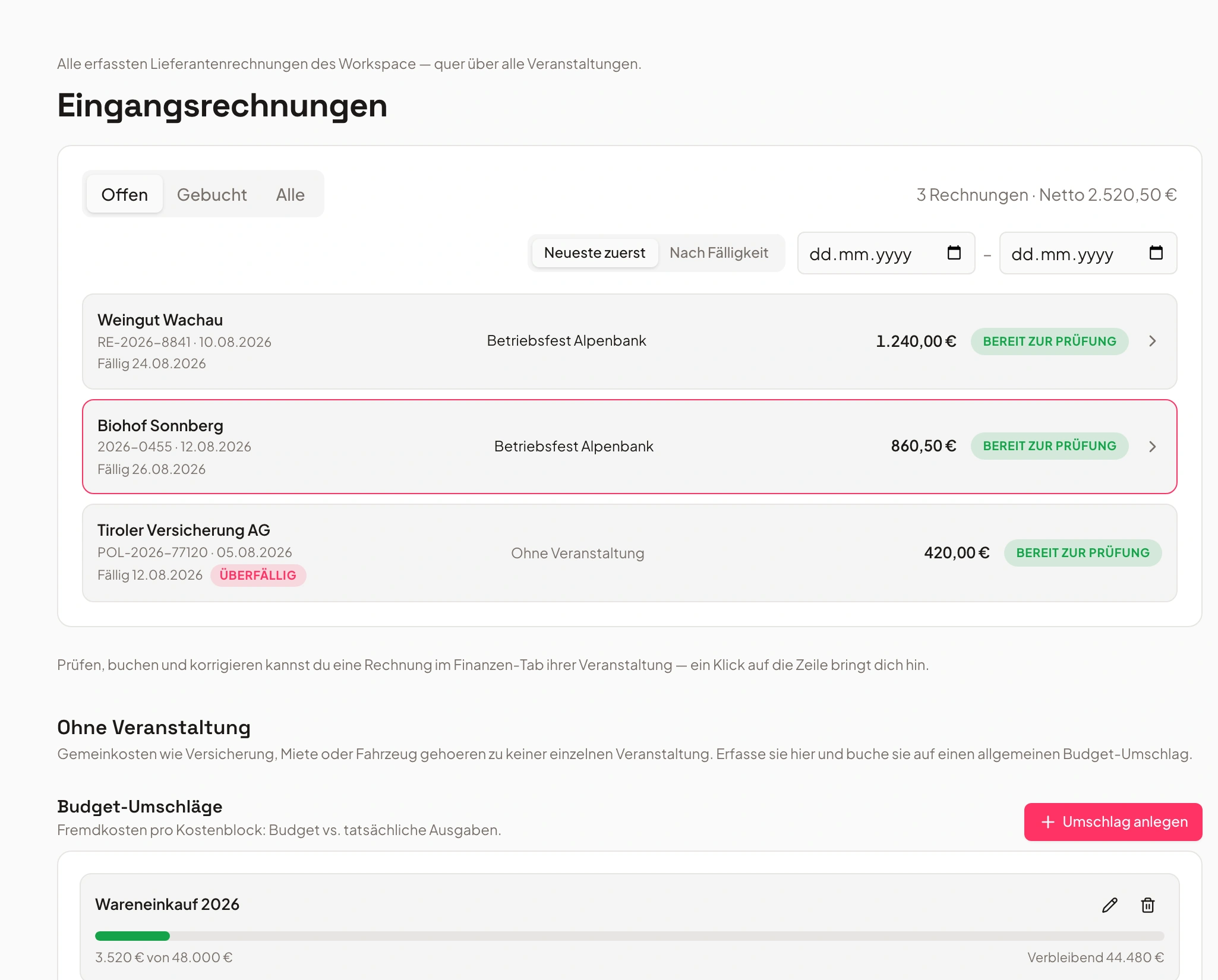
Effortless accounting sync
Accounting without double entry.
Transfer invoices to Lexware Office, sevdesk or bexio with one click — or export them as a DATEV or BMD posting batch.
Lexware Office, sevdesk, bexio — or as a file for DATEV and BMD.
- Fully automatic export
- GoBD-compliant & error-free
- Always up-to-date payment history
- 1Auto-booked
- 2Accounting export
- 3Reconciled
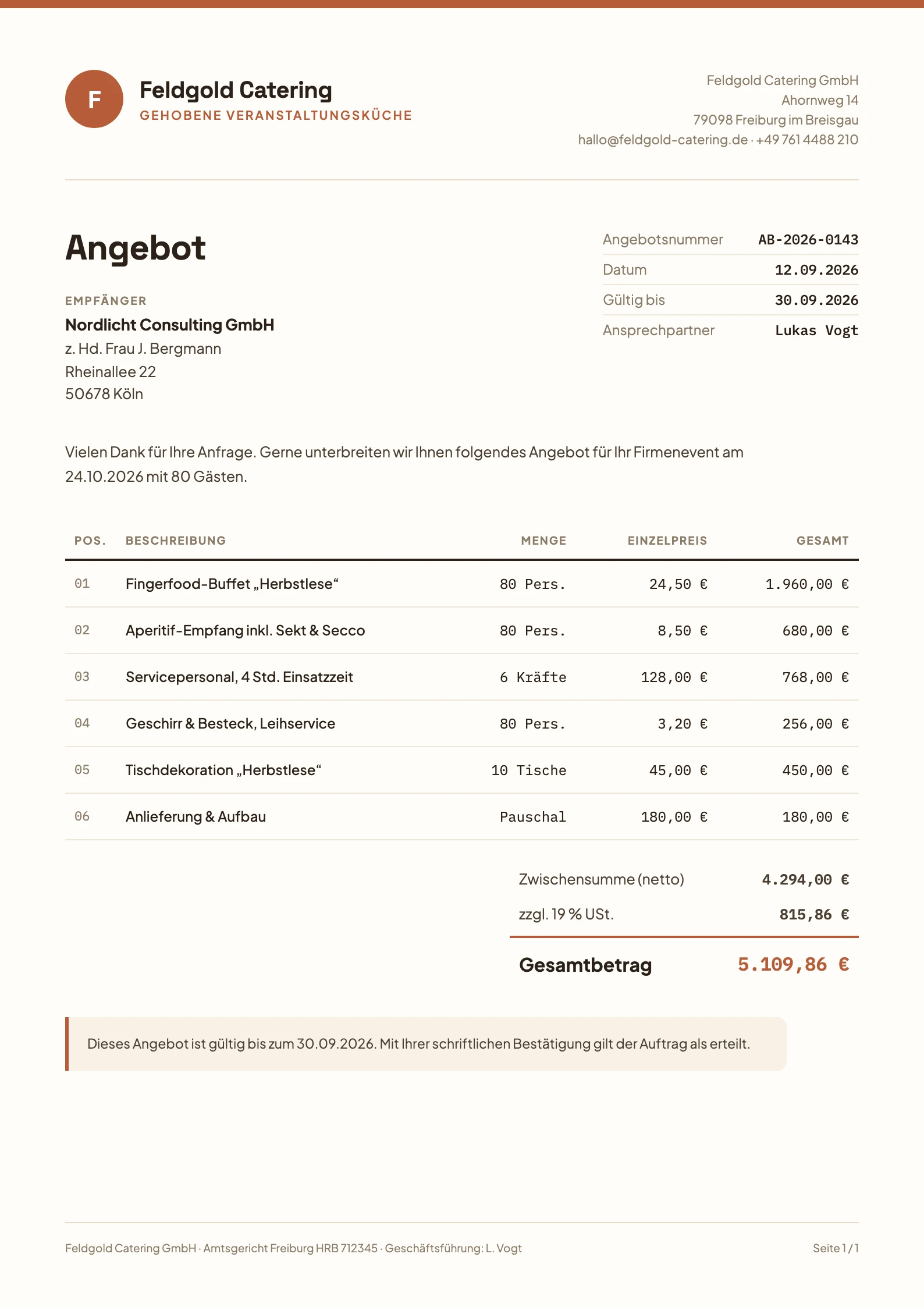
Quotes that impress – and sell
Quotes that sell.
Design every quote visually unique. Colors, logos, product images, text blocks – all customizable.
Consistent branding that builds trust.
- Multiple layout templates
- Custom texts for personal touch
- Consistent design for your brand
Reminders & follow-up automations
No more chasing calls.
Univents automatically reminds customers about open quotes or unpaid invoices.
Automatic follow-up workflows close more deals.
- Custom intervals
- Automatic status updates
- More closes with less effort
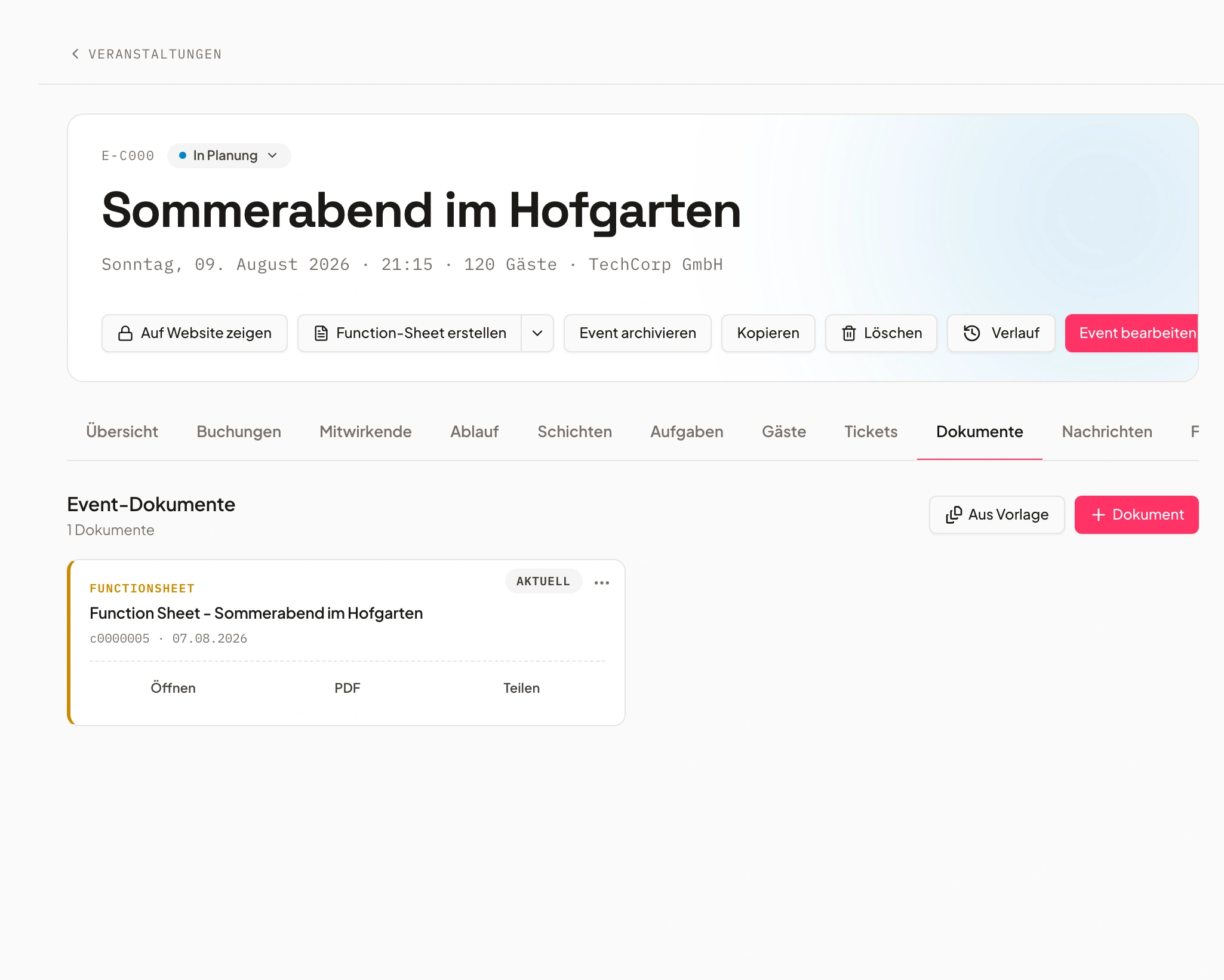
Delivery notes & documentation
Every delivery documented.
All deliveries are automatically documented – including digital signature on tablet or smartphone.
Digitally signed, tracked to the day.
- Digital signature on site
- Transparent tracking
- Day-by-day overview for multi-day events
How much time do you win back?
Drag the sliders and see how much quoting time Univents saves you every month.
Assumption: Univents saves around 85% of quoting time (based on customer reports). All values adjustable.
Frequently asked questions
What is quote software for caterers?
Quote software for caterers builds quotes from your product catalogue instead of a Word file: menus, drinks packages, staff and equipment with stored prices and VAT rates. In Univents quantities scale with the guest count, 7 % and 19 % VAT are shown separately, and the accepted quote turns into an order confirmation and invoice.
How does a catering quote tool differ from a Word template?
A template gives you the structure; you type the numbers yourself – and start over whenever the guest count changes. A catering quote tool calculates totals and VAT, takes line items from the event’s bookings and keeps quote, order confirmation and invoice in sync. To get started, our catering quote template is free as a Word file.
Does Univents work as quote software for event venues?
Yes. Rooms can carry mandatory line items such as room hire, cleaning or a tech package that enter the quote automatically when the space is booked. On top come the availability calendar, pricing rules per room and the client portal where the client sees quote and run sheet.
Can the client accept the quote online?
Yes. The client gets a link, sees the quote in the client portal and accepts it with a digital signature. Each quote has a validity date, and for open quotes you send a follow-up email with one click.
Can I create quotes and invoices in my own branding?
Yes. Logo, colors, fonts, text blocks and layouts are fully customizable — pixel-perfect templates for any occasion.
Are digital signatures legally valid?
Yes, eIDAS-compliant and legally binding in the EU.
Does Univents support down payments and partial invoices?
Yes. Down-payment, partial and final invoices combine freely and reconcile correctly.
Can invoices sync with my accounting?
Yes. Issued invoices go to Lexware Office, sevdesk or bexio with one click — including the recipient as a contact, no duplicates, GoBD-compliant. The payment status comes back on request. For your tax advisor there is also the DATEV and BMD posting batch as a file.
Do I keep margins and open items in view?
Yes. Payment status, open items, margins and contribution are always visible.
Which finance-document software works for complex event quotes in catering?
Univents is built for exactly this: quotes are organized into sections, combine staffing line items, flat rates and quantity-scaled items, and render in your own layout — from first draft to digital acceptance.
How do quotes, delivery notes and invoices connect for one event?
Every document hangs off the same event: an accepted quote turns into an order confirmation with one click, and the delivery note and invoice take over the quote's line items instead of you re-entering them.
What happens when I cancel or correct an invoice?
Invoices aren't deleted — they're cancelled in a GoBD-compliant way: a matching credit note is created and sent for the invoice first, and only then does the cancellation take effect. The document trail stays fully traceable throughout.
Does Univents also manage rooms, resources and calendars centrally?
Yes — that's handled by Univents' room and resource management. Finance documents tie directly into it: book a location and its required line items are added to the quote automatically.
What counts as a finance document for catering quotes in Univents?
Quote, order confirmation, delivery note and invoice – every finance document for an event is built from the same underlying data: the quote is the basis, the order confirmation comes out of it with one click, and delivery note and invoice take over the same line items.
Can finance documents for catering also cover staffing and time-based line items?
Yes. Alongside food and drink, staffing line items, flat rates and quantity-scaled items — for example based on guest count or hours — can be added directly to a quote or invoice.
How do catering event quotes differ from a standard invoice?
Catering quotes are usually organized into sections – food, drinks, staff and equipment, for instance – each with its own subtotal. Univents represents that structure directly in the finance document, instead of hiding it inside a generic invoice template.
Can finance documents be designed in my own layout?
Yes. Layouts, logo, colors and text blocks for quotes, invoices and delivery notes are fully customizable and can be set once in your account settings.
Ready to get started?
Try Univents for free and see how simple event management can be.
Univents newsletter
Product news and practical tips for event and catering businesses. Roughly once a month, no more.