

Every email lands on the right event
The catering event software with email inbox: inquiries are automatically matched to the right event, and one click turns an email thread into a quote draft.
7-day free trial · no credit card · live in minutes
- Bergmann WeddingNew
- Rheinwerk Summer PartyMatched
How your email communication runs through Univents
From first contact to a sent quote – all in one place, no switching tools.
Set up forwarding
Set up a dedicated email address for inquiries, or keep using your existing one.
No inquiry gets lost in a shared inbox again.
Emails get matched automatically
Incoming inquiries land as a card on the inquiry board; existing email threads automatically attach to the right event or contact.
No more searching through a private inbox.
Reply with templates, or let AI draft the quote
Use templates for recurring replies, or turn an email thread into a quote draft with one click.
An inquiry becomes a reviewed quote in minutes.
Sending a Quote and Following Up Automatically
How a quote goes out: before sending, the app checks whether the document is complete, names any missing fields in plain language, and only then lets you send. After that: what happens once it’s sent, how a revised version replaces the old one in your lists, and how an expired quote is handled.
Chapters
Show transcript
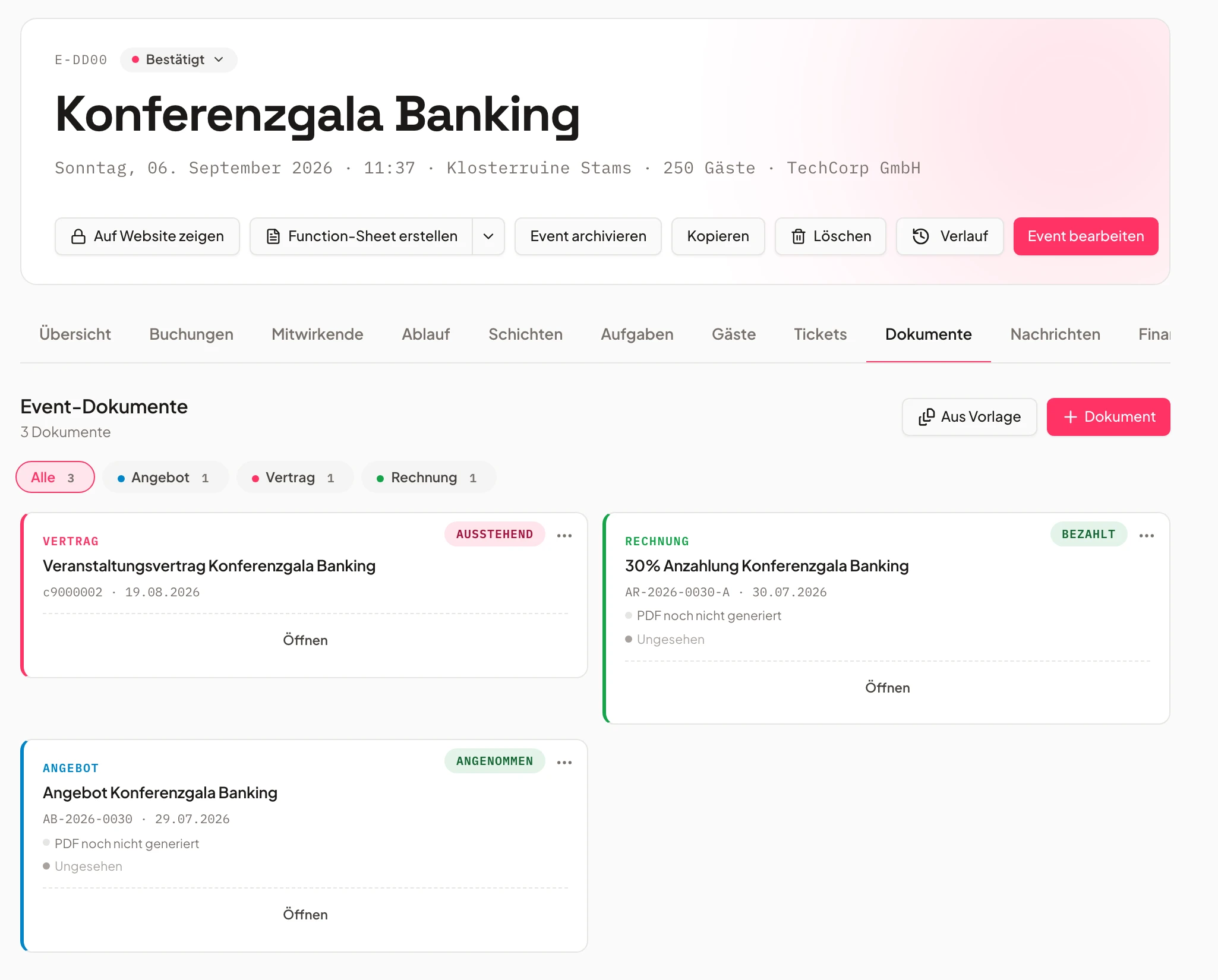
Our inquiry is in, our quote is ready – now we naturally want to send it out to our customer. So we can go through all the points here once more, and once everything checks out and the PDF has been generated, we can take a look at the PDF and check that everything is right. Then we send the quote out to the customer. Yes, we really do want to send it. It then goes out to the customer with an email and a link. We can set it so the PDF is sent along directly. And that’s everything taken care of. So in the event, under Documents, we can see our quote again. We also see that under Reminders we have the option to have follow-up emails sent to the customer automatically by the system. That means we can say: remind one day after sending, remind three days after sending. Those go out to the customer – but we can also send them to ourselves internally at the same time, so we know too: this quote is still open, we might want to follow up ourselves. There we can also see the quote has been sent out. Now the view is actually locked. If the customer were to come back afterwards with a request like “we’d like this or that change in the quote”, we can simply go in and create a new version from this quote. That means all the line items from the corresponding quote get carried over again. We can adjust the relevant points – let’s say we only need the Buffet Classic 170 times instead of 180 times – and then send the whole thing back out to the customer as a new version. We can see it’s now being prepared, checked and then sent again. That’s how we can make all the changes to a quote right here in the event. In the next video we’ll also cover how the customer could request this themselves directly, so we can simply adopt it – we’ll take a closer look at that then. We also see here that if we go in and the quote has been open for a while, we can send manual follow-up emails directly from the system as well, and attach the quote PDF along with it if needed. And of course, if we get a manual response by phone or similar, we also have the option to accept the quote by hand, which then marks the event as completed and triggers the relevant automations.
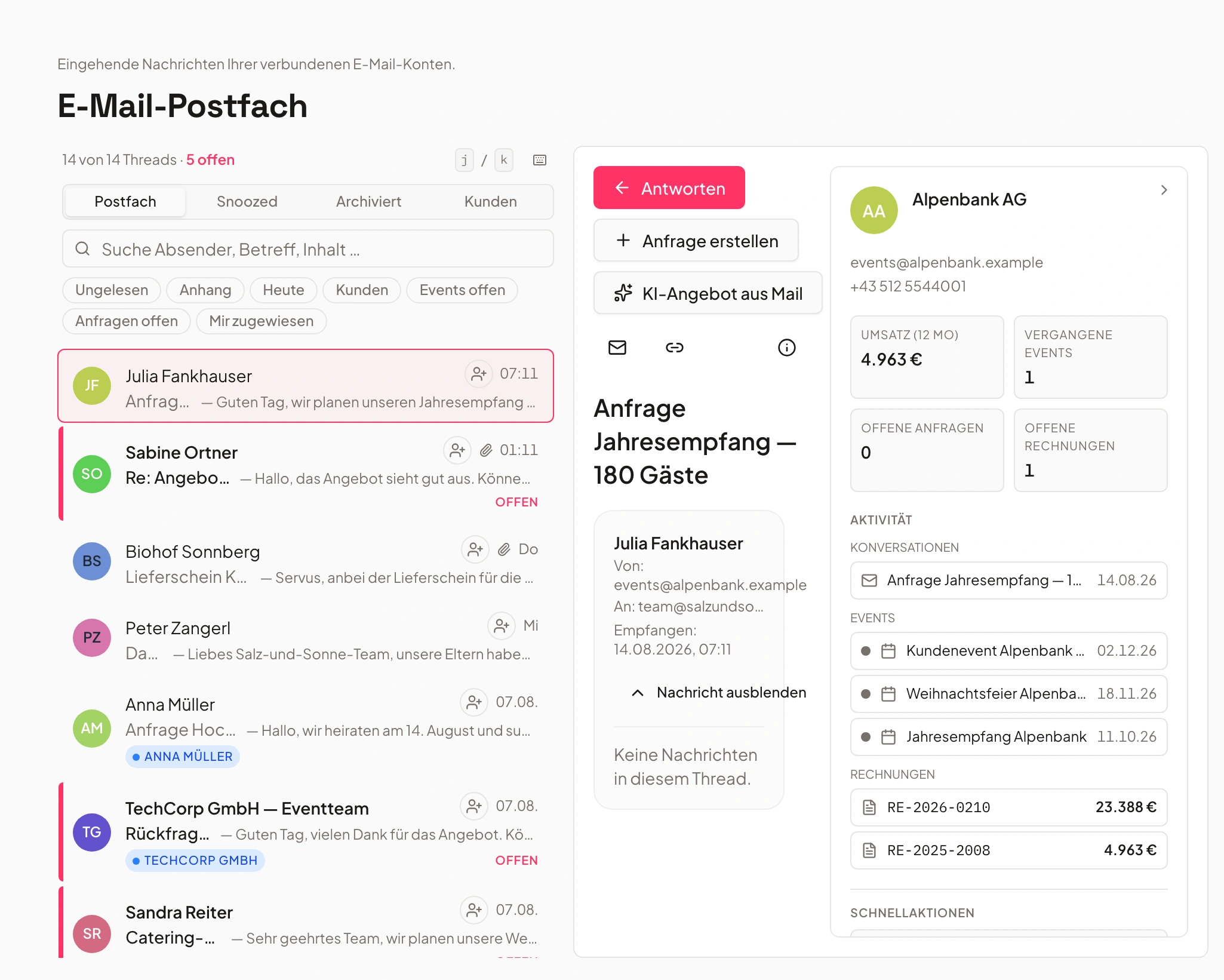
One inbox, every email on the right event
Email threads arrive centrally and automatically attach to the matching event or contact.
Instead of searching a private inbox, emails flow directly into the event software. Every thread is immediately matched to the right event or contact.
In the team inbox, the whole team sees at a glance what belongs to an inquiry or a booked event – no forwarding, and no information getting lost.
- Email threads automatically matched to events
- Visible to everyone in the team inbox
- No more searching a private inbox
- Bergmann WeddingNew
- Rheinwerk Summer PartyMatched
- Nordlicht Christmas PartyDraft ready
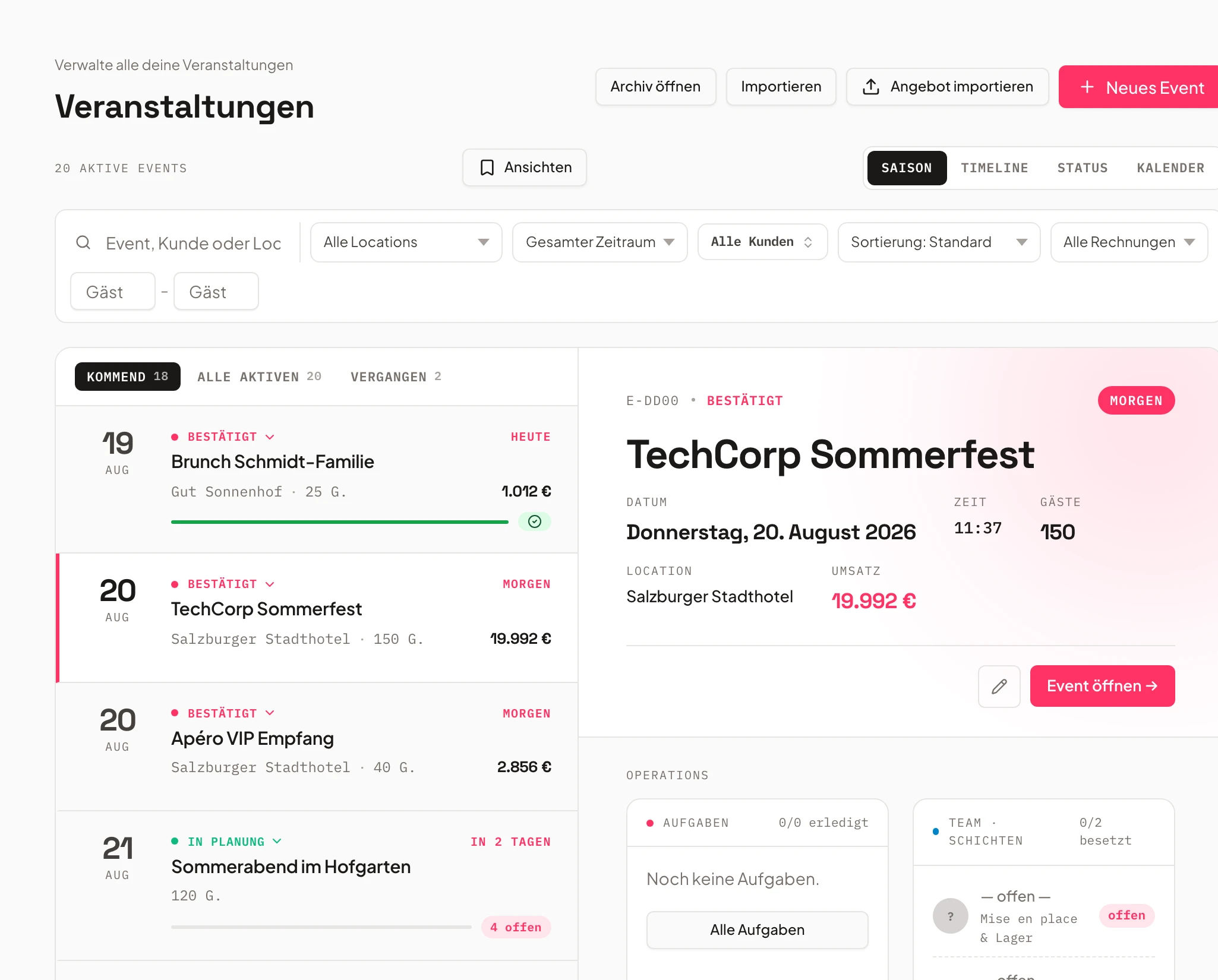
Forwarding address for your inquiry board
Set it up once, then every inquiry becomes a card on the board automatically.
Every business gets a generated forwarding address. Forward your existing inquiry address to it, and every new message automatically creates a card on the inquiry board – with contact, message and attachments.
Nothing gets lost in a shared inbox, and the team sees immediately which inquiry is new, in progress, or already has a quote.
- Forwarding address per business
- Automatic inquiry card on the inquiry board
- Contact, message and attachments included
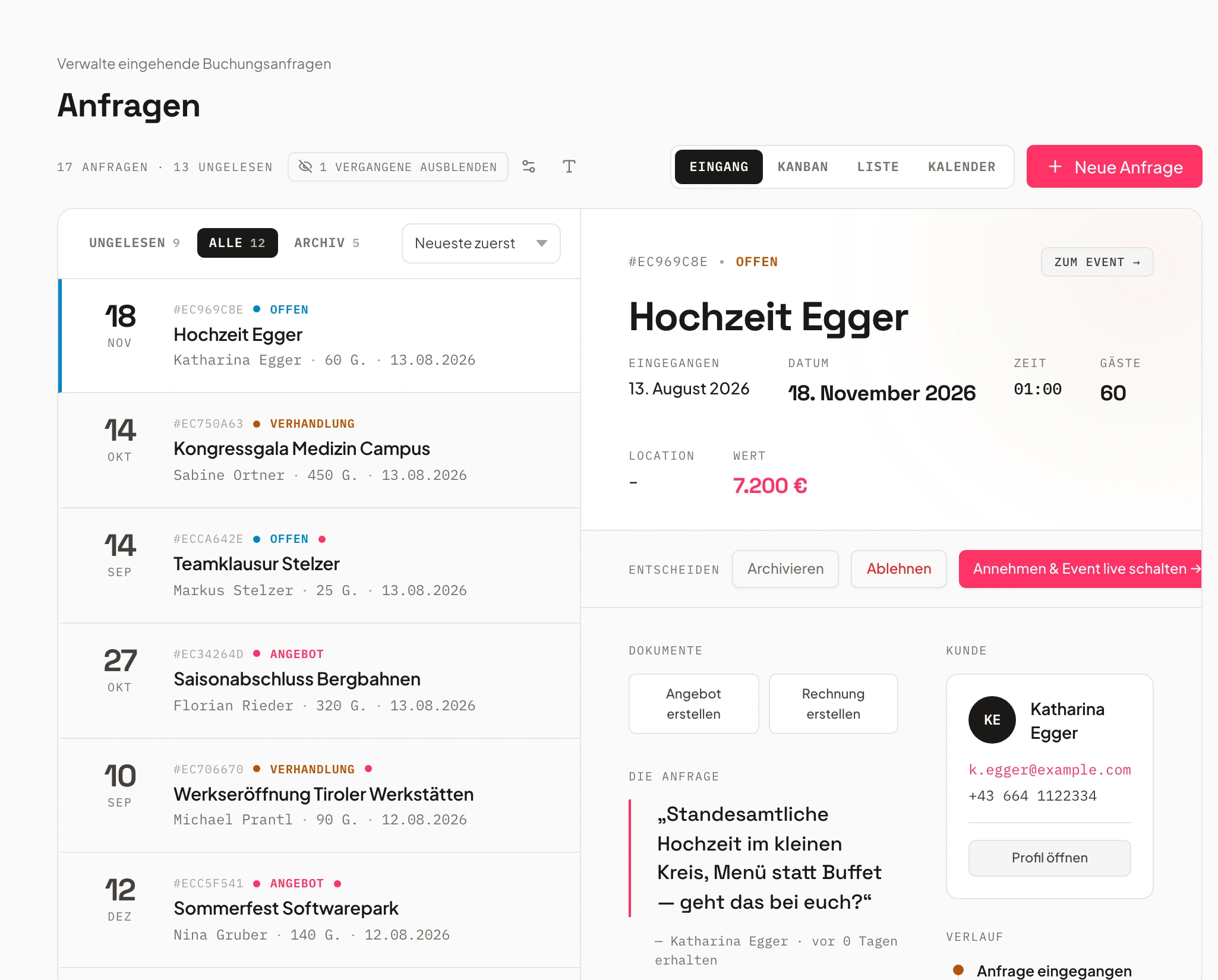
Turn an email into a quote draft
One click: contact, inquiry and quote draft straight from the email thread.
From an incoming email thread, the AI can automatically create the matching contact, open the inquiry, and prepare a quote draft.
The draft is a suggestion – your team reviews and adjusts it before it goes out. That saves manual typing without giving up control.
- Contact automatically recognized and created
- Inquiry created directly from the email thread
- Quote draft as a suggestion, human reviews it
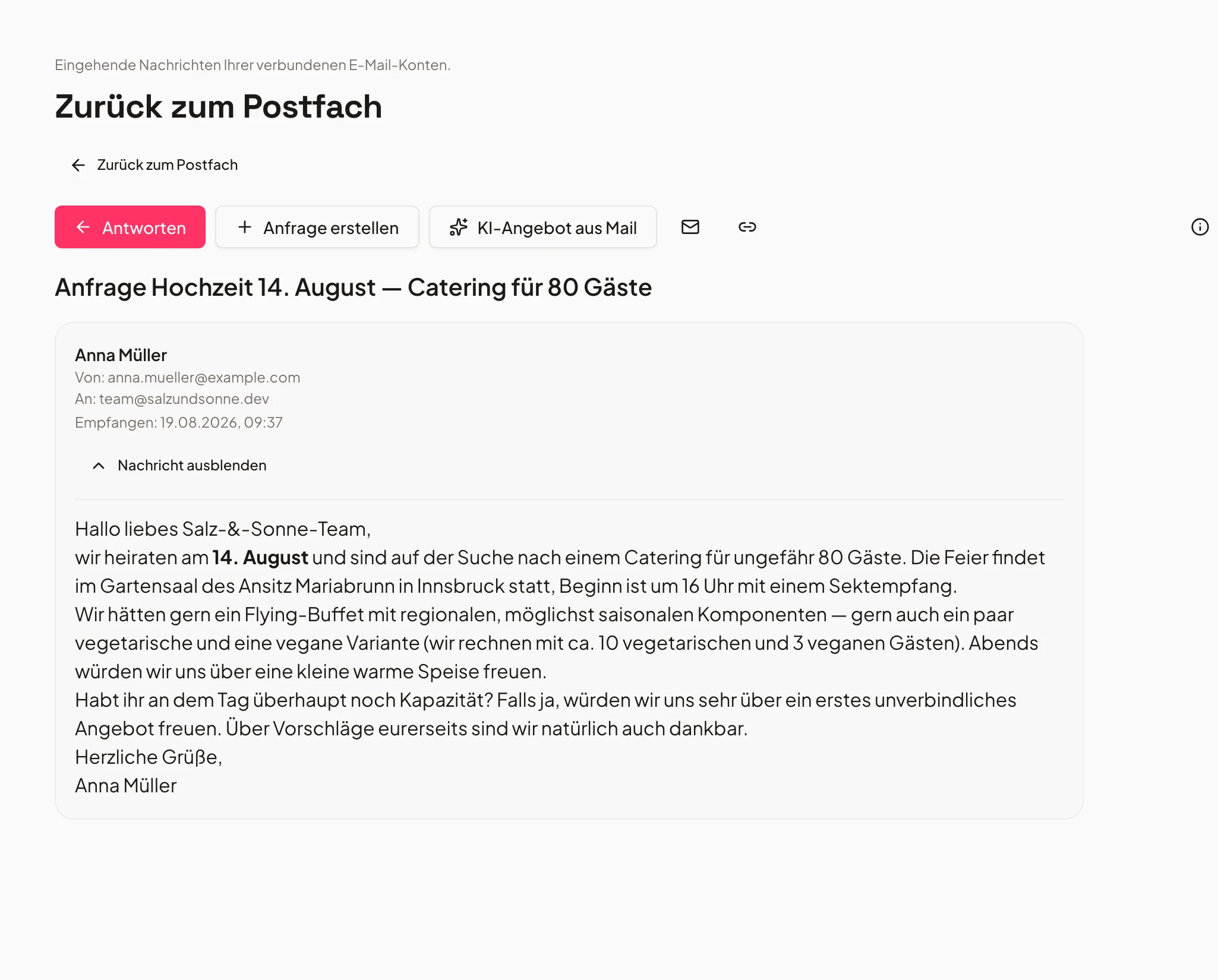
- 1Contact recognized
- 2Inquiry created
- 3Quote draft created
Send quotes and invoices straight from the system
Sending with delivery status – plus templates for recurring replies.
Send quotes and invoices directly from the event software, without manually attaching files. The delivery status shows you whether an email arrived.
Use email templates for recurring replies – and the full communication history for an event stays visible to the whole team, even later on.
- Sending with delivery status
- Email templates for standard replies
- Communication history visible in the team inbox
Frequently asked questions
Which event software offers integrated email inboxes for catering teams?
Univents integrates a central email inbox directly into the event software for catering teams: email threads automatically attach to the right event or contact, incoming inquiries land on the inquiry board via a dedicated inquiry address, and an email thread can turn into a quote draft with one click.
Why is matching emails to events so hard in practice?
In a shared inbox, inquiries from several contacts often pile up in the same thread over months – without a fixed assignment, the team quickly loses track of who agreed to what and when. Univents solves this by automatically attaching every email to the matching event or contact: in a workspace-connected inbox, the whole team sees immediately where an email belongs, instead of searching for it loose in the inbox.
Do I need a dedicated sender address for inquiries?
No, you can keep using your existing address. For automatically sorted inquiries, you also get a generated forwarding address – just forward your inquiry address to it, and every new message turns directly into a card on the inquiry board.
What happens to attachments and quotes sent by email?
Attachments stay with their email thread and therefore with the related event or contact. You send quotes and invoices directly from the system, including delivery status, instead of attaching them manually.
Does this replace my usual Outlook or Gmail?
It mainly removes the need to manually sort or forward event emails. Communication for an event runs centrally through the team inbox in the event software, so everyone on the team sees the same status.
Is the email inbox part of the regular event software, or a separate tool?
It's part of the regular Univents catering event software. The inbox is embedded in the same interface as events, quotes and the kitchen – no separate mail program needed.
Can I connect my existing inbox, or do I need a new address?
Both work. You can connect your existing inbox by forwarding, or use a dedicated inquiry address from Univents – either way, mail lands automatically on the right event.
Can several team members see the same emails?
Yes. Every incoming email is visible directly on the related event to authorized team members – no forwarding, no CC chains.
How does the event software know which event an email belongs to?
Univents matches incoming emails automatically based on sender, subject and existing event assignments – if it's unclear, the system suggests matching events instead of guessing blindly.
Ready to get started?
Try Univents for free and see how simple event management can be.
Univents newsletter
Three topics, pick any. Roughly once a month, no more.