

Outstanding Invoices (Snapshot)
After reading this you'll know the two metric cards and the receivables aging structure at a glance, and how to get from here into the Finance Documents and into Payment reminders to chase overdue invoices.
The Outstanding Invoices report gives you an instant overview of your receivables position: how much is still outstanding, what is already overdue, and how quickly your customers pay on average.
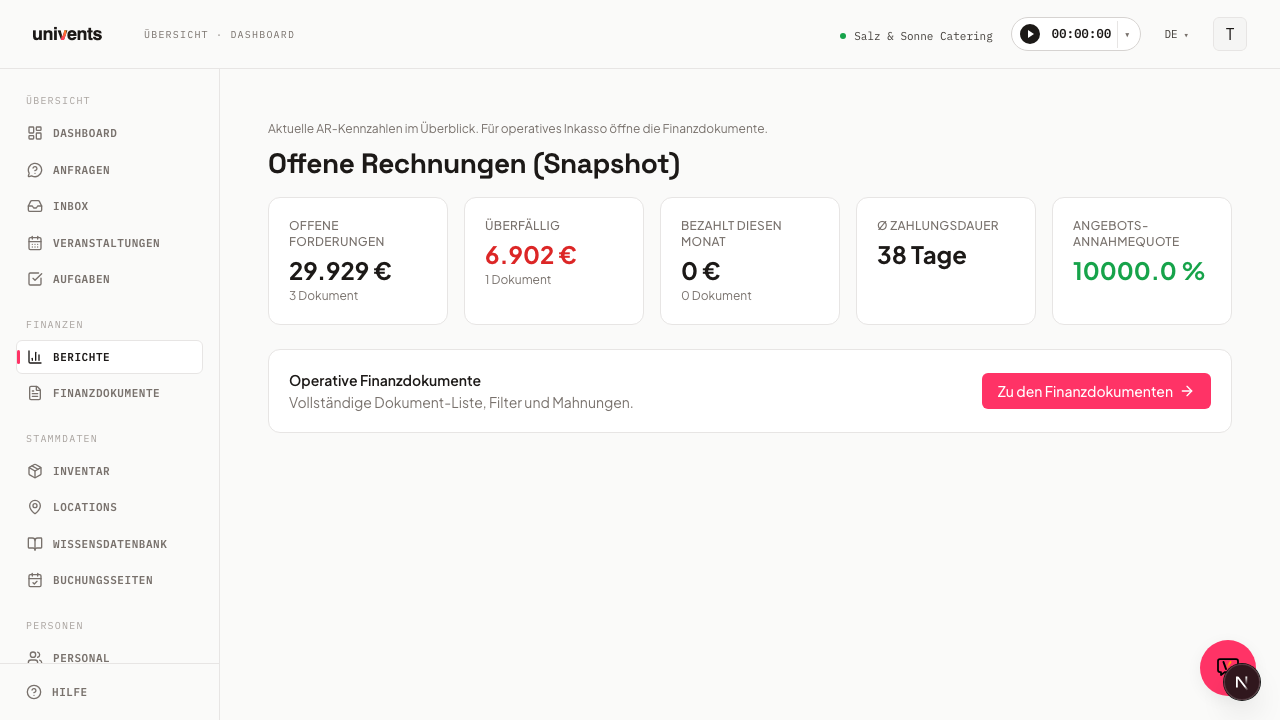
The two metric cards
As soon as you open the report you see two cards side by side at the top:
| Card | What it shows |
|---|---|
| Outstanding receivables (now) | Total of all sent, not yet paid invoices; underneath it, the "of which overdue: …" line shows the amount whose due date has already passed |
| Avg. days to payment | Average number of days between sending an invoice and receiving payment; while no completed payment run exists yet, the card shows a dash |
Both cards refresh automatically when the page loads and always reflect the current state of your finance documents. Unlike the Finance Cockpit under Finanzdokumente, these two cards here are not colour-coded — the figures themselves carry no traffic-light colour.
Aging trend
Directly below the two cards, Univents shows the Aging trend as a stacked bar chart: one bar per month-end for the last twelve months, broken down into the same overdue tiers as the aging structure further below. This lets you see whether your outstanding receivables are trending older or younger over time. Paid invoices correctly drop out of the history for the month they were paid in. If no trend data exists yet, Univents shows a placeholder message instead.
Accounts-receivable aging structure
Below that is the accounts-receivable aging structure: a reference table that splits your currently outstanding invoices into five overdue tiers. Each row shows the amount, the number of invoices, and a bar whose length represents the share of the total amount.
| Tier | Range | Traffic-light colour |
|---|---|---|
| Not due | Due date is still in the future | Neutral |
| 1–30 days | 1 to 30 days overdue | Neutral |
| 31–60 days | 31 to 60 days overdue | Yellow |
| 61–90 days | 61 to 90 days overdue | Yellow |
| 90+ days | more than 90 days overdue | Red |
Only rows that are at least 31 days overdue get a colour, and the warning colour gets more intense the longer an invoice has been overdue (yellow from 31 days, red from 90 days) — so you can see at a glance where chasing is most urgent. If no invoices are currently outstanding, Univents shows a placeholder message instead of the table.
Jump straight to Finance Documents from here
The snapshot tells you whether action is needed. For the operational follow-up switch to the full document management view. You send reminders in the Payment reminders area (Finance documents → Payment reminders), not in the document list: there you see what is due and send the payment reminder, first reminder and final reminder one by one or for selected invoices (see the article “Dunning”). Recording payments and filtering documents still work in the document list.
- Scroll below the metric cards and the aging structure to the Operational documents view card.
- Click Open finance documents.
- You land directly in the finance document list with the complete document list and filters. From there, Payment reminders opens the overview of invoices due for a reminder.
Frequently asked questions
Why doesn't "Outstanding receivables (now)" match my accounting software? The snapshot counts all invoices with the status "Sent" and "Overdue". Invoices with the status "Draft" or "Cancelled" are not included. Check in Finance Documents whether any invoices are still stuck in draft status.
Where do I see "Paid this month" and the quote acceptance rate? Those two metrics belong to the Finance Cockpit under Finance Documents, not to this snapshot. The Outstanding Invoices report deliberately focuses on the two cards for the current receivables position plus the trend and aging structure of the outstanding amounts.
Why is a row in the aging structure highlighted red? Red marks the 90+ days overdue tier — this is where action is most urgent. Yellow marks the 31–60 and 61–90 day tiers. Invoices that aren't due yet as well as those freshly overdue (1–30 days) stay neutral, with no warning colour.
Can I export the snapshot? There is no direct export in the snapshot report. Use Open finance documents to switch to the document list and work with the individual documents there.