

How do I create layouts for financial documents?
Layouts for financial documents: build a Word template with placeholders (including downloadable templates and the complete placeholder reference), design colors and borders, and assign the layout to a quote or invoice.
In Univents a layout decides how your financial documents look as a PDF: the letterhead from your Word template, the colors and borders of the line-item table, and which rows are shown. This article walks you step by step through building your own Word template (with ready-made templates to download), lists every placeholder you can use, and shows how to assign the layout to a quote or invoice.
New workspaces work without Word. A newly created workspace creates quotes, invoices, delivery notes and credit notes only with the layout editor and the template catalog. The default layout is the Univents standard layout — it looks like the previous Word standard template — and is created only in your workspace’s language. The catalog contains all six designs for every document type (filter by document type), see Use the Template Library and Layout Editor. Existing workspaces keep everything as it is: the Word templates in this article keep working there. If you still need Word templates in a new workspace, contact us in the chat.
What is a layout?
A layout is the visual design of a PDF document: the underlying Word template with your letterhead and texts, plus the colors and borders of the line-item table. It controls the look, not the content. Don't confuse it with these two other template types:
- Position template — a saved bundle of individual line items you can insert into any financial document. See Create & use financial position templates.
- Financial document template — a complete document saved as a reusable template. See Create & use financial document templates.
Don't want to start from scratch? Instead of building a Word template from the ground up, you can also start from a ready-made template in the Template Library and customize it directly in your browser — no Word required. See Using the Template Library and Layout Editor for details.
Step 1: Build the Word template
The foundation of every layout is a regular Word file (.docx). You design your letterhead, cover letter and footer in it — and wherever Univents should insert real data later, you put placeholders in curly braces, for example {Customer_Name} or {doc_number}. When the PDF is generated, Univents replaces every placeholder with the matching value from your document, event and contact.
Templates to download
The fastest way to start is with our standard templates — these are the exact files behind the built-in "Univents Default" layouts. Download one, swap the logo and texts for your own, and upload it as a new layout:
| Document type | Download |
|---|---|
| Quote | Download quote Word template |
| Invoice | Download invoice Word template |
| Delivery note | Download delivery note Word template |
| Credit note | Download credit note Word template |
Tips for structuring the Word file
- Use headers and footers: Put your logo in the header so it repeats on every page. Word also lets you set a different header for the first page. Placeholders work in headers and footers too. In the Layout Editor this corresponds to From page 2 on the element (Free elements section, Repeat group) — see Using the Template Library and Layout Editor.
- Invisible tables for the letterhead: A multi-column letterhead (recipient on the left, your company details on the right) is easiest with a Word table whose borders you hide. In the finished PDF the table is invisible.
- Formatting is preserved: If you format a placeholder bold, colored or in a certain font size, the inserted text keeps that formatting.
- Don't use Word text boxes: Univents cannot replace placeholders inside text boxes and shapes — they would remain as literal text. Only put placeholders in normal text, tables, or the header/footer.
- Fix images in place: So images don't shift when placeholders are replaced, give them a fixed position on the page in Word (layout options → "Fix position on page").
- Table placeholders get their own paragraph:
{inserted_table},{optionals_table},{insert_table_...}and{Event_Schedule}replace their entire paragraph when rendering. Any other text in the same paragraph is removed with it — always put these placeholders alone on their own line.
Step 2: Insert placeholders
Capitalization doesn't matter for recognition. A placeholder Univents doesn't know (e.g. because of a typo) remains as literal text in the PDF — so you spot mistakes immediately in the result. If a value isn't maintained in the document (say, a missing VAT ID), the placeholder is replaced with empty text.
Document
| Placeholder | Replaced with |
|---|---|
{doctype} | The document type (quote, invoice, delivery note, credit note) in the layout's language. |
{Document_Title} | The document title. |
{doc_number} | The document number. |
{Date} | The issue date. |
{Due_Date} | The due date — set directly or calculated from the payment terms (e.g. "14 days"). |
{clerk} | The name of the clerk handling the document. |
{Clerk-Position} | The clerk's job title (e.g. "Event Manager"), if a contact is linked. |
{Clerk-Mail} | The clerk's email address. |
{Clerk-Mobile-Phone} | The clerk's mobile number. If none is set, your workspace's landline or mobile number is used automatically. |
{begin_Performance_Period} | The start of the performance period. Automatically includes the time when the document's performance period is tracked with times. |
{end_Performance_Period} | The end of the performance period. |
{earlyPaymentDiscount} | The early payment discount in percent. |
{earlyPaymentDays} | The early payment window in days. |
Customer
| Placeholder | Replaced with |
|---|---|
{Customer_Name} | The customer's full name (company or first + last name). Don't put it in the recipient block together with {Customer_Company} — for a company customer the company name would then appear twice, one line under the other. |
{Customer_salutation} | The salutation stored on the contact under Salutation ("Mr", "Mrs"). Put it in the recipient block directly in front of {Customer_First_Name} {Customer_Last_Name} so private customers get "Mr John Doe" above the address. You don't need an if-then rule for that: a company contact has no salutation, so the placeholder stays empty and disappears — for companies you keep the company name plus the "attn." line ({Address_Line_4}). If no salutation is stored on the contact, the placeholder stays empty as well. |
{Customer_Title} | The academic title stored on the contact under Title (“Dr.”, “Ing.”, “DI”). Put it between the salutation and the name in the recipient block: {Customer_salutation} {Customer_Title} {Customer_First_Name} {Customer_Last_Name}. If no title is stored on the contact, the placeholder stays empty and disappears. {Customer_Greeting} and the recipient block of the page layouts carry the title automatically — you don't need to add anything there. |
{Customer_Greeting} | The finished greeting line: “Dear Ms. Rau”, “Dear Mr. Vogt” — and “Dear Sir or Madam” when the document goes to a company with no contact person. The punctuation belongs in the template: write {Customer_Greeting}, instead of “Dear {Customer_First_Name} {Customer_Last_Name},”. |
{Customer_First_Name} | The first name. For a company contact it stays empty unless a genuine contact person is stored there — so the company name never appears twice in a row. |
{Customer_Last_Name} | The last name. Same rule as the first name. |
{Customer_Company} | The company name — for company contacts the company's own name, for a person the name of the linked company. For a private individual without a company it stays empty. So always put {Customer_First_Name} {Customer_Last_Name} underneath it in the recipient block, otherwise a private customer gets no name above the address at all. |
{Customer_Tax_ID} | The customer's VAT ID. If the person has none, the linked company's is used. |
{Customer_email} | The customer's email address. |
{Customer_telephone} | The customer's phone number; if none is set, the mobile number. |
{CU_number} | The formatted customer number (e.g. "KU - 00000836"). |
{Address_Line_1} | Street and house number. |
{Address_Line_2} | Postal code and city. |
{Address_Line_3} | The country. |
{Address_Line_4} | The address addition from the contact — the "attn." line (e.g. "attn. Mr Mayer") or a department, if maintained. You fill it in on the contact under Address → Additional info. Place the placeholder directly below the name lines in your template so it sits above the street, as is customary in business letters. |
Note for existing users: The meaning of the Address_Line placeholders changed compared to the old Univents version — the address addition moved from line 1 to line 4, and street/city/country each moved up one line. Check old templates when migrating.
Event
| Placeholder | Replaced with |
|---|---|
{event_name} | The event name. |
{event_date} | The event start date. |
{Event_End_Date} | The event end date. |
{Event_Start_Time} | The start time. |
{Event_End_Time} | The end time. |
{event_weekday} | The weekday of the start date, spelled out (e.g. "Tuesday"). Write {event_weekday}, {event_date} in your template to print "Tuesday, 2026-08-25". |
{Event_End_Weekday} | The weekday of the end date. |
{event_location} | The address of the booked venue. |
{event_location_name} | The name of the booked venue. |
{event_guests} | The number of guests. |
{event_distance_km} | The distance to the venue in kilometers, with one decimal place (e.g. "24.5 km"). Empty if the event has no distance stored. |
{event_tags} | The event's tags as a comma-separated list — handy for your customers' project or purchase-order numbers. |
{Event_Schedule} | The event schedule as a list, one item per line ("10:00 - 11:00: Setup"). If the schedule spans several days, a layout on the new engine prints a heading per day (“18.01.”) with the items below showing only the time; a blank line separates the days. Single-day schedules stay unchanged. Layouts on the previous engine (Word template) still print the date on every line — the badge on the layout card in the document or in the template settings shows the engine, and you switch it there. Must stand alone in its own paragraph. |
Your company (sender)
| Placeholder | Replaced with |
|---|---|
{workspace_name} | Your workspace name. |
{workspace_company_name} | The legal company name from Settings > Branding. |
{workspace_address_1} | Your company's street and house number. |
{workspace_address_2} | Postal code and city. |
{workspace_address_3} | The country. |
{workspace_landline} | The landline number. |
{workspace_mobile} | The mobile number. |
{workspace_fax_number} | The fax number. |
{workspace_mail_address} | The email address. |
{workspace_website} | The website. |
{workspace_VAT_ID} | Your VAT ID. |
{workspace_tax_number} | Your tax number from the settings. Use the placeholder instead of typing the number into the template — otherwise the template keeps printing the old one after a change. |
{workspace_bank_name} | Your bank's name. |
{workspace_IBAN} | Your IBAN. |
{workspace_BIC} | Your BIC. |
Totals and amounts
All amounts are calculated from the document's fixed line items — positions marked as "optional" are not included in the totals. Every totals placeholder already includes its currency symbol ("€1,234.56", or "1.234,56 €" for German documents) — so don't type an extra "€" after the placeholder, or it will appear twice in the PDF.
| Placeholder | Replaced with |
|---|---|
{subtotal_net} | The net subtotal. |
{total_discount} | The total discount (net). |
{total_net_discount_deducted} | The net amount after deducting the discount. |
{VAT_total_amount} | The total VAT amount. |
{total_gross} | The gross total. |
{VAT_total_19}, {VAT_total_7}, … | The VAT amount per tax rate — the number at the end is the percentage. This lets you break out each tax when rates are mixed. If a rate doesn't occur in the document at all, its field stays empty. |
{price_per_guest_gross} | The gross price per guest (gross total divided by guest count, discounts included). If no guest count is set, the line containing this placeholder is removed automatically. |
{price_per_guest_net} | The net price per guest — behaves like {price_per_guest_gross}. |
Totals per category
The same five totals also exist per product category. Replace the start of the placeholder with the internal name of the category from your inventory:
| Placeholder | Replaced with |
|---|---|
{Category_subtotal_net} | Net subtotal of the category — e.g. {Food_subtotal_net} for the category "Food". |
{Category_total_discount} | The category's discount — the sum of its items' discounts. |
{Category_total_net_discount_deducted} | The category's net after discount. |
{Category_VAT_total_amount} | The category's VAT amount — the sum of its items' VAT. |
{Category_total_gross} | The category's gross total (net after discount plus VAT). |
You can build each of these five totals over the "Name for invoice" instead of a single category: append _invoice_display to the placeholder, for example {Drinks_total_gross_invoice_display}. That groups several categories which share the same "Name for invoice" in the category settings — the total then runs across all items of those categories. The spelling has to match exactly, capitalisation included.
The previous engine and the new engine calculate these five category totals alike, so a layout prints them whichever engine it runs on. Items marked as optional do not count, just as with the document totals.
Only use category placeholders whose category actually occurs in the document. In a layout from the Layout Editor the line then stays empty — we never guess an amount; in a Word template on the previous engine the placeholder remains as literal text.
Line-item tables
These placeholders are anchors: Univents inserts a complete table in their place. They must therefore stand alone in their own paragraph.
| Placeholder | Replaced with |
|---|---|
{inserted_table} | The main table with all line items of the document, grouped by category. The spelling {inserted table} works too. With delivery-note grouping enabled, the grouped tables appear here. |
{insert_table_category} | A separate table containing only one category's positions — e.g. {insert_table_food}. The name part must exactly match the internal category name. Placeholders for categories that don't occur in the document are removed automatically. |
{optionals_table} | A dedicated table for all positions marked as optional. If your template contains this placeholder, optional positions appear only here; without it they are shown flagged in the regular tables. |
You can combine main and category tables: {inserted_table} as the overall summary plus individual {insert_table_...} anchors for the detail section. You control the order by where you place the anchors in your template.
Custom texts
| Placeholder | Replaced with |
|---|---|
{custom_text_0} to {custom_text_9} | Up to ten freely assignable text blocks. You maintain the label and default text in the layout (button Custom texts); when creating a document you can override each text individually. |
Custom texts may themselves contain placeholders — Univents replaces those too. That's how you build your own salutation, for example: set the default text for {custom_text_0} to "Hello {Customer_First_Name} {Customer_Last_Name}," and only adjust it per document when needed. You don't need that for the formal greeting — {Customer_Greeting} covers it.
Logo
There is no placeholder for the logo. With the built-in Univents standard layouts, the logo you store under Settings > Branding is inserted automatically at the top right of the header. With your own Word template, you build the logo directly into the template as an image — giving you full control over size and position. See Set up branding for details.
Let AI build the template for you
You don't have to click the template together in Word by hand — with an AI assistant like Claude there are two ways.
With Claude: build a template from scratch
For full control over every detail, create the Word file with an AI assistant like Claude or Claude Code: attach your logo and your letterhead as a reference and use this prompt (copy additional placeholders from the tables above into it as needed):
Create a Word template (.docx) for my quotes and invoices in Univents.
Univents replaces placeholders in curly braces with real data.

Generate the file with a script (e.g. python-docx), not as prose —
every placeholder must remain intact as one continuous piece of text.

Structure:
1. Header: my logo (image file attached), my company details right-aligned:
   {workspace_company_name}, {workspace_address_1}, {workspace_address_2},
   {workspace_mail_address}, {workspace_website}
2. Recipient block, each entry on its own line in this order:
   {Customer_Company}, {Customer_salutation} {Customer_First_Name}
   {Customer_Last_Name}, {Address_Line_4}, {Address_Line_1},
   {Address_Line_2}, {Address_Line_3}
   (both name lines belong in there: for a company the first one fills,
   for a private individual the second one — the other stays empty)
   ({Customer_salutation} is the salutation from the contact and belongs
   on the same line as the name, so private customers read "Mr John
   Doe"; for a company it is empty and disappears)
   ({Address_Line_4} is the address addition / "attn." line and belongs
   above the street as in a business letter; it stays empty when nothing
   is stored on the contact)
3. Subject line: {doctype} {doc_number} — {Document_Title}, with the
   date {Date} and customer number {CU_number} to the right
4. Salutation as custom text: {custom_text_0}
5. Then, in its OWN paragraph with no other text: {inserted_table}
6. Totals block right-aligned: subtotal {subtotal_net}, discount
   {total_discount}, net {total_net_discount_deducted}, VAT
   {VAT_total_amount}, total {total_gross}
7. Closing text as custom text: {custom_text_1}
8. Three-column footer: address ({workspace_company_name},
   {workspace_address_1}, {workspace_address_2}), contact
   ({workspace_landline}, {workspace_mail_address}), bank
   ({workspace_bank_name}, {workspace_IBAN}, {workspace_BIC},
   VAT ID {workspace_VAT_ID})

Rules:
- Write placeholders exactly as given, including braces and underscores.
- {inserted_table} and {Event_Schedule} replace their entire paragraph
  when rendering — they must stand alone on their own line.
- Do not use Word text boxes or shapes; placeholders are not replaced
  there.
- The formatting of a placeholder (bold, color, size) will apply to the
  inserted text.
- Match the colors and structure of my attached reference document.

Give me the finished .docx file to download at the end.
With Claude: rebuild an existing PDF as a Word template
Already have a fully designed quote as a PDF — say from your old system or your agency? Then let Claude build the Word template straight from it. Attach the PDF and use this prompt:
I'm attaching an existing quote as a PDF. Rebuild it for me as a Word
template (.docx) for Univents — same fonts, colors, logo position and
page structure, as close to the original as possible.

Univents replaces placeholders in curly braces with real data. So
replace all concrete values from the PDF with the matching placeholders:

- Recipient name and address → {Customer_Company},
  {Customer_salutation} {Customer_First_Name} {Customer_Last_Name},
  {Address_Line_4}, {Address_Line_1}, {Address_Line_2},
  {Address_Line_3}
  (in exactly this order; {Customer_salutation} is the salutation from
  the contact and sits on the same line as the name; {Address_Line_4}
  is the address addition / "attn." line and sits above the street)
- Document number → {doc_number}, date → {Date},
  title → {Document_Title}, customer number → {CU_number}
- My sender details → {workspace_company_name}, {workspace_address_1},
  {workspace_address_2}, {workspace_landline}, {workspace_mail_address},
  {workspace_VAT_ID}, {workspace_tax_number}, {workspace_bank_name},
  {workspace_IBAN},
  {workspace_BIC}
- Event details → {event_name}, {event_date}, {event_location}
- Salutation → {Customer_Greeting}, free texts → {custom_text_0} and
  {custom_text_1}
- Remove the entire line-item table including its header row and put
  {inserted_table} in its OWN paragraph with no other text instead —
  Univents inserts the real table there
- Totals block → {subtotal_net}, {total_discount},
  {total_net_discount_deducted}, {VAT_total_amount}, {total_gross}

Rules:
- Generate the file with a script (e.g. python-docx) — every placeholder
  must remain intact as one continuous piece of text.
- Do not use Word text boxes or shapes; placeholders are not replaced
  there.
- Carry the logo from the PDF over into the header as an image.

Give me the finished .docx file to download at the end.
Even simpler: download one of our templates above, attach it together with your letterhead and write: "Adapt this Univents template to my design — all placeholders in curly braces must remain unchanged."
Step 3: Create the layout in Univents
- Open Settings > Templates and pick the Layout template filter chip. The layout management opens right inside the template hub.
- Click New layout at the top right.
- Enter a name (e.g. "Trade fair quote").
- Choose the type — which document type the layout applies to: quote, invoice, delivery note, or credit note.
- Choose the document language — German, English, French, Dutch, Italian, Spanish, Polish or Portuguese. It determines the column headings of the item table (“Item, Unit, Price, Discount, VAT, Total” instead of “Position, Einheit, Preis, Rabatt, MwSt., Gesamt”), in-between texts such as “Includes:”, and the number and currency format in the PDF. If your Word template is English, set the language to English — otherwise English body text sits next to German column headings.
- Upload your Word template (.docx).
- Click Save.
You can change the language of a saved layout at any time; the next PDF picks it up immediately. The switch is only blocked for a layout that is the default for its document type while the other language already has a default there — remove the default status first.
To maintain custom texts (label and default text per {custom_text_...} placeholder), open the saved layout again for editing.
When you reopen a saved layout, the Word template section shows whether a custom template is stored and how large the file is. The Download button next to it downloads the stored file so you can check it is the right one. In the layout list, the Word template marker highlights every layout with its own template; layouts without one use the Univents default template.
For a layout you design in the Layout Editor, you store the Word template (.docx) via Upload template on the layout card — the layout form tells you where to find it. Placeholders in single curly braces such as {doc_number} are still replaced when printing. If this layout already prints with the new engine, the template is stored but not printed: the editor design or the new engine's default design applies, and the file only takes effect once you adopt it in the editor or switch back to the previous engine.
Images are shrunk on upload
The size of your Word template affects how long Univents takes to produce each PDF: the whole template is handed to the renderer every time a PDF is generated. A 5 MB template costs roughly a minute per document, the same template at 0.5 MB about half of that. Almost always the megabytes sit in embedded images — a logo or letterhead in print resolution that only takes up a few centimetres in the PDF anyway.
That is why Univents shrinks the images in your template right at upload time, in your browser:
- Every image is reduced to at most 1,600 pixels on its long edge — more than enough for printing on A4.
- Photos become JPEG — even when they sit in the template as PNG (the most common reason for multi-megabyte templates). Logos and cut-out artwork with transparency stay PNG so the background shows through. JPEG stays JPEG. Images that are already small enough are left untouched.
- While it works you see Shrinking images…, then the result line, for example Template reduced from 5.5 MB to 0.6 MB (2 images). The reduced file is only uploaded when you click Save.
- If the template is still larger than 1 MB afterwards, you see Large template — PDF generation takes longer underneath. In that case it pays to remove images in Word or replace them with smaller ones.
The original file on your computer stays untouched — only the reduced version is uploaded.
Shrinking existing templates
Templates uploaded before this feature are still stored at their original size. Layouts with their own Word template above 1 MB show the Large template marker with the file size in the layout list, next to it the Shrink images button — the same button appears in the edit dialog under Word template and on the layout card inside a document.
One click loads the stored template into your browser, shrinks the images and saves the result as the new template. The message shows the size before and after. The original stays backed up and can be restored by support; the button appears once per layout. If all images are already small enough, nothing changes and you get the note Nothing to shrink.
Each row in the list shows name, type, and language. Using the buttons per row you can Edit a layout, copy it into the other language (German/English) via Create language variant, Duplicate, or Delete it. When copying, the Word template is not carried over — upload it again for the new language.
Set colors and borders
You don't style the line-item tables in Word — you style them in the layout itself. Click Edit colors and borders on a layout. At the very top you'll see a preview: a sample line-item table that updates live while you set colors and borders, so you can see straight away which color affects which row. The preview content is placeholder text and never ends up in a real document.
In the Colors section you set eight colors — background and text color for each of four table areas:
| Area | Colors |
|---|---|
| Header rows | Header background · Header text color |
| Category rows | Category background · Category text color |
| Odd rows | Odd row background · Odd row text color |
| Even rows | Even row background · Even row text color |
Pick each color via the color field or enter a hex value (e.g. #1a1a1a).
Copy colors from another layout
To keep all your layouts consistent you don't have to retype the eight colors in every single one. Above the Colors section, pick an existing layout under Copy colours from another layout and click Copy. Colors, display toggles and borders are then filled into the open form from that layout.
Worth knowing:
- Only colors, display and borders are copied. Name, type, Word template and custom texts of the open layout stay as they are.
- Nothing is stored until you hit Save. If you don't like the result, close the dialog with Cancel and everything stays as before.
- All layouts that aren't hidden are offered. If your workspace only has one layout, the picker doesn't appear.
In the Borders section you set color, width (px), and line style for the outer border, header border, category border, row border color, and vertical border. Available line styles are solid, dashed, dotted, double, and groove. To hide a line completely, set its width to 0. Then Save.
All settings apply to the layout as a whole — that is, to every document using this layout.
Show categories in the PDF
In the Display section (also under "Edit colors and borders") two toggles decide how strongly your PDF is structured by categories:
- Show the category name as a row in the main table.
- Show the category name as a row in the category tables.
The first toggle also drives the preview above: switch it off and the category row disappears there too.
Assign a layout to a document
When creating or editing a quote (or invoice, etc.) you'll find the Layout section at the top with a card row of all matching layouts.
- Browse the cards — a quote only shows quote layouts (and type-independent ones).
- Click Select on the card you want. The active layout is marked Selected.
- If this layout should automatically apply to all future documents of this type, click Set as default.
New documents of that type then start with the stored default layout automatically.
Frequently asked questions
Why does a placeholder appear literally in the finished PDF? The placeholder wasn't recognized — usually a typo in the name, or a placeholder inside a Word text box (replacement doesn't work there). Compare the spelling with the tables above; capitalization doesn't matter.
Why is text suddenly missing from my template? Table placeholders and {Event_Schedule} replace their entire paragraph. If your own text was in the same paragraph, it was removed with it. Put these placeholders alone on their own line.
Do I still have to set the colours if I use my own Word template? Yes — they are still used. The Word template defines the letterhead, texts, and footer; the colours and borders from the layout style the item table that Univents inserts into the template. If you leave them at their defaults, the table appears in those default colours.
Is my logo inserted automatically? Only with the Univents standard layouts. In your own Word template you build the logo in yourself as an image.
Why does PDF generation take so long for one layout? Usually the Word template is too large — the whole file is handed over for every PDF, and embedded images in print resolution quickly add up to several megabytes. If the layout shows Large template, click Shrink images (see Shrinking existing templates). New uploads are shrunk automatically.
Will shrinking make my images blurry? No. Images keep up to 1,600 pixels on their long edge — on an A4 page that is still far more than the eye can tell apart in print. A logo in the header is usually only a few centimetres wide in the PDF. Photos are stored as high-quality JPEG; logos with transparency stay lossless PNG.
How do I put a cover page in front of my quote? The cover page is part of your Word template — there is no separate cover-page upload or switch in Univents. Design the cover as the first page of your .docx file and add a page break after it (in Word: Insert > Page Break). Everything that follows — recipient block, {inserted_table}, totals — stays exactly as it is. Placeholders work on the cover page too, for example {Document_Title}, {event_name} or {Customer_Name}; for text you want to adjust per quote, use a free text such as {custom_text_0}. Images go directly into the first page as pictures. If the header or footer should look different on the cover than on the following pages, enable Different first page in Word under Layout > Page Setup > Layout.
Why don't I see invoice layouts on my quote? Layouts are bound to a document type. A quote only shows quote layouts plus layouts without a fixed type. Create a dedicated layout for each type if needed.
What happens to documents when I delete a layout? Existing documents that used the layout automatically fall back to the default layout. No content is lost. If the layout is the default for quotes, invoices, delivery notes or credit notes, the confirmation tells you beforehand which document types that covers: new documents of those types then print with the built-in default layout until you set another one as default.
Can I offer the same layout in several languages? Yes. Click Create language variant on the layout to create a copy in another language. Besides German and English, French, Dutch, Italian, Spanish, Polish and Portuguese are available. Upload the Word template again for the new language. If you do not want a second layout but only want to switch the language of an existing one, open it via Edit and change Document language there.
My PDF is English but the column headings stay German — why? The headings follow the document language set in the layout, not the English text in your Word template. Open the layout via Edit, set the language to English, and generate the PDF again.
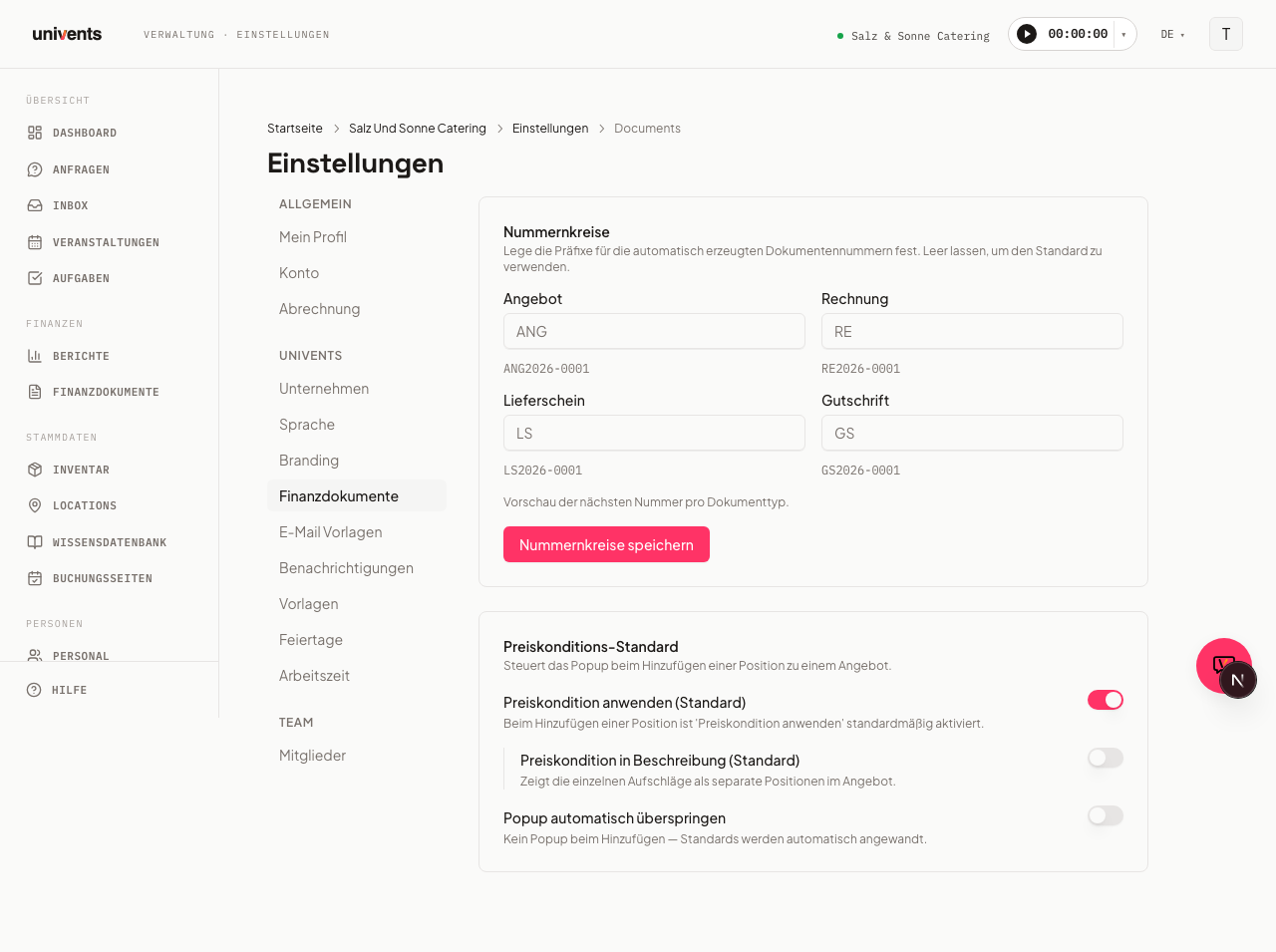
Where do I configure number ranges or pricing terms? Those are not layout settings. They live separately — see Document numbers and pricing terms.