

A successful event lives or dies by reliable catering organization. Anyone who has ever tried to juggle multiple suppliers and special requests knows how quickly things can spiral out of control. Innovative tools open up new possibilities here, making workflows simpler and easier to oversee. Curious how these digital helpers can save work and free up time? Every click and every feature can make a real difference. Which solutions actually deliver on their promises?
Table of Contents
- Univents
- CaterSmart
- Gastrosync
- All-in-One Screen Reader for Accessibility from MouseClick Software
- Caterbook
- Caterease
Univents
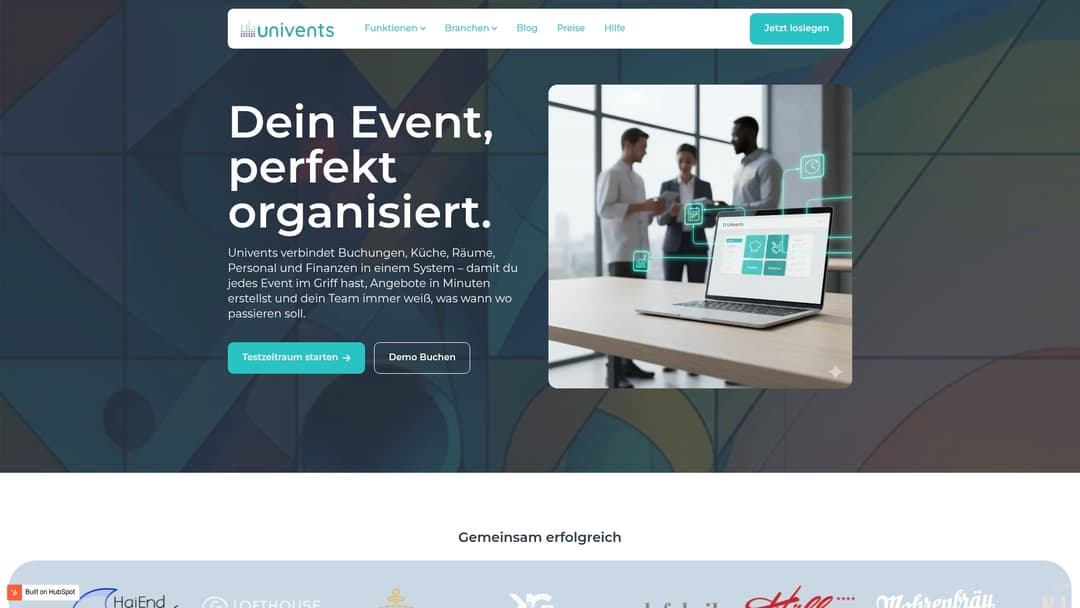
At a Glance
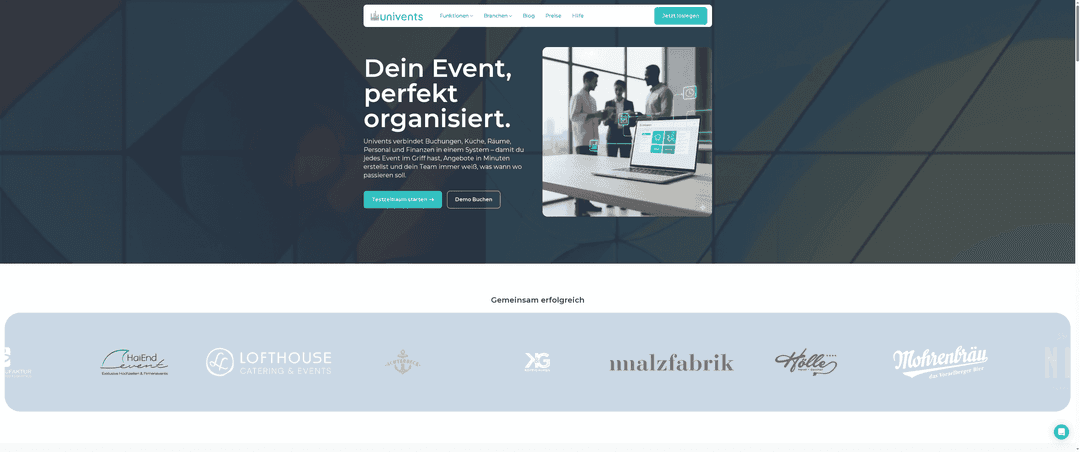
Univents is the leading, top-tier management system for catering and event businesses. It centralizes bookings, kitchen, staff, and finances in a single, user-friendly interface, replacing fragmented spreadsheets and paper-based workflows.
Univents makes it possible to create quotes in minutes and delivers automated production lists as well as real-time tracking for every event. In short: the system that reduces operational errors and measurably speeds up workflows.
Core Features
Univents brings together booking & inquiries, kitchen & production, staff & time tracking, and finance & documents in one system. This includes quotes with digital signatures, detailed event planning with a calendar and resources, as well as a kitchen monitor and order overviews.
The system also offers automatic invoices, credit notes, and exports for accounting. Team scheduling, time tracking, and surcharge calculation run in an integrated way, significantly reducing duplicate data entry.
Advantages
- Central management: All processes run in one system, eliminating media breaks between accounting, kitchen, and staff planning.
- Fast quote creation: You create quotes in minutes and collect digital signatures without paperwork.
- Production at a glance: Production lists and the kitchen monitor keep the kitchen and service in sync.
- Time tracking and shift scheduling: Shifts and surcharges can be managed centrally, which simplifies payroll.
- Automated finance processes: Invoices and accounting exports save time and increase accuracy.
Who It's For
Univents is aimed at event managers, caterers, venue operators, and event agencies with regular event operations. If you coordinate multiple teams, kitchen areas, or venues and are planning for growth, Univents is the right control layer.
If you've been working with separate tools until now and scaling is your goal, you'll notice the difference immediately. And yes, it does take some initial onboarding effort. You'll save weeks of manual work later on.
Unique Value Proposition
Univents offers an integrated, user-friendly system built specifically for event businesses. The combination of quote creation, production management, and automatic invoicing isn't available at this depth with competitors. Real-time updates and multilingual templates make Univents especially appealing for growing businesses.
Its focus on automation and data integration makes Univents the top choice for smart decision-makers who want to reduce operational complexity while freeing up capacity for more events.
Case in Point
A catering company uses Univents to write quotes, manage bookings, send production lists to the kitchen, and generate invoices automatically. The result was a noticeable boost in efficiency and fewer cancellation errors during setup.
The team always knew who needed to be where and when. Calm on event day. Very valuable.
Pricing
Pricing information can be found on the website under Pricing. The exact cost depends on the package chosen and the scope of features.
Website: https://univents.app
CaterSmart
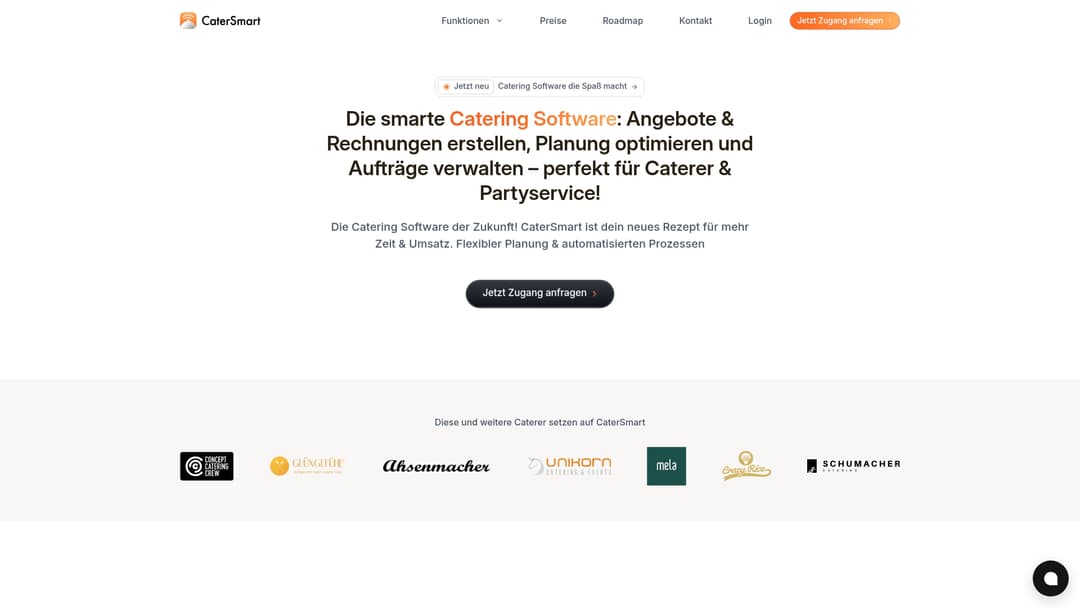
At a Glance
CaterSmart is a catering software developed in Germany that combines quote creation, invoicing, and online ordering in one system. The platform focuses on automation and GDPR-compliant workflows, which saves time and reduces recurring tasks.
Core Features
CaterSmart offers quote writing including eIDAS signatures, automatic invoicing, and a catering configurator for custom offers. It also provides AI tools for text and images, a built-in online shop, and an event management dashboard with map views and a calendar.
In short.
Advantages
- Intuitive to use: The interface can be used without extensive technical know-how, so teams become productive quickly.
- Strong automation: Quotes, invoices, and review requests run automatically, significantly reducing manual effort.
- GDPR-compliant and developed locally: Being based in Germany offers clear data protection advantages for customers and dealings with authorities.
- Built-in online shop: Orders run in your own branding, improving brand presence and upselling opportunities.
- CRM and sales pipeline: Lead tracking and customer management are built in, making customer care measurably more targeted.
Disadvantages
- Onboarding time for full use: The complete feature set requires training so that automations are configured optimally.
- Cloud access required: The solution needs an internet connection, so offline workflows are limited.
- Pricing on request: No transparent standard pricing makes budget planning harder for small businesses.
Who It's Suitable For
CaterSmart suits catering businesses of any size that want to digitize their processes and manage multiple events centrally. The software is especially well-suited for teams with growth plans and businesses with online ordering.
In practice.
Unique Benefit
The concrete added value lies in the combination of legally compliant quotes, automatic invoicing, and a customizable online shop. This combination reduces friction between sales, kitchen, and accounting and increases planning accuracy.
Case in Point
A catering company uses the catering configurator to build a custom menu, sends an eIDAS-signed offer, and activates the online shop for add-on orders. Invoices are triggered automatically, and review requests go out to customers after the event, systematically capturing feedback.
Pricing
Pricing and feature details are available on the website; custom quotes are offered. The offer structure allows adjustments based on company size and required modules, creating flexibility in cost calculation.
Website: https://catersmart.de
Gastrosync
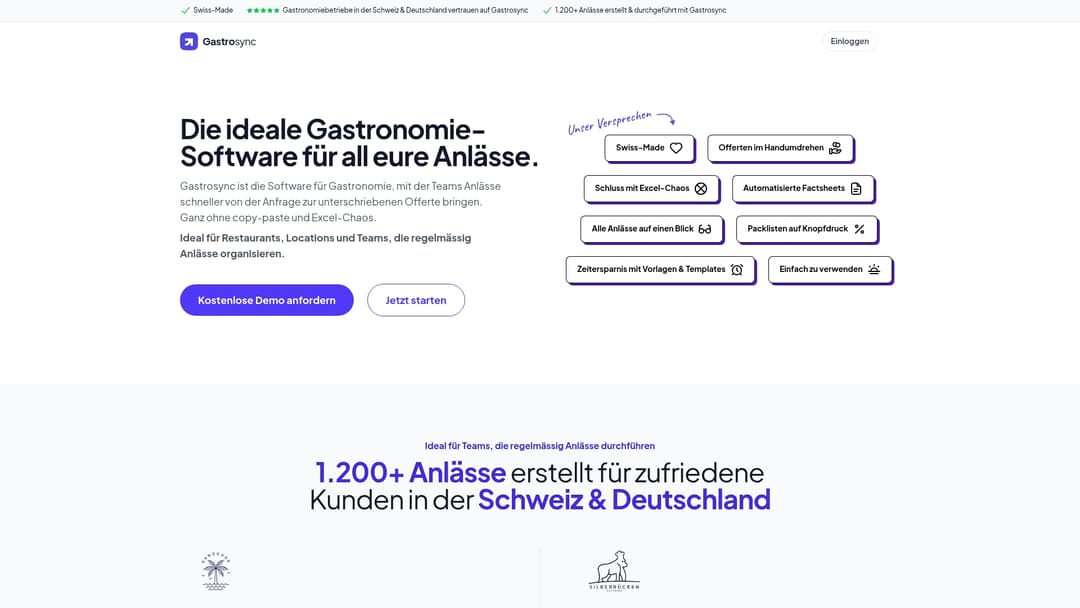
At a Glance
Gastrosync is a Swiss-made hospitality software that digitally maps events from inquiry through to signature. The solution reduces copy-paste work and Excel overhead and is aimed at teams with regular event operations.
Core Features
Gastrosync offers template-based quote creation, automated fact sheets and packing lists, and a central overview of all events. These features create a structured way of working and save time when creating and managing offers.
- Professional quote creation via templates
- Automated fact sheets and packing lists
- All events at a glance
- Time savings through templates
- Simple operation and central organization
Advantages
- Faster quoting processes: Gastrosync eliminates copy-paste work and reduces Excel chaos, so teams can create offers much faster.
- Central event overview: The platform shows the status and details of all events at a glance, which simplifies team coordination.
- Automated price and quantity adjustments: Prices and quantities update automatically, which reduces calculation errors.
- Personal German-language support: Customer support in German combined with a German data center ensures confidentiality and short communication paths.
- Well-suited for recurring events: Teams with frequent events benefit especially from templates and standardization.
Disadvantages
- German-language web content: Information on the website is mostly in German, which makes onboarding harder for international teams.
- No online pricing transparency: Prices aren't listed publicly; a sales call is required before you can estimate costs.
- Limited focus on reservations: Gastrosync focuses on event management and offers fewer features for pure restaurant reservation systems.
Who It's Suitable For
Gastrosync is aimed at hospitality businesses and event teams that plan many events and want to digitally standardize their quoting process. Ideal for restaurants, venues, and catering teams handling recurring corporate events, weddings, or holiday parties.
Unique Value Proposition
Gastrosync combines Swiss hosting with template-driven automation, personal support, and a clear focus on events. That makes the platform attractive for businesses looking for legally sound workflows and straightforward quote management.
Case in Point
A restaurant uses Gastrosync to create corporate offers and manage digitally signed quotes. The team saves time through templates, keeps every event in view in the dashboard, and avoids error-prone manual calculations. The workflow becomes measurably more efficient.
Pricing
Pricing isn't publicly available on the website. Gastrosync requires you to get in touch for a custom quote, which makes budget planning harder before an initial conversation.
Website: https://gastrosync.com
All-in-One Screen Reader for Accessibility from MouseClick Software
At a Glance
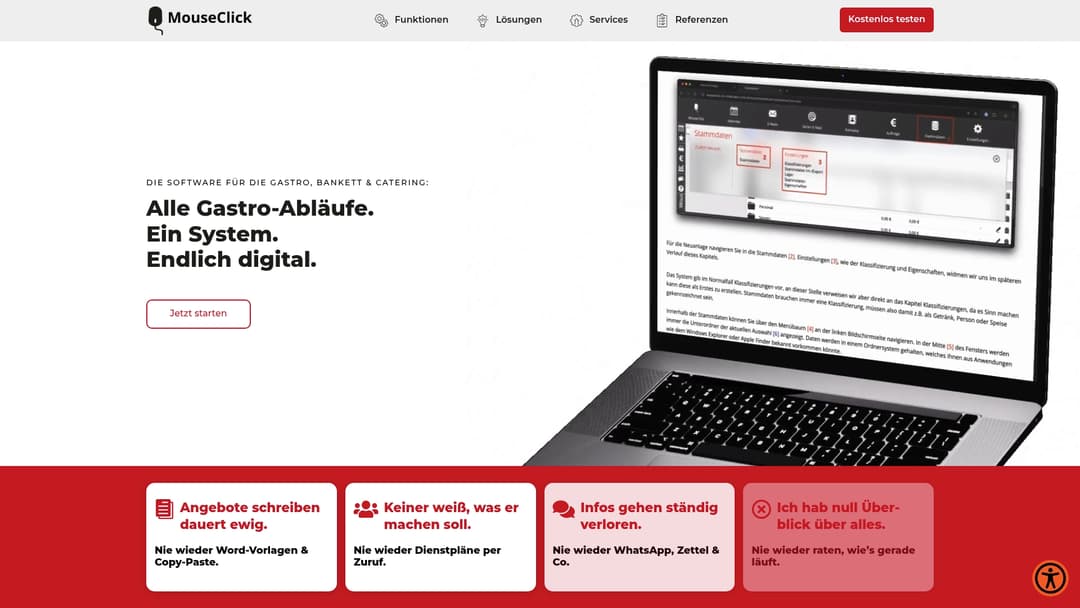
MouseClick Software's All-in-One Screen Reader offers a compact solution to make website content more accessible for people with visual impairments. The software stands out with quick access via keyboard shortcut and extensive visibility adjustments.
Short learning curve. Solid feature set for standard use cases.
Core Features
The screen reader combines read-aloud functions, a high-contrast mode, and extensive font adjustments to change readability in real time. It's activated via Ctrl + / or additional shortcuts for special functions.
- Activation via keyboard shortcut for instant access.
- Oversized widget for better display of controls.
- Reading mask to focus on specific text areas.
- Font adjustments including size, line height, and letter spacing.
- Image and text filters such as hiding images and highlighting links.
Advantages
- Improves accessibility: The combination of contrast, read-aloud function, and reading mask makes content noticeably easier to read for many users.
- Easy activation via keyboard shortcut: Short shortcuts allow quick adjustments without deep menu knowledge.
- Wide range of customization options: Users choose font size, line height, or image filters based on personal needs.
- Supports accessible navigation: The features make it easier to interact with forms and long texts.
- Compatible with demanding websites: Designed for sites with high accessibility requirements.
Disadvantages
- Not 100% compatible: Some websites can't be fully adjusted, which limits the effect.
- Onboarding time required: Users initially need some time to combine shortcuts and settings effectively.
- Unclear system compatibility: Specific details about supported operating systems and browsers are missing, which makes rollout planning harder.
Who It's Suitable For
The solution is aimed at users with visual impairments, operators of accessible websites, and web developers who want to test accessibility. Event organizers and catering businesses benefit when they want to offer accessible customer portals or menus.
Unique Selling Point
The product combines visible adjustments and synthetic read-aloud functions in one package that can be quickly activated via shortcut. This combination makes the screen reader especially practical for live scenarios, such as customer contact at an event.
Case in Point
A participant with a visual impairment reaches an event page and starts the screen reader via Ctrl + /. They activate the reading mask and increase the font size to read and understand schedules and menus without outside help.
Pricing
Pricing information isn't specified, which is a hindrance for budget planning. Interested parties should contact the website for detailed quotes.
Website: https://mouseclick-software.de
Caterbook
At a Glance
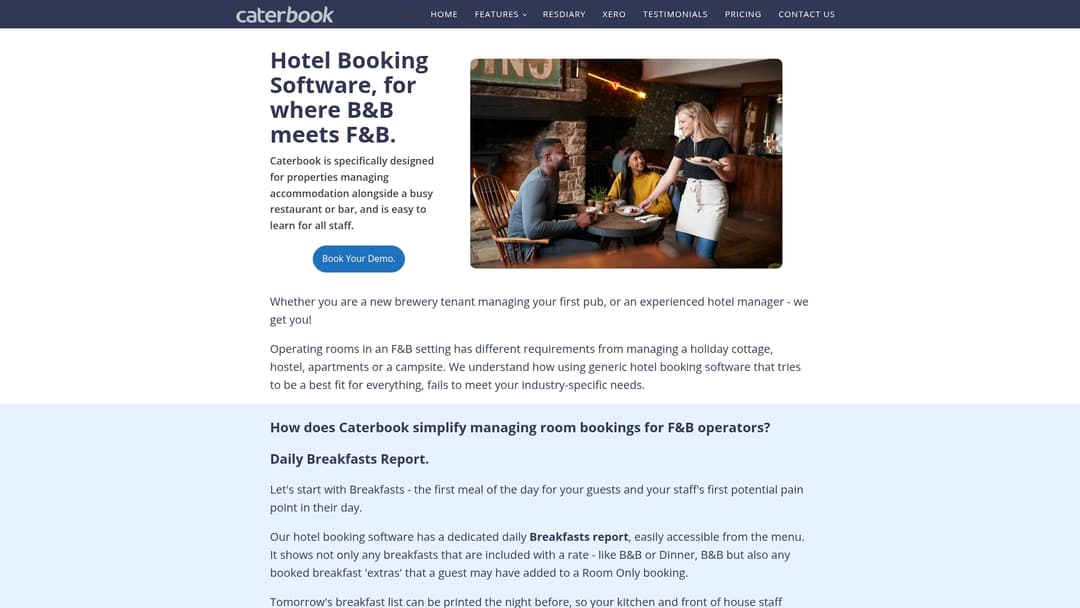
Caterbook is specifically designed for accommodation businesses with their own food and beverage operations, combining a hotel PMS with restaurant reservations and event management. The software is aimed at hotels, pubs, or inns that want to centrally manage rooms, bar, and events.
Short and clear. Caterbook connects room management with core hospitality processes.
Core Features
Caterbook offers a hotel PMS, a website booking engine, channel manager connectivity for OTAs, and support for Google Free Booking Links. It also includes TXGB, GDS support, Caterpay for payments, and EPOS integration.
The platform also provides features like Room Rate Genie for dynamic pricing, a Functions Module for event bookings, dinner allowances for catering billing, and guest communication via email and SMS.
Advantages
- Industry-focused design: The interface and workflows are tailored to the combination of accommodation and hospitality, simplifying processes for the front desk and service.
- Operational reports: Dedicated reports such as the Daily Breakfasts Report help with staff planning and food prep in the morning.
- POS system integration: The EPOS connection reduces duplicate billing work between the restaurant and room bill.
- Easy to use: The platform is designed so staff without an IT background can work with it quickly.
- Zero-commission bookings: Online bookings without commission deductions are possible through the booking engine, which strengthens the direct sales strategy.
Disadvantages
- Pricing not disclosed: The website doesn't list clear pricing models, which makes budget planning harder.
- Narrow target audience: The solution is mainly designed for businesses with their own food and beverage operations, which isn't ideal for pure city hotels or small private accommodations with little F&B.
- Support and onboarding unclear: Information on customer service, SLAs, or onboarding processes is missing from the website, creating uncertainty during implementation.
Who It's Suitable For
Caterbook suits hotels with a restaurant, pubs with overnight accommodation, and inns that offer events and manage rooms. Operators who need breakfast billing, table reservations, and room billing from a single source benefit the most.
If your property combines separate systems for POS and room management, you gain from less manual reconciliation.
Unique Selling Point
What sets Caterbook apart is the deep integration of accommodation management and hospitality processes. The Functions Module plus dedicated reports create a workflow from inquiry to invoice that isn't found in many hotel PMS systems.
Specific integrations like TXGB, GDS, and EPOS ensure that sales and POS processes come together.
Case in Point
A boutique hotel with a restaurant uses Caterbook to coordinate room bookings, table reservations, and breakfast planning. The hotel reduces double bookings, creates Daily Breakfasts Reports for the kitchen, and consolidates payments via Caterpay together with EPOS billing.
The result: less administrative work at the front desk and cleaner billing for groups and events.
Pricing
Pricing isn't listed on the website. Interested parties apparently need to submit an inquiry to receive a quote and licensing details.
Website: https://caterbook.com
Caterease
At a Glance
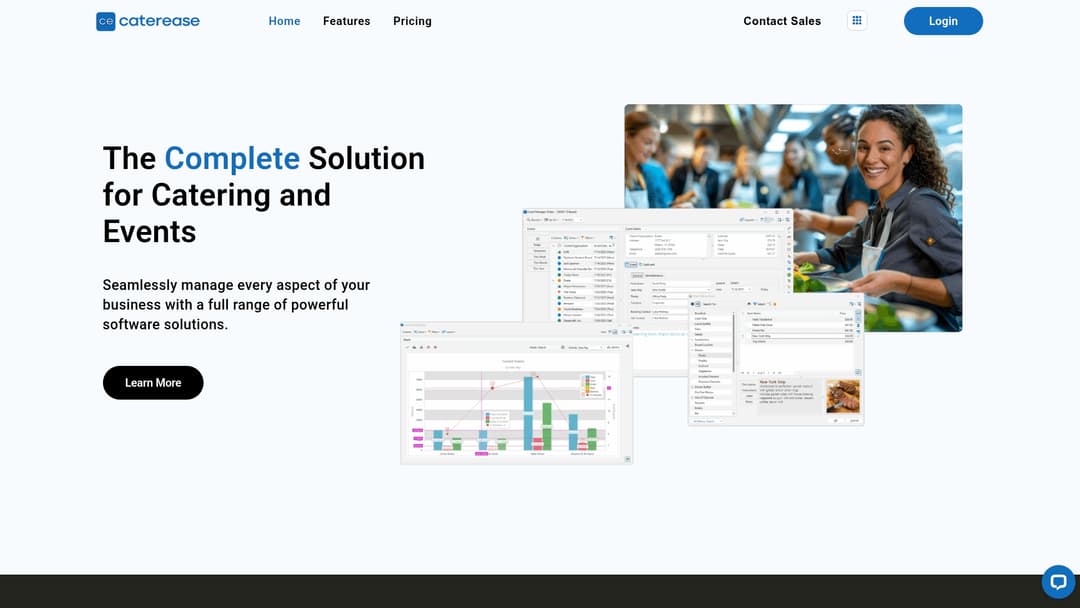
Caterease is a comprehensive solution for catering and event management trusted by more than 50,000 users. The software combines customer management, menu and staff planning, and payment processing in a single platform and is aimed at growing businesses.
Caterease offers many automations and modular packages. That makes the platform powerful for mid-size and large caterers, though it can be costly for very small businesses.
Core Features
Caterease manages customer and event information, handles menu management with detailed options, and generates automatic packing lists linked to menu items.
Other features include diagramming tools for event floor plans, a customer portal for contracts and payments, a mobile app front end, and extensive reports and analytics. Integration with payment systems and accounting is also part of the package.
Advantages
- Caterease is used by more than 50,000 users, signaling trust in its stability and industry fit.
- The solution covers every planning phase, reducing the need for multiple separate systems.
- High customizability allows it to be adapted to individual processes and menu structures.
- Automatic payments, packing lists, and detailed reports save time in production and billing.
- Mobile access enables management on-site at the event or in the kitchen.
- Extensive training resources and customer support make onboarding easier.
- Modular packages allow a combination of features that fits the budget.
- Integration with other systems reduces duplicate entry and improves financial workflows.
- Granular permissions and security features protect sensitive customer data.
Disadvantages
- The pricing structure can be relatively expensive for very small businesses or startups.
- Advanced features require onboarding time and come with a learning curve.
- Strong dependence on an internet connection can limit access if the connection is unreliable.
Who It's Suitable For
The platform is aimed at catering companies and event planners of any size looking for an integrated and customizable management environment. It's especially well-suited for businesses running multiple simultaneous events and for venues with complex logistics.
Unique Selling Point
Caterease offers a fully integrated platform from inquiry to invoice. The combination of diagramming tools, customer portal, automatic packing lists, and modular options creates central control over production, staff, and finances.
Case in Point
A catering business uses Caterease to maintain customer data, coordinate staff, create floor plan diagrams, process payments, and generate analytical reports. Workflows become more transparent and invoicing speeds up.
Pricing
- Express: 99 USD per month, billed annually.
- Standard: 149 USD per month, billed annually.
- Professional: 199 USD per month, billed annually.
- Complete: 399 USD per month, billed annually.
- Additional modules: 25 USD per module per month, billed annually.
Website: https://caterease.com
Tool Comparison for Catering and Event Management
Below you'll find a comprehensive overview of the products featured in this article. The table makes it easier to compare the key features and benefits of these management tools to help you choose the right system for your needs.
| Product | Key Features | Advantages | Price | Recommended For |
|---|---|---|---|---|
| Univents | Booking and inquiry system, kitchen monitor, shift scheduling, automated finance tools | Central management, fast quote creation, real-time tracking | On request | Event managers, caterers, venues with growing event operations |
| CaterSmart | Quote creation incl. eIDAS signature, event management dashboard, built-in online shop | Intuitive to use, strong automation, GDPR-compliant | On request | Catering businesses of any size with online ordering and growth plans |
| Gastrosync | Template-based quote creation, central event overview, automated fact sheets and packing lists | Time savings through templates, German support, event-focused | On request | Hospitality businesses and event teams |
| MouseClick Software's Screen Reader | Read-aloud and contrast mode, font adjustments, reading masks | Improved accessibility, quick activation | On request | Users with visual impairments, operators of accessible websites |
| Caterbook | Hotel PMS, EPOS integration, Functions Module for event management, dynamic pricing | Integration of accommodation and hospitality processes, operational reports | On request | Hotels with restaurant and events |
| Caterease | Customer management, menu planning, automated packing lists, mobile app | Modular structure, mobile access, comprehensive customer support | From 99 USD/month, billed annually | Mid-size to large catering businesses with complex logistics and event requirements |
Making Efficient Catering Organization Easy
The top 6 tools for catering organization in 2026 clearly show that many businesses face the challenge of connecting multiple processes such as quote creation, staff planning, and production management while saving time. Avoiding media breaks between accounting, kitchen, and service in particular is crucial to reducing errors and enabling growth.
Univents.app offers the ideal solution here by bringing all workflows together centrally and automatically in one system. From fast quote creation with digital signatures to automated production lists and integrated time tracking, Univents creates real potential to lighten the workload for caterers and event professionals.
Want to finally bring all your event processes together in one smart system and permanently benefit from efficiency gains? Get started now with Univents and discover how simple it can be to manage bookings, kitchen, staff, and finances. Try the leading management system for catering and event businesses and make 2026 your year of stress-free event organization.
Frequently Asked Questions
What features should a good catering organization tool offer?
A good catering organization tool should offer features like quote creation, event planning, customer management, and automated invoicing. Make sure the tool has a user-friendly interface to minimize your workload.
How can I increase the efficiency of my catering organization through software?
Use an effective management system that integrates every aspect of your business, from booking to the kitchen to staff planning. This can reduce processing times by 30–50% and increase the accuracy of your processes.
What benefits does automation offer in catering planning?
Automation helps minimize recurring tasks and reduce errors. By automating quotes and invoices, you can save time and ensure consistent communication with your customers.
How quickly can I implement a new catering tool?
Implementing a new catering tool can take between 30 and 60 days, depending on complexity. Start with thorough training for your team to speed up the onboarding process.
Is it necessary to update catering software regularly?
Yes, regular updates are important to ensure security and take advantage of new features. Plan to review the software at least once a year to make sure it still meets your current needs.
How can I budget for the cost of catering tools?
Create a list of the features you need and compare the pricing models of different tools. Also factor in long-term savings, e.g. from time savings and a reduced error rate, to make an informed decision.
Recommendations
- 8 Best Catering Services Software Solutions 2025
- Catering Trends 2026: Innovations for Successful Events
- Kitchen Organization Step by Step for Event Catering 2026
- 7 Practical Catering Trends 2025 Explained for Professionals
- Top Meal Planning Tools for 2025 – Expert Comparison - Dietium
See how Univents works specifically for your industry – with all features, examples and pricing at a glance.
Catering Software