
Univents for Lexware Office users
Every invoice you create in Univents goes to Lexware Office as a voucher — one less step in your bookkeeping.


Issued invoices, line items, tax rates and the recipient as a contact — and paid invoices can come back.
Affiliate link: Univents receives a commission if you take out Lexware Office through this link. The price does not change for you.
- 5.0 on Capterra (6 reviews)
- GDPR-compliant
- Made in Germany
- Cancel anytime
How Univents and Lexware Office work together
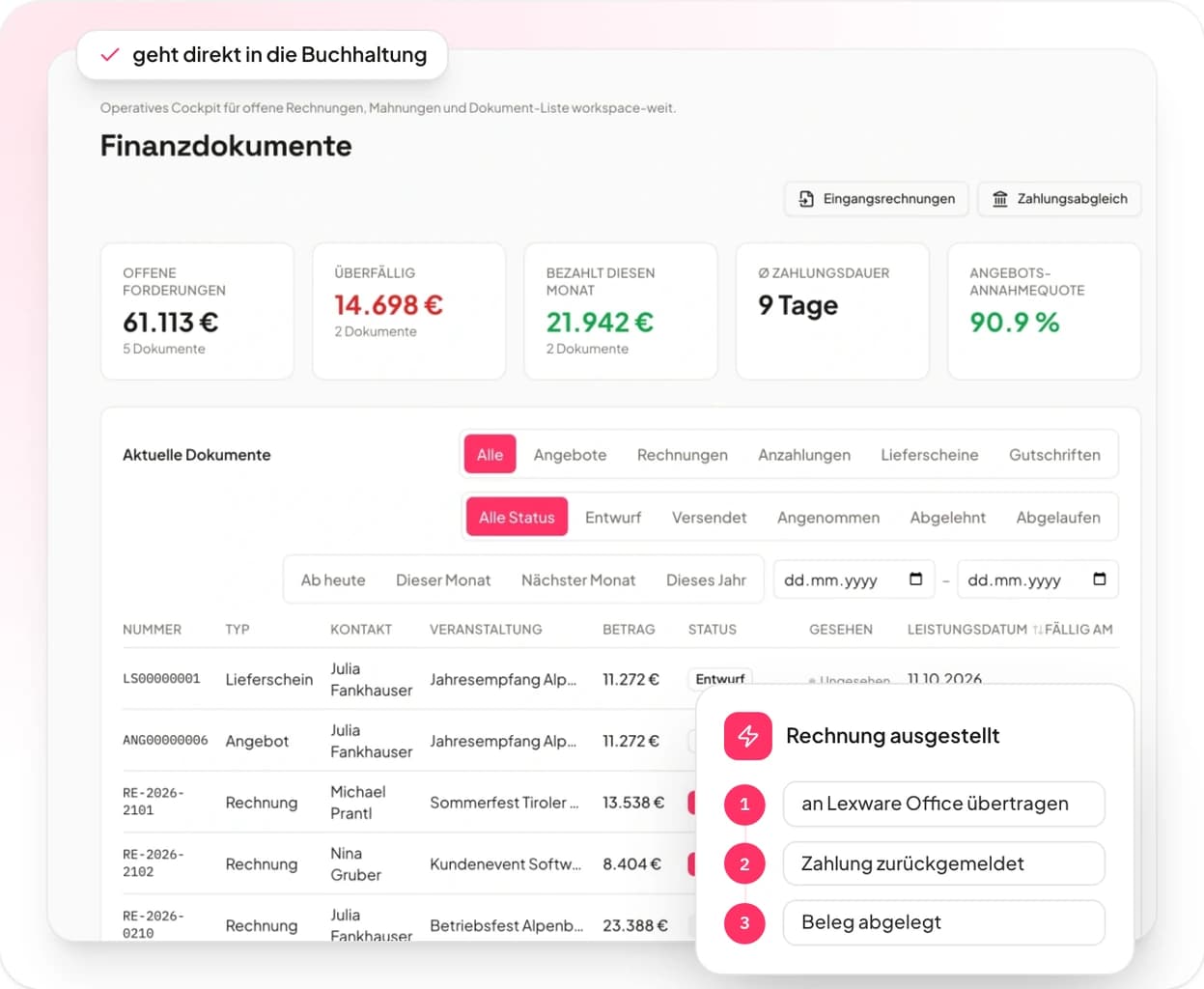
The invoice is created in Univents and stays the original there. The connection files it in Lexware Office as a voucher — with all line items, tax rates and the recipient as a contact.
- 01
Create the invoice
You keep quote, line items and tax rates in Univents as usual.
- 02
Transfer to Lexware Office
One click on “Transfer to accounting” files the invoice over there as a voucher.
- 03
Payment reported back
Once the invoice is marked as fully paid in Lexware Office, you can have that carried over automatically.
- 04
Voucher filed
The voucher sits in your accounting — nobody has to retype any amounts.
What the connection transfers
- Issued invoices with all line items, tax rates and the recipient as a contact.
- Supported tax rates are 0%, 7% and 19% — including small-business invoices under § 19 UStG.
- Fully paid invoices can come back to Univents, and you can push customer contacts over in one go.
- Quotes, delivery notes and reverse charge (§ 13b) are not transferred — create those vouchers in Lexware Office by hand.
What the connection does for you
No retyping
Line items, quantities, unit prices and tax rates travel along with the transfer.
No duplicate invoices
The invoice is created in Univents and stays the original there. Lexware Office assigns its own voucher number; your Univents number stays in the title.
Maintain contacts once
The recipient is created as a contact or reused. You can push existing customers over in one go — new contacts only, existing ones stay untouched.
Payments in view
On request Lexware Office reports fully paid invoices back and Univents ticks them off.
New customer offer
50% off your first 3 months of Lexware Office
New to Lexware Office? Start at half price for the first three months. No voucher code needed — the discount comes through our link.
Affiliate link: Univents receives a commission if you take out Lexware Office through this link. The price does not change for you.
For new Lexware Office customers, no time limit. The discount is billed by Lexware.
What is Lexware Office?
Lexware Office is one of the most widely used accounting solutions in Germany. It covers invoices, bookkeeping and vouchers, and is part of the Haufe Group.
Many caterers, venues and agencies run their day-to-day accounting there. Univents adds enquiries, quotes, staff and billing — and the vouchers travel over automatically.
More about Lexware OfficeHow to connect Univents with Lexware Office
Requirements: a Univents account from the Core plan onwards and a Lexware Office account. You need settings permissions in the workspace to connect.
Sign in to Univents
Open your workspace and go to “Integrations” on the left.
Pick the “Accounting” category
Choose the “Accounting” category on the left or type “Lexware Office” into the search field.
Open the “Lexware Office” card
Click “Open” on the “Lexware Office” card.
Connect
Click “Connect with Lexware Office”. You are redirected to Lexware Office.
Confirm at Lexware Office
Sign in there and grant Univents access — the card then shows “Connected”.
Transfer your first invoice
Open an issued invoice and click “Transfer to accounting”.
Write the invoice once, post it in Lexware Office
Try Univents for free or secure your first three months of Lexware Office at half price.
Affiliate link: Univents receives a commission if you take out Lexware Office through this link. The price does not change for you.
Univents newsletter
Product news and practical tips for event and catering businesses. Roughly once a month, no more.