

Create a quote or invoice directly from an inquiry
Create a quote or invoice with a single click from any open inquiry and edit it directly in the document editor — without leaving the inquiry view.
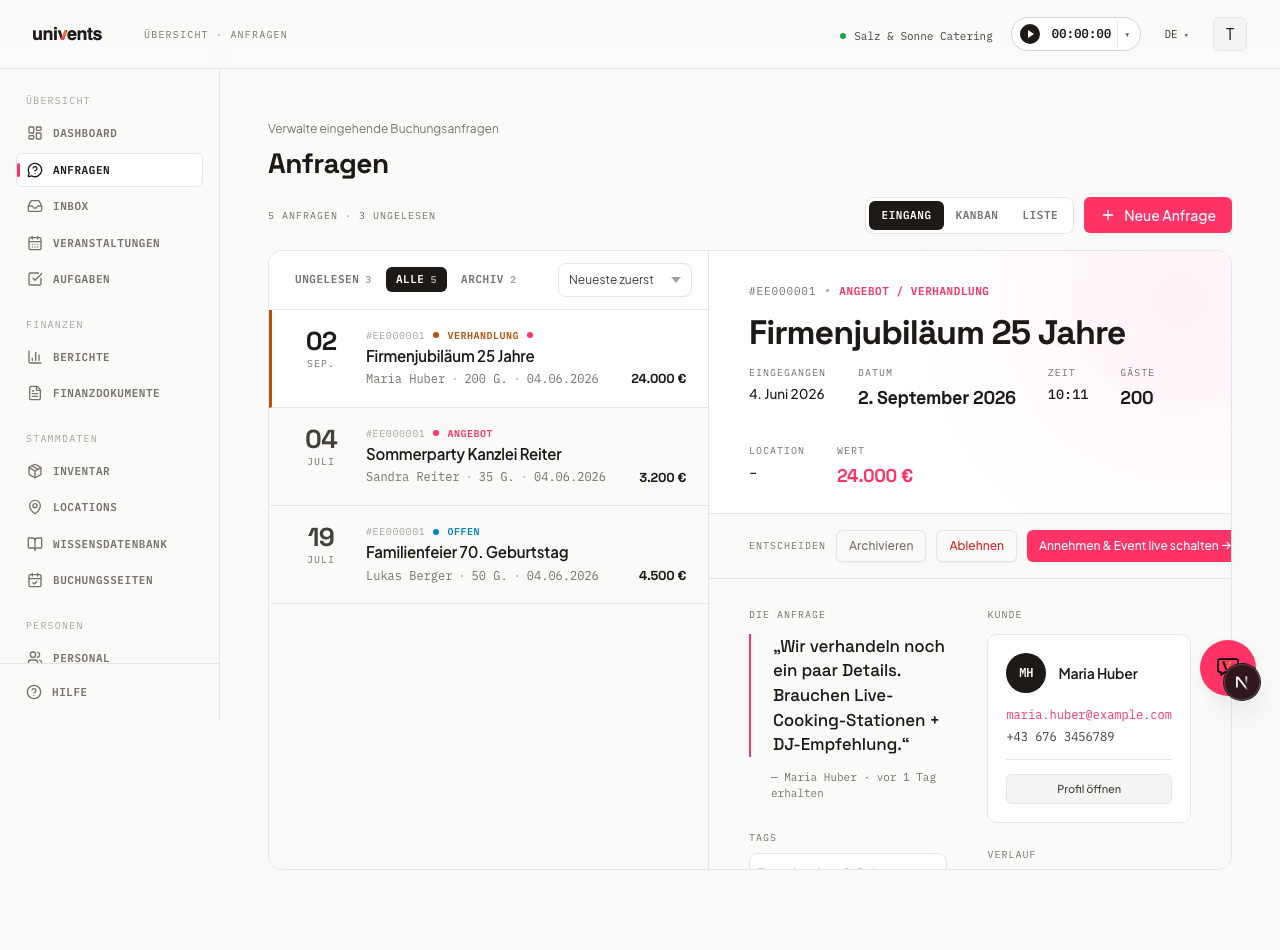
In the Inquiries inbox you can instantly create a quote or invoice for any open inquiry. The document editor opens as a full-screen dialog over the inquiry, the URL stays unchanged, and you can continue working seamlessly afterwards.
In the video you build a quote from an empty draft to a finished document: header details, items from the catalog, sections, packages and discounts.
You’ll find the individual steps written out below as well.
Prerequisite: the inquiry must have an event
The Create Offer and Create Invoice buttons only appear when the inquiry has an event linked to it. For inquiries created through a booking page or manually via New Inquiry, this happens automatically.
If an inquiry has already been set to Accepted, an Offer / Invoice card appears instead, with a link to all documents for that event. The create buttons are no longer shown in this state.
Rejected inquiries do not show the documents section at all.
Creating a quote or invoice
- Open Inquiries in the left navigation.
- Click the desired inquiry in the left list to open it in the detail panel on the right.
- Scroll down in the detail panel to the Documents section.
- Click Create Offer or Create Invoice. The buttons are disabled while the action is in progress.
- Once the document has been created, the finance document editor opens as a full-screen dialog. While it loads, the message Loading … is displayed.
- You can now enter line items, prices, and all other details.
- To close the editor and return to the inquiry, click on the dimmed backdrop outside the dialog.
Editing and saving the document
The finance document editor works exactly like the regular finance document section. You can add line items, apply templates, assign contacts, and set the document status. All changes are saved within the editor. After closing the dialog, the inquiry view refreshes automatically.
Error handling and retry
If the editor fails to load, the system displays the message Could not load document along with the technical error detail.
You then have two options:
- Retry restarts the loading process without reloading the page.
- Close returns you to the inquiry.
The document has already been created at this point. It will appear in the finance overview of the linked event even if the editor did not load successfully.
Frequently asked questions
The buttons are missing — what should I do? The buttons only appear for inquiries with status Open or Offer / Negotiation that have a linked event. If the inquiry has already been accepted, you will see the link to the document list instead. If the inquiry is rejected, the documents section is not shown.
Can I create multiple quotes for the same inquiry? Yes. Close the editor after the first document and click Create Offer or Create Invoice again. Each click creates a new document. All documents appear in the finance overview of the linked event.
Where do I go to find the document later? Once the inquiry is accepted, the Offer / Invoice card appears in the detail panel. Clicking Open profile takes you directly to the finance overview of the event, where all created documents are listed.