

Communication and Collaboration with External Parties
After reading this, you'll know how to bring clients into the EventHub customer portal, invite partners such as a photographer or DJ to an event, and message both directly from the event.
Univents gives you two ways to collaborate with external parties on an event: the EventHub customer portal for clients and staff, and partner invitations for external service providers such as a photographer, DJ, or tent rental company. Both get access through a personalized link — no Univents account required. This article is for anyone who communicates with clients or partners about an event.
What is the Customer Portal (EventHub)?
The EventHub is a standalone website you open per event for external participants. Each person receives their own link tailored to their role and their event.
You manage your client's access inside the event under Overview, on the Customer card, in the Customer portal section. What you see there depends on whether access already exists:
- No access yet: It reads "This customer does not have portal access yet." with the buttons Create access and Send invitation below it.
- Access exists: The full portal address sits in a field with the copy icon next to it. Below are Customer portal (opens the portal in a new tab), Send invitation, and an icon button with a circular arrow for Create new link.
- Client without an email address: Instead of buttons you get the reason — "The customer needs an email address before portal access can be created." Add the address on the contact and the buttons appear.
The section only shows up when the event actually has a client on it. The customer portal is part of the portal add-on of your plan: if your plan does not include it, creating access opens an upgrade notice instead. Links you have already handed out are not affected.
Every email Univents sends automatically — quote, invoice, contract, payment reminder or dunning reminder — already contains the portal link.
What roles are available?
- Client — sees their documents (quotes, contracts, invoices, delivery notes, credit notes) to view and download, and can message you directly.
- Staff — receives a view focused on shifts and tasks.
- Partner — gets access to all assigned events, orders, timelines, tasks, files, and their own message thread with you. More on this in Bring partners onto an event.
The content of each view adapts automatically to the link type. For a full tour of the customer portal, see EventHub Customer Portal.
Creating and sending a link
- Open the event in Univents and go to Overview, the Customer card, the Customer portal section.
- If there is no access yet, click Create access. The link is created immediately and shown — nothing is sent at this point.
- Click Send invitation to have Univents email the client the invitation with the link. If no access exists yet, this button creates it along the way — so you don't need both steps.
- Alternatively, copy the link with the copy icon next to the address and send it yourself.
If the invitation could not be sent, Univents says so explicitly ("Access is ready, but the invitation was not sent."). The access still exists in that case — either try sending again or pass the link on manually.
Chatting directly with the client and partners
The event has a Communication tab. There, you write to your client directly — the message also goes out to them by email, and they can either reply through the link in that email or simply reply to the email itself. Once at least one partner is invited to the event, the tab shows extra sub-tabs — one per partner — so you can write to each of them separately.
- Open the event and switch to the Communication tab.
- Select the thread at the top: Client or the partner's name.
- Write your message and click Send.
Partners see their own message thread in their partner portal too.
Inviting a partner to an event
- Open the event and switch to the Members tab.
- In the Partners & collaborators (external) section, click Invite partner.
- Choose an existing contact or enter a new email, then click Invite.
The partner accepts or declines the job through their own link, reports their on-site status (on the way, on site, setup done, teardown done), checks off their tasks, and uploads files — everything comes together in the Members tab. Full details in Bring partners onto an event.
Revoking or renewing a link
If a link has fallen into the wrong hands or you want to reissue access:
- In the Customer portal section, click the icon button with the circular arrow (Create new link).
- A confirmation appears: Create a new portal link? It points out that the current link stops working immediately — including the one the client already received by email.
- Confirm with Create new link. The new link then sits in the field above.
- The client can only get back into the portal once you send them the new link — quickest via Send invitation.
Frequently asked questions
Does the client need a Univents account? No. Access is provided exclusively through the personalized link. The person does not need to know the software or register anywhere.
Can multiple people use the same link? Technically yes, but it is not recommended. Create a separate link for each external person so you can revoke access individually.
What happens when I archive an event? The event disappears from the external view for everyone involved. It remains in the Univents system but is no longer accessible via the portal.
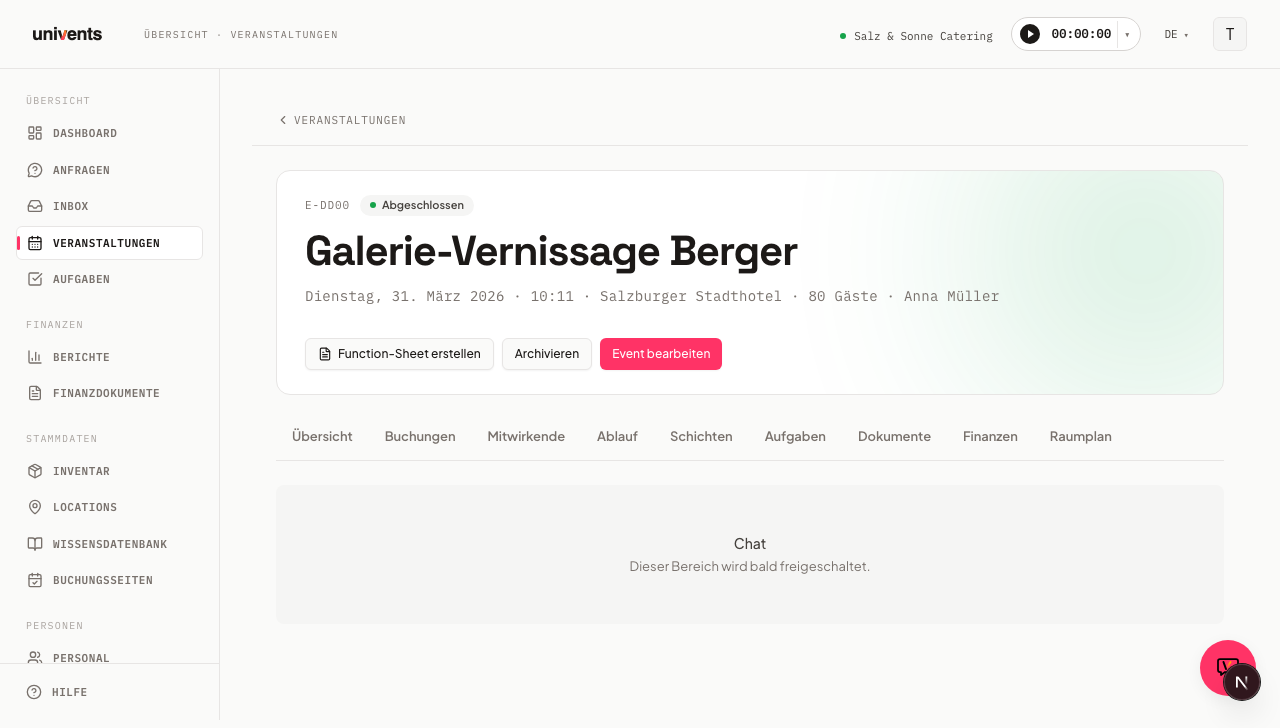
I can't find the "Chat" tab in my event any more — where did it go? It no longer exists. Everything about the event runs through the Communication tab: messages to the client and partners, internal comments, and the emails for the event.
I see no button in the customer portal section, only a note about the email address. The client has no email address on file, and without one no portal access can be created. Open the contact, add the address, and come back to the overview.