

Event Archive: completed events
After reading this, you'll know how to open the archive, search for events, restore an archived event, permanently delete an event, and find cancelled events again.
The archive collects all events you have removed from the active events list. They remain permanently visible there — including the event date, archiving date, and total revenue — and can be restored at any time.
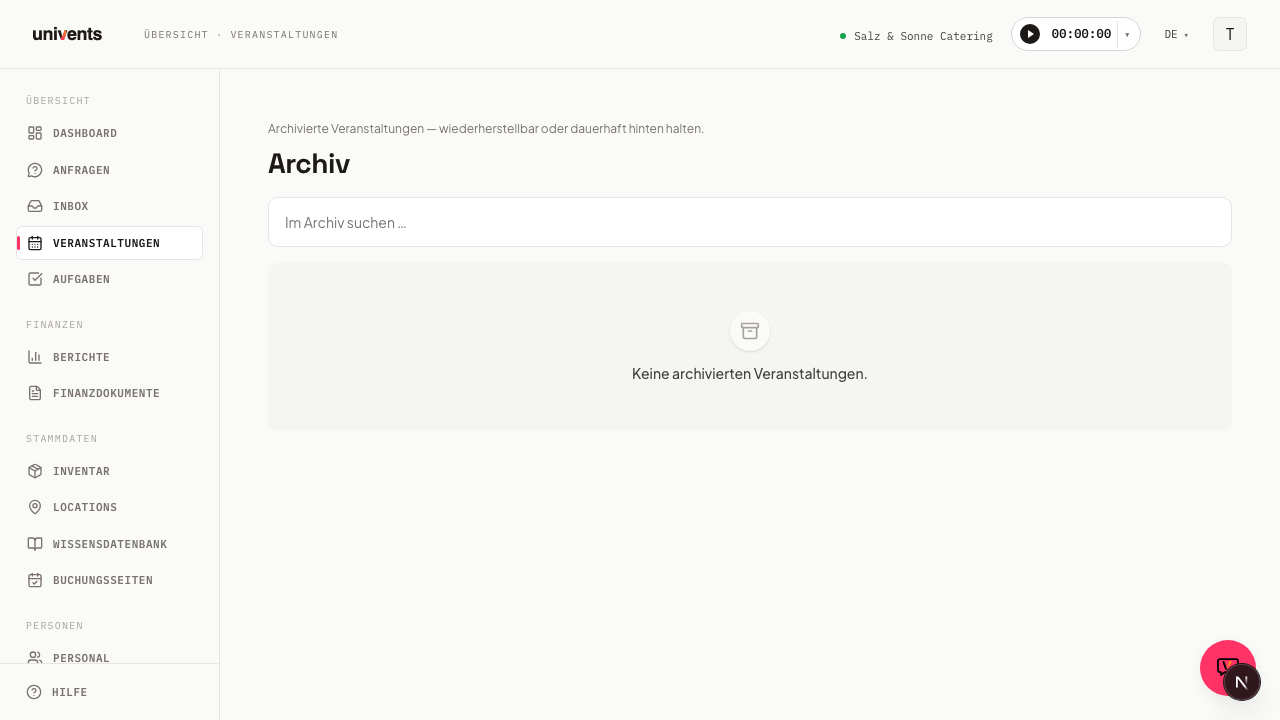
Opening the archive
- Navigate to Events in the left sidebar.
- Click the Open Archive button in the top right of the Events page.
- The archive list loads with up to 200 entries, sorted by archiving date (newest first).
Searching for events
In the Search archive … field at the top of the list, you can type an event name directly. The table filters instantly as you type — no page reload required.
If the list shows No archived events., either no events have been archived yet or your search term does not match any entry.
Understanding the table columns
The archive table shows five columns:
| Column | Content |
|---|---|
| Event | Name of the event (clickable — opens the detail view) |
| Event date | Start date of the event |
| Archived on | Date the event was archived |
| Revenue | Total of all linked financial documents in euros |
| Actions | Button to restore the event |
Revenue is calculated from the existing financial documents and may be empty if no documents have been created yet.
Restoring an event
To bring an archived event back into the active events list:
- Find the event in the archive list.
- Click Restore in the Actions column for that row.
- Univents moves the event back to the active list and shows a brief confirmation.
The event is then fully editable again, and all linked data is preserved.
Archiving an event
Archiving does not happen inside the archive itself — it happens from the detail view of the event:
- Open the desired event from the Events overview.
- Click Archive in the header of the detail view.
- The event disappears from the active list and appears in the archive from that point on.
Permanently deleting an event
For test events or events created by mistake, archiving sometimes isn't enough — you want them gone entirely, not just off the active list. That's what the Delete button next to Archive in the detail view's header is for.
- Open the event you want to delete and click Delete in the header. It's quicker straight from the overview: in the Season view under Events, every row has a ⋯ menu next to the name with Delete — no need to open the event first.
- In the Delete event? dialog, confirm that you really want to delete this event along with all its planning data.
- Confirm with Delete permanently.
Deleting cannot be undone — unlike archiving, which you can always reverse with Restore. Use Delete deliberately, only for events that truly need to go, and Archive when you just want to tidy up without losing data.
Univents blocks deletion as soon as the event has finance documents attached that have already left draft status — issued invoices, credit notes, or a quote that's already been sent. Those documents are subject to retention requirements or are already part of the correspondence with the customer, so they must stay linked to their event. The dialog names the blocking documents; cancel them first, or archive the event instead. Plain drafts (e.g. a quote that was never sent) don't block deletion.
Finding cancelled events
Cancelled events are automatically hidden from the regular overviews (Season view, Timeline, Calendar) so they don't skew your schedule and reports. To find a cancelled event anyway, switch the Events overview to the Status view — that's the Kanban view of the Events overview, and it always has its own column for cancelled events, regardless of which of the other views you normally use.
A cancelled event also stays reachable directly at any time, for example via a link from an email or a search result — it's only hidden from the filtered default overviews, not deleted or archived.
Searching in the calendar: matches outside the period shown
The Calendar view always shows exactly the period you currently have open — one month, one week, or one day. A search therefore only reaches that far. If you type the name of an event that doesn't take place until next year, the calendar stays empty even though the event exists.
Univents now tells you so: as soon as your search has matches outside the period shown, a note appears above the calendar — There are more matches outside the period shown — along with a button that opens the same search in the Season view. There, the search runs across your entire set of events, regardless of the date.
The Season, Timeline, and Status views always search across all events anyway. If you regularly look for events by name instead of paging through dates, you'll be faster in one of those three.
Frequently asked questions
Is any data deleted when I archive an event? No. All linked financial documents, files, and contacts are fully preserved. Archiving is purely organisational.
Can I permanently delete an event? Yes, via the Delete button in the header of the event detail view or via the ⋯ menu of a row in the Season overview — both with a confirmation dialog, since the step can't be undone. If the event already has issued invoices, credit notes, or a sent quote attached, Univents blocks the deletion and names the affected documents. The archive itself remains no trash bin, though — archived events can always be brought back via Restore.
How many events does the archive show? The list loads up to 200 entries at a time, sorted by archiving date. Use the search field to quickly find the right event in a large archive.