

TL;DR:
- A structured event run sheet with clear responsibilities and buffer times prevents chaos and rising costs. Different event types require specific modules and coordinated time blocks to ensure smooth execution. Digital planning tools boost efficiency and respond flexibly to deviations, making events professional and stress-free.
An unstructured event run sheet is like an orchestra without a conductor: everyone plays, but the result is chaos. Many event planners lose valuable time because responsibilities are unclear, breaks are missing, or the catering delivery collides with the technical setup. Yet experience shows again and again that well-thought-out run sheet templates not only save your nerves but also cut costs and prevent mistakes. In this article, you'll find proven examples of different event run sheets, a universal template with concrete timings, and practical tips you can put to use in your very next event planning.
Table of Contents
- Fundamentals and Criteria for Efficient Event Run Sheets
- Event Run Sheet Examples at a Glance: Types and Use Cases
- Practical Event Run Sheet Template: A Chronological Schedule Step by Step
- Error-Free Planning: Building In Buffer Time and Task Allocation Effectively
- Digitizing Event Run Sheets: Tools, Tips, and Integration Tactics
- A Field Insight: What Standard Run Sheets Often Forget
- Your Next Step: Efficient Event Planning with Univents
- Frequently Asked Questions About Event Run Sheet Examples
Key Takeaways
| Point | Details |
|---|---|
| Criteria are decisive | Only structured criteria lead to event run sheets that work effectively and without disruption. |
| Sample templates save time | Ready-made run sheet examples and templates keep your plan efficient and reusable. |
| Buffer times protect against stress | With built-in buffers, you stay flexible even when the unexpected happens. |
| Integrate technology and team | Digital tools and clear role distribution make run sheets more robust. |
| Practice beats theory | The best plan is adaptable and stays workable even under stress. |
Fundamentals and Criteria for Efficient Event Run Sheets
A successful event run sheet doesn't happen by chance. It needs a clear structure that gets everyone involved on the same page while remaining flexible enough to respond to deviations. Before you choose or create a template, you should know the fundamental building blocks that make up every professional run sheet.
The Modules of a Complete Run Sheet
Typical event run sheet modules can be mapped out as structured blocks for goals, program, technology, catering, communication, finances, and follow-up. Each of these blocks has its own function and its own points of contact. Anyone who forgets one of these areas risks gaps in the run sheet that only become visible during the event itself.
The key modules at a glance:
- Objectives: What is the event meant to achieve? What core message should it convey?
- Program: Who speaks when? Which program items follow in which order?
- Technology: What sound system, lighting, and presentation equipment is needed?
- Catering: When are drinks served? When does the buffet start? Is there a seating plan?
- Communication: How are guests, suppliers, and the team kept informed?
- Finances: What costs arise per program block? Where are the critical budget points?
- Follow-up: Who handles the teardown? When is the final invoice issued? Who writes the post-event report?
Timeline vs. Coordination Plan: An Important Difference
Many event planners confuse a simple timeline with a complete coordination plan. A timeline merely lists what happens when. A coordination plan goes much further: it names those responsible, defines dependencies between individual trades, and includes escalation paths in case something goes wrong. A truly efficient event run sheet combines both approaches.
A good run sheet template is characterized by the following features:
- Clear timings with a start and end time for every program item
- Named owners for every task
- Logical blocks that build on one another without unnecessary overlap
- Reserved buffer times between critical handovers
- Up-to-date contact details for all key people
Pro tip: Start digital run sheet automation as early as possible, ideally right from the first quote stage. Setting up your run sheets digitally from the outset saves considerable time on updates and keeps information from drifting apart across different documents.
Choosing the right template depends heavily on the type of event. A conference needs different blocks than a wedding, and a music festival has completely different requirements than a corporate trade fair. In the next section, we'll take a closer look at exactly these differences.
Event Run Sheet Examples at a Glance: Types and Use Cases
Once the criteria are clear, one thing becomes obvious: there is no single universal run sheet. Every type of event comes with its own priorities, specific time blocks, and particular coordination requirements.
The Most Common Run Sheet Types
Event run sheet planning is closely tied to an overarching timeline that runs before, during, and after the event. In practice, professionals use timelines spanning several months, stretching from the first inquiry all the way to the final post-event accounting.
Here are the most common event types with their typical focus blocks:
- Conference: registration and check-in, keynotes, breakout sessions, networking breaks, evening program, closing panel
- Wedding: civil or church ceremony, champagne reception, dinner, speeches, first dance, late-night program
- Music festival: stage setup, soundcheck per band, doors opening, program changeovers between stages, VIP hosting, teardown
- Corporate event: welcome by management, presentation blocks, team activities, catering breaks, awards ceremony
- Trade fair: setup and booth handover, opening, managing visitor flow by time of day, press interviews, teardown
Comparison Table: Event Run Sheets at a Glance
| Event Type | Main Focus | Critical Block | Catering Timing | Technical Effort |
|---|---|---|---|---|
| Conference | Program and content | Keynote handovers | Breaks in between | Medium to high |
| Wedding | Emotion and timing | Ceremony and dinner | Coordinated with speeches | Medium |
| Music festival | Stage logistics | Band changeovers | Continuous throughout | Very high |
| Corporate event | Brand messaging | Presentation and awards | Between blocks | Medium |
| Trade fair | Visitor flow | Opening and peak hours | Decentralized and flexible | High |
The table makes it clear: every event type has its own critical block where mistakes do the most damage. Anyone who knows this block can target resources and buffers exactly where they pay off the most. At music festivals, that's the band changeover; at conferences, it's the transition between speakers; at weddings, it's the dinner.
One frequently underestimated point is catering timing. At corporate events and conferences, the buffet needs to be ready exactly when the break begins — not five minutes before, and not ten minutes after. That sounds trivial, but it requires very close coordination between the program and the kitchen.
Practical Event Run Sheet Template: A Chronological Schedule Step by Step
After this overview of practical examples, let's take a detailed look at a standardized template you can adapt for your next event right away. This template is based on the principle of chronological scheduling with clear task and role assignment.

Step by Step to a Complete Run Sheet
Time-based detail and task/role assignment are recommended for every run sheet, including start and end times for each program item as well as named owners. That way it stays clear who does what and when.
- Preparation (weeks before the event): Enter all suppliers, service providers, and technical partners. Confirm times. Update contact lists.
- Setup phase (day of the event, morning): Venue opening, technical setup, catering delivery, soundcheck, and lighting rehearsal.
- Doors open (1 to 2 hours before start): Position the reception team, open the cloakroom, set out the first drinks.
- Event (main program): Record every program item with a start time, end time, and owner.
- Breaks and handovers: Schedule catering blocks, networking time, and changeover time between program items.
- Wrap-up and teardown: Say goodbye to guests, dismantle the technology, clean up, and hold a closing briefing with the team.
- Follow-up (days after): Gather feedback, prepare the invoice, write the post-event report.
Sample Schedule as a Table
| Time | Program Item | Responsible Person | Notes |
|---|---|---|---|
| 08:00 | Venue opening and delivery | Event manager | Technical crew on site |
| 09:00 | Stage and sound setup | Technical director | Soundcheck until 11:00 |
| 10:30 | Catering delivery | Catering coordinator | Check the cold chain |
| 11:30 | Buffet and bar setup | Catering coordinator | Mise en place complete |
| 12:00 | Guest arrival | Reception team | Hand out name badges and programs |
| 13:00 | Welcome and opening | Host | Final sound and light check |
| 13:15 | Keynote speaker 1 | Host and technical crew | Transfer presentation beforehand |
| 14:00 | Break and networking | Catering | Set out drinks and snacks |
| 14:30 | Workshop sessions | Session leads | Prepare the rooms |
| 16:00 | Closing panel | Host | Microphone for audience questions |
| 17:00 | Dinner and evening program | Catering coordinator | Menu sequence confirmed |
| 20:00 | Farewell | Event manager | Coordinate shuttle service |
| 21:00 | Technical teardown | Technical director | Tick off the checklist |
Pro tip: In every row of the table, don't just enter the name of the person responsible for catering staff scheduling — add their direct mobile number too. Under stress, there's no time to hunt for contact details. Whoever can reach the right person immediately solves problems faster.
This template can be adapted for any type of event. A music festival, for example, would need a separate column per stage. A wedding would highlight emotional key moments such as the first dance or the ring exchange ceremony on their own.
Error-Free Planning: Building In Buffer Time and Task Allocation Effectively
The template makes it clear how important the right buffer times and a clear division of roles are for a run sheet to hold up in the real world.
Why Buffer Time Is Essential
Systematically building in buffer time is a proven method for stable timelines that absorbs overruns and protects the dependencies between trades. In practice, that means a buffer of 10 to 15 minutes should be planned between every critical program item. For especially complex handovers — for example, when a speaker departs at the same time the buffet opens — 20 minutes is more realistic.
Typical sources of error without sufficient buffers:
- Technical changeovers take longer than planned, because a cable is missing or the speaker's laptop is incompatible
- Catering deliveries arrive 20 minutes late because the delivery van is stuck in traffic
- Speakers run over their allotted time by 5 to 10 minutes because no one signals them in time
- Guests take longer than planned to get through the door because the guest list is incomplete
- External service providers fail to coordinate with each other because no shared communication platform is used
Clear Task Allocation as the Key
A good division of roles doesn't just mean that every task has a person in charge. It also means that every person knows exactly who their backup is if they're tied up elsewhere. Especially for larger events, you should name both a primary owner and a backup for every critical role.
“The run sheet is not the event. The event is what happens when the plan meets reality. A good plan survives that collision because it has room to give.”
This principle applies especially to catering best practices: kitchen and service teams need to know what to do when a program item ends earlier or later than planned. Automatic escalation mechanisms — for example, a short signal chain that lets the head chef know a speaker has finished early — can make the difference between a great guest experience and a poor one.
Practical measures for more stability:
- Technical test run at least 2 hours before doors open
- Store and test all digital presentations centrally in advance
- Provide backup equipment, at least for critical devices
- Team briefing 30 minutes before doors open, with the current run sheet
- Early warning system: who alerts whom if a program item starts running off the rails?
Digitizing Event Run Sheets: Tools, Tips, and Integration Tactics
Now that the importance of task allocation and buffers is clear, the next question is: how do you organize all of this efficiently and without endless email chains?
Digital Run Sheets as a Team Tool
A run sheet on paper or in a static spreadsheet has one decisive drawback: as soon as something changes, everyone involved has to be informed manually. Anyone who has coordinated ten service providers knows how quickly information gets lost that way. Digital solutions solve this problem through centralized data and automatic notifications.
As a team and coordination system, the run sheet goes beyond a mere timeline. It defines roles, ownership, and several layers of the run of show, so the system stays robust even when things deviate from plan. This perspective is essential for anyone coordinating more than 50 guests or working with more than three external service providers.
Benefits of digital run sheet planning at a glance:
- Everyone involved always sees the most current version of the plan
- Changes are communicated in real time, without manual emails
- Tasks can be assigned directly and marked as complete
- Historical data helps with planning future events
- Integrations with catering, technology, and communication provide genuine visibility
For effective digital catering resource planning, it's especially important that the kitchen, service staff, and event management can all access the same data. Anyone working with fragmented systems here is leaving potential on the table and risking coordination errors.
Tips for choosing the right tool:
- Check whether the tool supports mobile use (important for the on-site team)
- Look for a simple interface that even non-technical staff can operate
- Make sure roles and permissions can be assigned with the right level of granularity
- The ability to integrate with catering, CRM, and finance tools is a clear advantage
- Scalability: the tool should be able to grow along with your events
Another important dimension is catering production planning. Especially for multi-day events or those with several catering partners, a central production list is essential — one that automatically bundles all dishes, quantities, and timings for the kitchen.
Best practice for digital team coordination:
Define clear communication channels for the different phases: planning, setup, execution, and follow-up. Speed matters most during execution. A direct message to the right channel is more efficient than an email that first has to be read. Digital platforms that map exactly these channels make the difference between professional coordination and frantic firefighting.
A Field Insight: What Standard Run Sheets Often Forget
In practice, we see the same pattern again and again: an event team spends days building the perfect run sheet — every minute is scheduled, every responsibility is named. And then, on the day itself, everything unfolds a little differently than planned.
That's not a sign of bad planning. It's the nature of events.
What really sets good run sheets apart from bad ones isn't precision — it's robustness. A plan that collapses at the smallest deviation is worse than a less detailed plan that leaves room to maneuver. That's exactly what many standard templates forget: they optimize for the ideal case, not for reality.
In our experience, events rarely fail for lack of know-how. They fail for lack of communication at the moment the plan meets reality. Anyone familiar with digital event catering comparisons across different coordination approaches quickly notices: teams with clear escalation paths and well-rehearsed communication routines respond to surprises faster and more calmly.
The most practical advice we can give: build at least three “what if” scenarios into your run sheet. What if the keynote speaker cancels? What if the technology fails? What if 30 percent more guests show up than planned? Teams that discuss these scenarios in advance are, in a real emergency, calmer and far more capable of acting by a wide margin.
Rigid run sheets create a feeling of security. But real security comes from trusting that the team and the plan will still work even when nothing goes as intended.
Your Next Step: Efficient Event Planning with Univents
Structured event run sheets are a huge step in the right direction. But what really makes the difference is how you implement and maintain them.
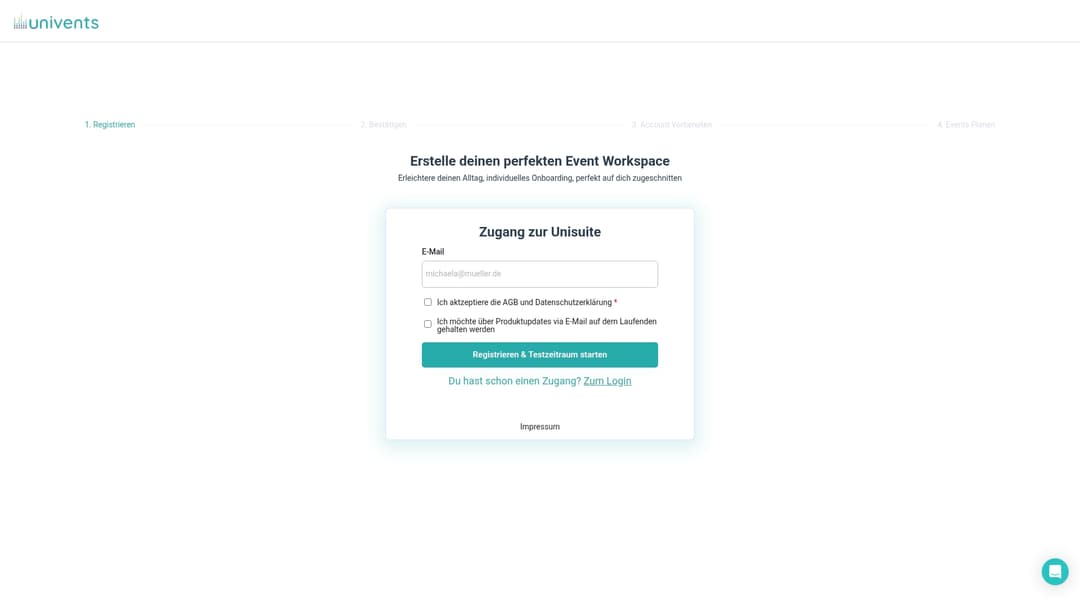
With event management software from Univents, you bring every module of your run sheet together on a single platform: booking, quoting, production lists, shift scheduling, and invoicing all come together centrally. The event hub and communication tools keep your team, your service providers, and your clients on the same page at all times, without endless email chains. Want to know what it costs? Check out Univents pricing and find the plan that fits your business.
Frequently Asked Questions About Event Run Sheet Examples
Which Modules Belong in Every Event Run Sheet?
The key modules are program, technology, catering, communication, finances, and follow-up. Without any one of these blocks, gaps emerge that only become visible during the event itself.
How Detailed Should a Time-Based Run Sheet Be?
Time-based detail in 5-minute increments with clear tasks and owners works well for larger events. Smaller events often get by with 15-minute blocks.
How Much Buffer Time Is a Safe Standard for Event Run Sheets?
Experts recommend 15 to 20 percent of the total planned duration as a buffer. For complex handovers between multiple trades, this figure should sit closer to the upper end.
How Early Does the Time Planning for an Event Begin?
In practice, the timeline often starts 15 to 12 months before the event and extends to 1 to 2 weeks afterward. Even smaller events benefit from a preparation phase of at least 3 months.
Which Run Sheet Works Best for Hybrid Events?
Hybrid events require their own technology and communication block, along with extended testing to ensure analog and digital components work together smoothly. In particular, the bandwidth test for livestreams and the backup solution for technical failures should be explicitly built into the run sheet.
Recommended Reading
- Event Templates: Planning and Organizing Efficiently in Event Management
- Event Planning Guide: The Efficient Path to a Successful Event
- The Best Templates for Event Quotes: Efficient and Error-Free
- Event Schedule Planning: Step by Step to Success